
Alternatives to HappyHorse
Explore the best alternatives and competitors to HappyHorse.
Explore 20 alternatives to HappyHorse. Compare features, pricing, and find the best fit for your needs.
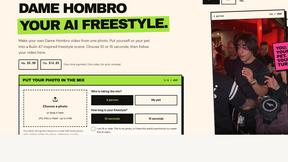

Popstar AI
Popstar AI is an AI video generator that puts you in Drake's POPSTAR music video from one photo, with the original song and no watermark.

Bulin 47 AI Videos
One photo in, a 15-second Bulin 47 street freestyle video with sound out: original dembow beat, lip-synced Spanish verse, crowd.

LobbyClip
Turn two photos into a 15-second AI duo video. Choose a scene and export MP4 in 480p or 720p. One-time payment.

Bulin 47 AI
Turn one photo into the viral 19-second Bulin 47 freestyle, with original sound and a watermark-free vertical MP4.

Artcraft AI
AI image and video studio in your browser: generate and edit images, turn photos into videos, edit clips by sentence.

FreeVideoGenerator
Free AI video generator that turns text prompts and photos into video clips using Sora 2, Veo 3.1, Wan and more. Free starter credits.
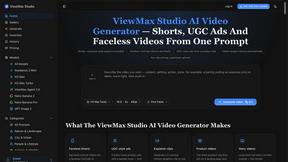
ViewMax Studio
AI video generator that turns one prompt into shorts, UGC-style ads and faceless videos, with script, voiceover and captions.

BoogiePaw
AI dog dancing videos from your dog's photo: upload one shot, pick a dance, get a 9:16 clip in minutes. No prompts, no editing.

Dola AI
Dola AI video generator online: make Seedance 2.5 videos from text or a photo in your browser. No app, no watermark, free credits.
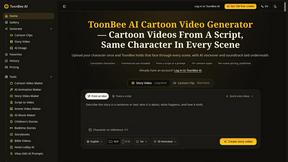
ToonBee AI
ToonBee AI turns a script or a one-line idea into a narrated cartoon video, keeping the same character in every scene. 10+ styles, 16:9 or 9:16.

Ozil AI
Put yourself in the viral Ozil goal video from one photo. Silent 9:16 720p MP4, no watermark, from $6.99.

Genjutsu AI Video Editor
Edit existing videos with AI: swap characters, outfits, objects or scenes while using the source clip to guide motion and camera framing.
Bulin 47 Video Generator
AI Video Bulin47 lets you put yourself in the viral Bulin47 video trend with AI. Upload your photo, create a personalized Bulin47 video, and share it

Bulin 47 AI Freestyle Video Generator
Upload any photo and get your own Bulin 47 AI Freestyle video

Vizle
Vizle transforms lengthy videos into convenient, accessible documents, as PDFs and PPTs. No more speeding through your videos at 2x!
AI Face Swap Video
Swap any face into any video online with AI in minutes. Upload a clip and a photo, get natural lighting and expressions. Free credits on sign-up.

Rumpelstiltskin AI Video Generator
Make the viral Rumpelstiltskin tiptoe dance meme video from two photos
About HappyHorse Alternatives
HappyHorse is a cinematic AI video generator designed to help creators turn text prompts and reference images into polished 1080p videos in just a few minutes. It belongs to the rapidly growing category of AI video generation tools, which allow users to produce high-quality visual content without needing advanced editing skills or expensive equipment. While HappyHorse offers a streamlined workflow for turning ideas into finished clips, many users start looking for alternatives due to factors like pricing structures that may not fit their budget, a desire for different feature sets such as longer video durations or more style controls, or platform compatibility needs like integration with specific editing software or social media channels. When choosing an alternative to HappyHorse, it helps to focus on what matters most for your specific projects. Consider the quality and resolution of the output, as some tools specialize in ultra-realistic footage while others excel at stylized animations. Also look at the ease of use for converting text prompts into videos, the variety of customization options available, and whether the tool supports your preferred aspect ratios or export formats. Pricing models vary widely, from free tiers with watermarks to subscription plans that unlock premium features, so think about your typical video length and frequency of use. Finally, check for community support, tutorial availability, and how often the tool updates its AI models to stay current with creative trends.
FAQs about HappyHorse Alternatives
What is HappyHorse?
HappyHorse is a cinematic AI video generator that enables creators to transform text prompts and reference images into polished 1080p videos in just a few minutes. It belongs to the AI video generation category, helping users produce high-quality visual content without the need for advanced editing skills. The platform is designed to streamline the creative process, making it accessible for both beginners and experienced content creators.
Who is HappyHorse for?
HappyHorse is built for content creators, marketers, social media managers, and video enthusiasts who need to quickly generate cinematic videos from text descriptions or reference images. It is ideal for anyone who wants to produce polished 1080p clips without spending hours on traditional video editing software. Whether you are making promotional content, storytelling videos, or social media reels, HappyHorse aims to simplify the production process.
Is HappyHorse free?
The available product information does not specify whether HappyHorse offers a free tier or a paid subscription model. To determine the pricing structure, you would need to visit the official HappyHorse website or check their documentation for details on free trials, one-time purchases, or monthly plans. Many AI video tools offer limited free versions with watermarks or shorter video lengths, so it is worth exploring those options if budget is a concern.
What are the main features of HappyHorse?
HappyHorse focuses on generating cinematic 1080p videos from text prompts and reference images, allowing users to quickly turn ideas into polished visual content. The key feature is its ability to produce high-resolution clips in minutes, which saves significant time compared to traditional editing workflows. While specific advanced features are not listed in the provided content, the emphasis is on simplicity and speed, making it suitable for rapid content creation.