

HomeEquipmentAge
Estimate HVAC equipment age by decoding its serial number, with brand-specific guidance for homeowners planning maintenance or replacement.
About HomeEquipmentAge
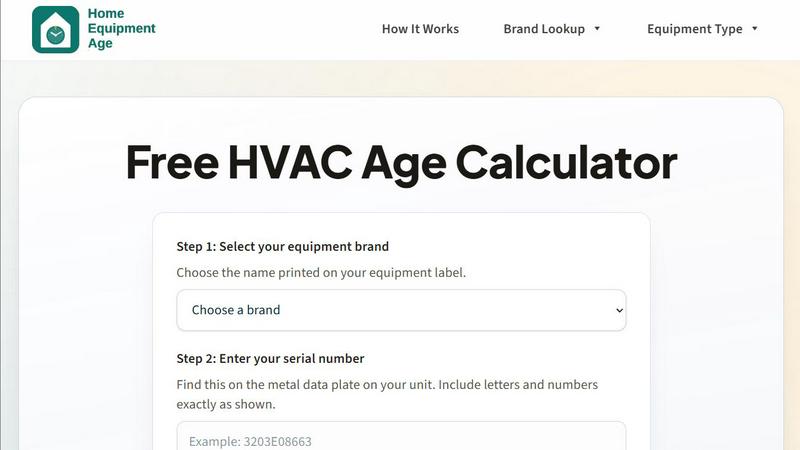
HomeEquipmentAge is a free online calculator for estimating when common HVAC and home mechanical equipment was made. Choose the brand printed on the data plate, enter the serial number as shown, and review an estimated manufacture date, equipment age, and suggested next steps. It covers equipment such as furnaces, air conditioners, heat pumps, boilers, water heaters, packaged rooftop units, and ductless mini-splits.
The estimate can help homeowners start planning maintenance, repairs, or replacement quotes before a breakdown creates time pressure. Because serial formats vary by brand and can change over time, the site says it compares entries with known pattern families and handles ambiguous results conservatively. Check the estimate against any manufacture date on the label, service records, or warranty records. Age is only one consideration: equipment condition, repair history, installation, climate, and usage also affect repair or replacement decisions. Use the calculator for context, not as a professional diagnosis.
Features of HomeEquipmentAge
- Estimates manufacture date and equipment age from a serial number
- Brand selector for supported manufacturers
- Covers several common heating, cooling, and water-heating equipment types
- Offers next-step guidance for maintenance, budgeting, or replacement planning
Use Cases of HomeEquipmentAge
- Get an approximate age before discussing a repair with a technician
- Plan ahead for possible replacement costs as equipment gets older
- Check a home inspection or service record against the equipment label
- Identify whether a serial number or printed manufacture date is available
Frequently Asked Questions
Is the calculator free?
Yes. The site says it is free and does not require signup.
Where can I find the serial number?
Look for the metal data plate labeled S/N. Its location varies by equipment; for example, a furnace label may be behind the blower door.
What if the result seems uncertain?
Re-enter the serial exactly as printed, then compare the estimate with a date on the label or with service or warranty records. Older or unusual formats may need manual lookup.
Similar to HomeEquipmentAge

Stairtop
Use live MLS evidence to help real estate agents explain pricing, adjust listings, and guide buyers through offers.

Compr
Compr underwrites real estate leads from an address, combining comparable sales, photo-based condition grading, and offer calculations for investors.

Imoframe
Imoframe turns real estate listing photos into music-backed videos, giving agents and property teams a pay-per-listing option or monthly Studio plans.

Goodesign
Goodesign turns room photos into AI redesigns, virtual staging, and renovation previews for homeowners, designers, and real estate listings.

Montaureo
Montaureo uses AI-assisted comparisons to explore how relocating or staying may affect wealth, lifestyle and family considerations.

Spaceora
Spaceora turns room, property, and garden photos into AI design ideas, with real furniture references and locally suited plant choices.

Dardaris
Dardaris automates rent matching, repair workflows, and tenant replies for private landlords while leaving key decisions for owner approval.

RealtyPhoto AI
Edit real estate photos online with AI enhancement for interiors and exteriors, plus virtual staging for empty rooms and batches of up to 10 images.