

ImageToSTL.online
ImageToSTL.online turns your PNG or JPG into a watertight 3D print file instantly and privately in your browser for free.
About ImageToSTL.online
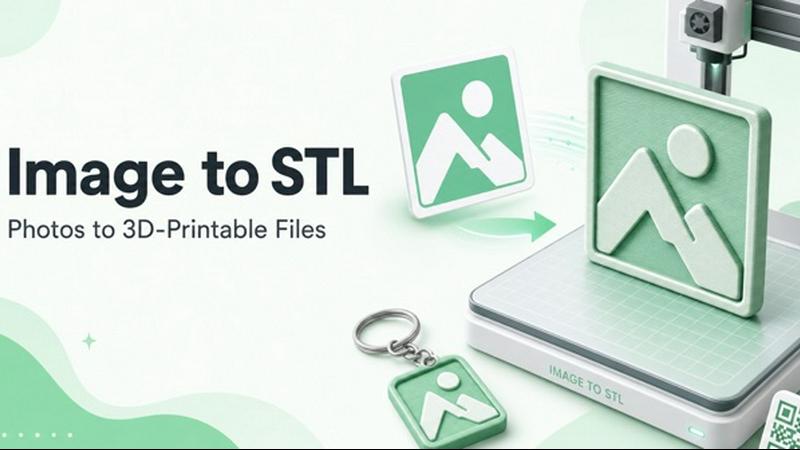
ImageToSTL.online is a free, private, and browser-based tool that converts standard 2D images like PNG, JPG, WebP, SVG, GIF, and BMP into watertight STL files ready for 3D printing. The core value proposition is simplicity and privacy: you never have to upload your images to a server, sign up for an account, or download any software. Everything happens right on your own device, making it one of the most secure and accessible image to STL converters available today. The tool is built specifically for makers, hobbyists, and small business owners who need to turn logos, photographs, artwork, or QR codes into physical objects. Instead of wrestling with complex CAD software like Blender or Adobe, you simply drag an image onto the page, choose one of four specialized modes (Photo Relief, Logo Extrude, Lithophane, or Keychain), and adjust a few sliders to fine-tune the result. A live 3D preview updates in under a second as you make changes, so you always know exactly what your slicer will see. The exported STL files are watertight, use real millimeter dimensions, and work seamlessly with popular slicing software like Cura, PrusaSlicer, and Bambu Studio. For advanced users, an optional AI Full 3D Pro feature can generate a full 360-degree 3D model from a single photo, opening up even more creative possibilities. Whether you are making custom keychains for a brand, a lithophane night light of a family photo, or a detailed wall plaque, ImageToSTL.online removes the technical barriers and gives you a print-ready file in seconds.
Features of ImageToSTL.online
100% Private, On-Device Processing
The most important feature of ImageToSTL.online is that your images never leave your computer. Unlike other online converters that require you to upload files to a remote server, this tool processes everything locally in your browser using JavaScript and WebAssembly. This means your personal photos, proprietary logos, and sensitive artwork stay completely secure. You can use it with confidence for business projects or personal memories without worrying about data privacy. The processing is also incredibly fast, with most conversions completing in under a second.
Four Specialized Conversion Modes
Instead of a one-size-fits-all approach, ImageToSTL.online offers four distinct modes tailored to different 3D printing needs. Photo Relief uses brightness as height, turning a photograph into a 3D embossed plaque where bright areas rise and dark areas stay low. Logo Extrude creates a clean, flat-backed silhouette from a logo or text, perfect for badges and signage. Lithophane mode inverts the heightmap to create a thin, translucent print that reveals a hidden image when backlit. Keychain mode adds a pre-sized 4mm hole to any extruded shape, ready for a keyring. Each mode has its own set of sliders for fine-tuning detail, depth, smoothing, and thickness.
Live 3D Preview with Instant Updates
As you adjust any of the conversion parameters, the 3D preview rebuilds in under a second. This real-time feedback loop is a game-changer for getting the perfect result. You can drag to rotate the model, zoom in to inspect details, and see exactly how your changes affect the final mesh before you download. This eliminates the guesswork and wasted filament from trial-and-error printing. The preview is fully interactive and works with any modern browser, giving you the same experience as a desktop 3D modeling application.
Watertight STL Export with Real Millimeters
Every file exported from ImageToSTL.online is a watertight binary STL mesh, meaning it has no holes, gaps, or non-manifold edges that could cause slicing errors. The dimensions are in real millimeters, so a model set to 80mm wide will print exactly 80mm wide in your slicer. This level of precision is critical for functional parts, keychains that need to fit rings, and lithophanes that need to fit into a light box. The tool handles the technical mesh generation for you, ensuring your file is ready to slice and print without any repair steps.
Use Cases of ImageToSTL.online
Custom Logo Keychains and Badges
Small business owners and event organizers can use ImageToSTL.online to turn a company logo or event graphic into a 3D printable keychain in minutes. Simply upload a PNG or SVG of the logo, select the Logo Extrude mode, set the desired width and thickness, and the tool automatically generates a clean silhouette with a 4mm hole for a keyring. The result is a professional-looking branded giveaway that can be printed on demand. No design skills or expensive software are required, making it accessible for anyone to create custom merch.
Personalized Photo Relief Wall Art
Create a unique, tactile version of a favorite photograph by converting it into a 3D relief plaque. Upload a family portrait, a pet photo, or a landscape shot, select Photo Relief mode, and adjust the depth and base thickness to your liking. The brightness of each pixel determines how high it rises from the base, resulting in a beautiful embossed effect. Print it flat on the print bed with fine layer heights for a stunning piece of wall decor that captures the texture and emotion of the original image.
Lithophane Night Lights and Gifts
Lithophanes are a popular 3D printing project that turns a 2D image into a translucent panel that reveals the picture when lit from behind. ImageToSTL.online makes this process effortless. Upload a high-contrast photo, select Lithophane mode, and the tool automatically creates a thin, vertical print with variable thickness. When backlit with an LED or candle, the darker areas block more light and the lighter areas let more through, revealing the image. These make excellent personalized gifts for birthdays, weddings, or holidays.
Embossed Plaques and Signage
From QR codes to house numbers, ImageToSTL.online can turn any simple graphic into a durable 3D printed sign. Upload a QR code image and use the Photo Relief mode to create a raised pattern on a flat base. Print it with a contrasting filament color for a professional look. The same technique works for street signs, nameplates, and door numbers. Because the output uses real millimeter dimensions, you can design signs that fit perfectly into standard frames or mounting brackets.
Frequently Asked Questions
What file formats does ImageToSTL.online support for input?
The tool supports a wide range of common image formats including PNG, JPG, WebP, SVG, GIF, and BMP. You can either drag and drop a file onto the designated area or paste an image directly from your clipboard using Ctrl+V. This flexibility means you can work with screenshots, downloaded graphics, or photos from your camera without needing to convert them first.
Is ImageToSTL.online really free with no limits?
Yes, the tool is completely free to use with no hidden costs, watermarks, or file caps. You can convert as many images as you want, as often as you want, without ever needing to sign up for an account or provide payment information. The only paid feature is the optional AI Full 3D Pro mode, which generates full 360-degree models from a single photo and requires a subscription.
How do I print the STL file after downloading it?
Once you download your watertight STL file, you can open it directly in any standard 3D printing slicer such as Bambu Studio, Cura, or PrusaSlicer. The file uses real millimeter units, so no scaling is needed. For photo reliefs, the tool recommends printing flat on the bed with 0.12mm layer heights and 15-20% infill. For lithophanes, print them vertically with 100% infill for the best backlit effect.
What is the AI Full 3D Pro feature and how does it work?
AI Full 3D Pro is an optional advanced feature that uses artificial intelligence to generate a full, colored 360-degree 3D model from a single 2D photo. This is ideal for turning product photos or collectibles into printable STL files. The feature is available for a fee and provides a much more complex output than the free modes, which are limited to heightmap-based conversions. You can see examples on the website including an astronaut figure, a coffee mug, and a dinosaur toy.
Explore more in this category:
Similar to ImageToSTL.online

AI Halloween Photo Generator
Halloween AI portraits—templates, no long prompts

UX Critic
AI design critic: scored UX reviews with every issue pinned to the exact region of your screenshot.


bad quality image maker
Make any image look intentionally bad — blurry, pixelated, or deep fried. Free, in your browser, no signup.

picttool
Create and edit images with a collection of easy-to-use AI tools

Compresser PDF
Lighter PDFs. Your files stay with you.

Bulin 47 AI Video Generator
Upload one photo and star in the viral Bulin 47 street freestyle. AI replaces the lead performer with you while the crowd, camera and red lights stay

CustomerFlows
A modern, AI-native CRM built for lead-driven businesses. Qualify leads 24/7, track pipelines, and measure true ad ROI with flat-rate pricing.