
LinkedInPro
Elevate your profile with LinkedInPro, turning casual photos into professional headshots in seconds.
About LinkedInPro
LinkedInPro is a state-of-the-art AI-driven tool that revolutionizes the way professionals create their headshots. Designed to transform simple, everyday photos into striking, studio-quality images in mere seconds, LinkedInPro caters to a diverse audience. Whether you are a job seeker aiming to make a lasting first impression, an entrepreneur keen on boosting your personal brand, or a professional looking to enhance your LinkedIn profile, this tool is tailored for you. The main value proposition of LinkedInPro lies in its ability to deliver high-quality, genuine-looking photographs that reflect your unique personality. By choosing LinkedInPro, users can stand out in competitive job markets and networking opportunities without the high costs typically associated with traditional photography services. With its user-friendly interface, LinkedInPro simplifies the process of updating your online image, making it quick, easy, and affordable for everyone. Embrace the professional opportunities that come with a polished online presence through LinkedInPro.
Features of LinkedInPro
AI-Powered Image Enhancement
LinkedInPro employs advanced AI technology to analyze and enhance your photos automatically. This feature ensures that the final headshot not only looks professional but also retains an authentic touch, capturing your true personality.
Quick Turnaround Time
With LinkedInPro, you can transform your photos into stunning headshots in just seconds. This feature is perfect for professionals who need a high-quality image on short notice, allowing for immediate updates to LinkedIn and other professional platforms.
User-Friendly Interface
The platform is designed with ease of use in mind. Users can effortlessly upload their photos, select enhancements, and download their new headshots without any technical skills required, making it accessible for everyone.
Versatile File Formats
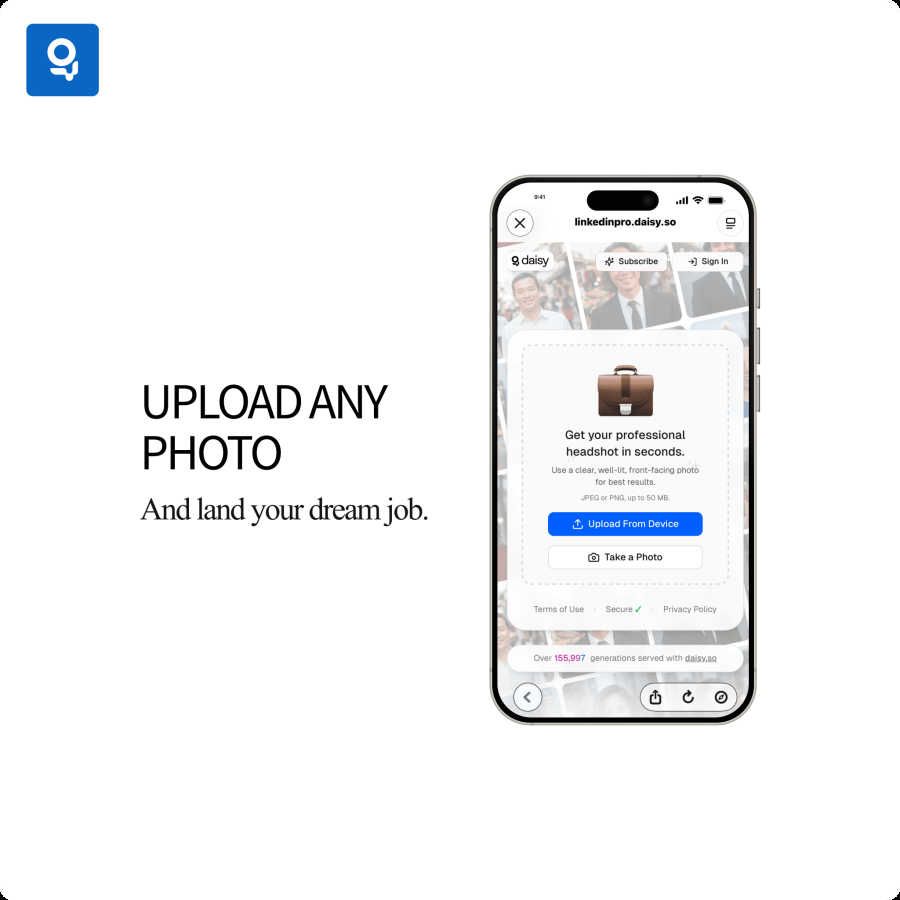
LinkedInPro supports both JPEG and PNG file formats, allowing users to choose the format that best suits their needs. Additionally, you can upload files up to 50 MB, ensuring high-resolution images that look great across all platforms.
Use Cases of LinkedInPro
Job Seekers
For job seekers, first impressions can make or break an opportunity. LinkedInPro enables candidates to create professional-looking headshots that enhance their profiles, making them more appealing to potential employers.
Entrepreneurs
Entrepreneurs can utilize LinkedInPro to establish a strong personal brand. A polished headshot helps convey professionalism and credibility, which can be critical in attracting clients and investors.
Networking Events
Attending networking events? Use LinkedInPro to ensure you have a standout headshot ready to go. A great image can enhance your presence and make a memorable impact on new contacts.
Social Media Profiles
Beyond LinkedIn, many professionals need high-quality images for other social media platforms. LinkedInPro allows users to create versatile headshots suitable for various profiles, ensuring a consistent and professional image across all networks.
Frequently Asked Questions
How do I get started with LinkedInPro?
Getting started is easy! Simply upload a clear, well-lit, front-facing photo in JPEG or PNG format, and let LinkedInPro's AI do the rest. Within seconds, you will have a professional headshot ready for download.
What type of photos work best for LinkedInPro?
For optimal results, use a clear, well-lit, front-facing photo. The better the quality of the uploaded image, the more stunning your final headshot will be, so choose a picture that highlights your features well.
Can I use LinkedInPro for other social media platforms?
Absolutely! While LinkedInPro is designed to enhance your LinkedIn profile, the high-quality headshots created can be used across various social media platforms, ensuring a professional presence everywhere.
Is my data safe with LinkedInPro?
Yes, LinkedInPro prioritizes user privacy and security. All uploaded images and personal information are protected, and the platform adheres to strict privacy policies to ensure your data remains confidential.
Explore more in this category:
Similar to LinkedInPro

Budgetpixel AI
Create and edit AI images, videos, music, and designs in one workspace, with multiple models, reusable characters, and API access.

Try OC Maker
Create OCs from text or images, customize their look, and turn them into animated videos with AI.

xfiles
Free PDF, image and audio tools that process your files locally in your browser. No account or added watermarks.

IconCreator
IconCreator is an AI-powered logo and app icon generator. Create professional logos, app icons, favicons, and brand assets in minutes.

Reword Image
Change the text already printed inside a photo, screenshot or poster, without the original design file.

Bulin 47 AI Videos
One photo in, a 15-second Bulin 47 street freestyle video with sound out: original dembow beat, lip-synced Spanish verse, crowd.

IdeaAize Free AI Tools
IdeaAize Free AI Tools is a suite of 50+ free online utilities that run 100% in your browser — no registration, no file uploads, no watermarks.

Spaceora
Turn room and outdoor photos into AI interior, virtual staging, garden and landscape design concepts.