
LinkMyAgency
Get undetectable AI help to ace your coding and job interviews in real time.
About LinkMyAgency
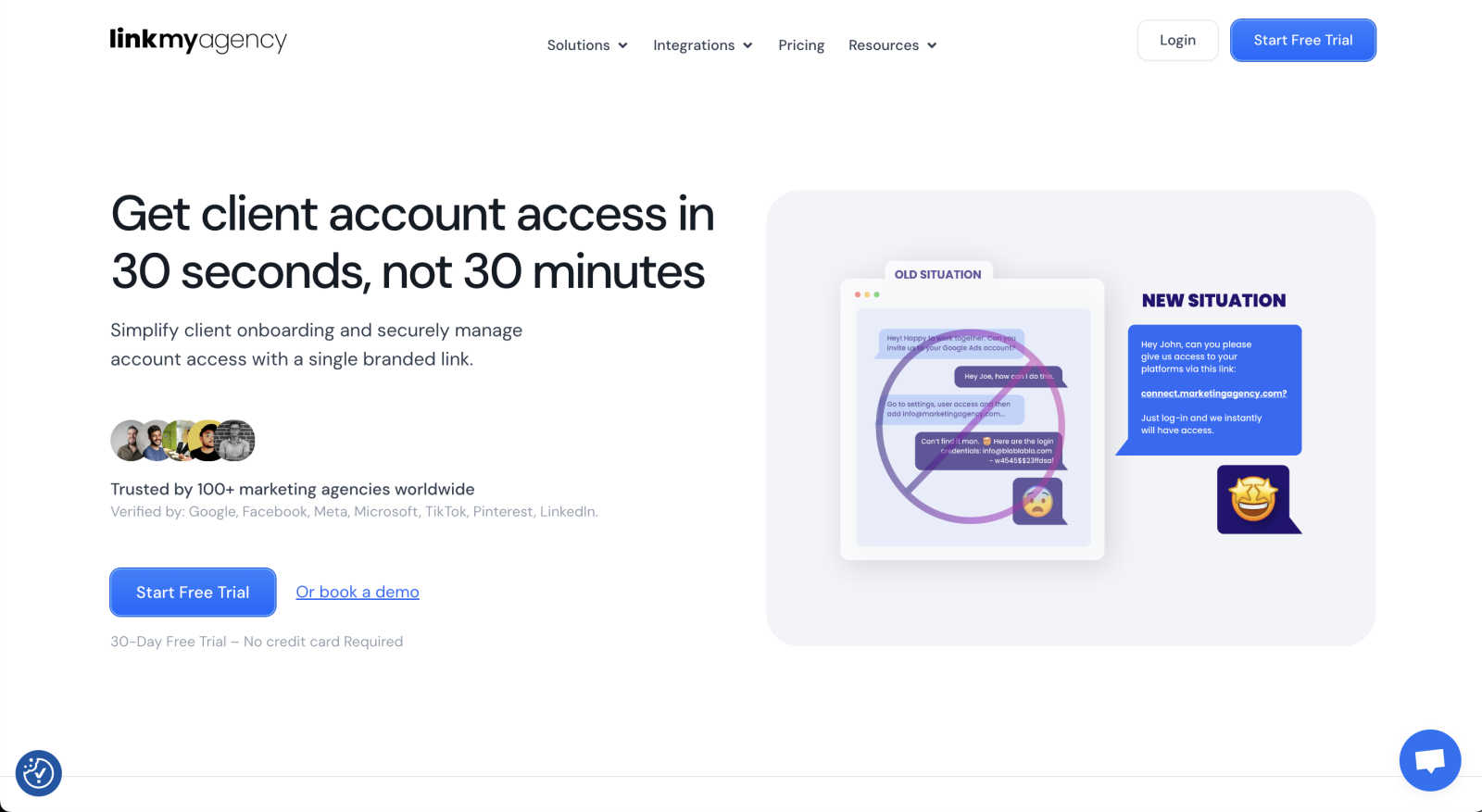
LinkMyAgency is a game-changing tool built specifically for marketing agencies who are tired of the slow, confusing, and insecure process of getting access to client accounts. If you've ever spent hours on video calls trying to guide a client through Google Ads manager access, or chased endless email threads for a Facebook pixel, this tool is for you. LinkMyAgency transforms that tedious, multi-day ordeal into a simple, 30-second task. The core idea is beautifully straightforward: instead of you and your client navigating complex platform settings, you send them a single, branded link. With a few clicks, they can securely grant your agency access to their advertising and analytics accounts on platforms like Google, Meta, TikTok, and LinkedIn. This not only saves you countless hours of manual work and troubleshooting but also presents a incredibly professional and polished first impression to your new clients. By leveraging secure OAuth technology—the same trusted by the major platforms themselves—LinkMyAgency ensures security is never compromised. It automates away the need for lengthy guides and back-and-forth communication, letting your team focus on delivering stellar marketing results instead of wrestling with onboarding logistics.
Features of LinkMyAgency
One-Click, 30-Second Client Connection
The flagship feature is all about breathtaking speed and simplicity. You generate a unique, branded link for your client. They click it, follow a simple, guided process, and grant permissions in about half a minute. This eliminates the need for screen-sharing calls or deciphering confusing help articles, making the technical handoff feel effortless and modern for both you and your client.
Enterprise-Grade Security with OAuth
Security is paramount when handling client accounts. LinkMyAgency uses robust OAuth technology for all connections. This means your agency never sees or handles client passwords. Access is granted directly by the platform (like Google or Meta) through a secure authorization flow, which is the industry standard for security and is trusted by all major advertising networks, keeping your clients' data safe.
Branded & Professional Client Experience
First impressions matter. With LinkMyAgency, you can customize the connection portal with your agency's branding, including logos and colors. This turns a typically technical and dry process into a seamless extension of your professional services. It shows clients you're organized, tech-savvy, and value their time and security from the very first interaction.
Automated Guides & Troubleshooting
Say goodbye to creating and updating lengthy PDF guides for every platform update. LinkMyAgency's platform automatically provides clients with clear, step-by-step instructions tailored to the specific account they are connecting. This built-in guidance drastically reduces support tickets and confused emails, saving your team from repetitive troubleshooting and ensuring a smooth path to connection every time.
Use Cases of LinkMyAgency
Streamlining New Client Onboarding
This is the primary use case. When a new client signs on, instead of scheduling a lengthy "tech setup" call, your project manager simply sends the LinkMyAgency link. The client completes the secure connection at their convenience, often before the first strategy session. This cuts days off the onboarding timeline, allowing you to start actual campaign work much faster.
Managing Access for Multiple Client Teams
For clients with large or decentralized teams (e.g., a client's marketing lead and their IT manager), getting the right access can be a puzzle. LinkMyAgency simplifies this by providing a clear, standardized link that any required team member can use to grant the necessary permissions, ensuring you get access from the correct people without confusing email chains.
Securely Re-establishing Lost Access
Client employee turnover can mean lost account access. Instead of navigating a bureaucratic process to regain access, you can simply resend your LinkMyAgency connection link to the new point of contact. They can quickly and securely re-grant the permissions, minimizing downtime for campaign management and reporting.
Scaling Agency Operations Efficiently
For growing agencies, the manual onboarding process doesn't scale. LinkMyAgency automates the most repetitive part of bringing on new business. This allows your senior staff to focus on strategy and client relationships instead of technical setup, enabling you to handle more clients without proportionally increasing overhead or hiring more support staff.
Frequently Asked Questions
What platforms does LinkMyAgency support?
LinkMyAgency supports secure connection to all major digital advertising and analytics platforms. This includes Google (Ads, Analytics, My Business), Meta (Facebook Ads, Instagram), TikTok For Business, and LinkedIn Campaign Manager. The platform uses each network's official OAuth system, ensuring full compatibility and security.
Is it really secure? Do we see client passwords?
Absolutely, security is a core principle. LinkMyAgency uses OAuth, which is the gold-standard authorization protocol. This means your agency never sees, handles, or stores client passwords. The client logs directly into the platform (e.g., Google.com) to grant permission, and an access token is securely passed to you. It's the same secure method used by thousands of integrated apps.
How does this look from the client's perspective?
For your client, the experience is incredibly simple and professional. They receive your branded link, click it, and are guided to a clean page with your agency's logo. They then click a button for the platform they need to connect (e.g., "Connect Google"), which redirects them to that platform's official, secure login page. After logging in and approving the permissions, they're done. The whole process is designed to be intuitive and instill confidence.
Can we use this for existing clients, or only new ones?
You can and should use it for both! While it's perfect for onboarding new clients, it's also a fantastic tool for existing clients. Use it to seamlessly add access to a new platform (like connecting their TikTok account for the first time) or to easily re-establish access if credentials change or a point of contact leaves their company. It standardizes and simplifies access management across your entire client roster.
Explore more in this category:
Similar to LinkMyAgency

PageLint
AI copy audit for landing pages: 55 checks, each finding quotes your page and cites its source. Free 16-check audit, no signup.

TestNeo
TestNeo.ai is an AI-native engineering and release assurance platform that helps teams automate web and API testing using natural language.


Leadeon
AI growth tool for X and LinkedIn: write posts in your voice, schedule at your best times, find leads on X and see what works.

Assistly
An AI receptionist on your website that answers visitors 24/7 from your own content and captures every lead.

FollowX Today
Swipe to match with verified solo founders in your niche. Form 7-day mutual follow pacts, earn points, and grow a feed full of builders who engage in

ViewMax Studio
AI video generator that turns one prompt into shorts, UGC-style ads and faceless videos, with script, voiceover and captions.
