

Online PDF Translator
Effortlessly translate and edit complex PDFs with our AI-powered tool that preserves layout and exports to multiple formats.
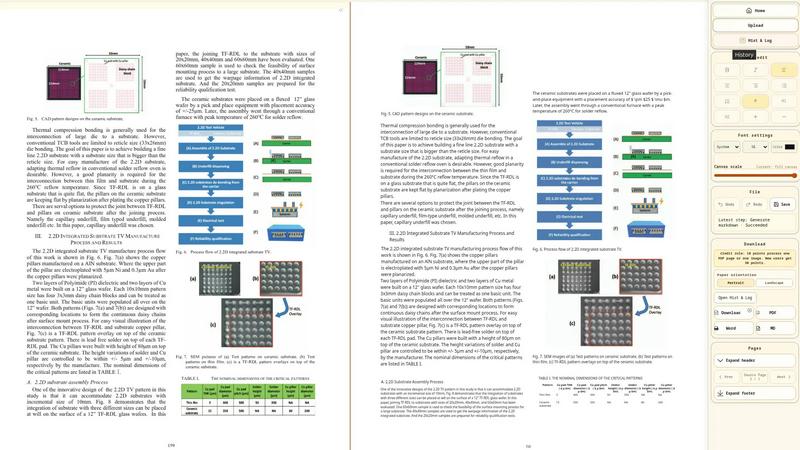
About Online PDF Translator
Online PDF Translator is an advanced document intelligence platform designed to seamlessly process, convert, translate, and cross-reference PDFs and images while preserving their original layouts. It caters to a diverse user base, including researchers, legal professionals, and financial auditors, providing them with a robust tool to handle multi-language files without compromising on formatting. The platform operates on a serverless global cloud infrastructure, ensuring minimal latency during data processing. By utilizing cutting-edge vision-language models, Online PDF Translator can manage complex documents such as scanned papers, technical manuals, and legal contracts. Unlike conventional translators that often disrupt formatting, this tool maintains precise layout coordinates, allowing for high-fidelity exports to various formats like Word and Excel. With a built-in Markdown editor, users can refine translations and manually adjust structural elements, making it an indispensable resource for those who require accuracy and clarity in their document translations.
Features of Online PDF Translator
Layout-Preserving OCR for Scanned PDFs
This feature allows users to extract text from scanned documents while retaining the original layout, including tables, multi-column formats, stamps, and watermarks. It is particularly beneficial for academic papers, legal contracts, and technical manuals, ensuring that important visual elements remain intact during the translation process.
Image-to-Text OCR — Handwriting, Scans & Photos
This functionality converts handwritten notes, printed documents, and photos into editable digital text. The OCR technology recognizes cursive handwriting and mixed-language content from various image formats, making it easy to translate and export the content into multiple formats such as HTML, PDF, DOCX, or Markdown.
AI Translation with Glossary Support
With DeepSeek-powered translation, this feature preserves not only the document structure but also critical domain terminology through custom glossaries. Users can lock specific translations throughout the document, which is essential for maintaining consistency in technical, legal, and medical PDFs.
Cross-Format Document Comparison
This unique feature allows users to compare any two documents side-by-side, regardless of their formats. Whether it is a PDF against a Word document or an image against a scanned PDF, the system aligns text based on spatial coordinates, making it easy to track changes and differences at a granular level.
Use Cases of Online PDF Translator
Academic Research
Researchers can utilize Online PDF Translator to convert and translate academic papers from multiple languages while preserving complex formatting. This enables them to reference global studies without the hassle of manual reformatting.
Legal Document Review
Legal professionals can use the platform to translate and compare contracts, ensuring that all terms remain accurate and intact. The cross-format comparison feature helps in identifying discrepancies between different document versions, aiding in thorough audits.
Financial Reporting
Financial auditors can benefit from the platform's ability to extract tables from PDFs into Excel, maintaining the integrity of financial data types and relationships. This streamlines the process of analyzing financial reports and ensures accuracy.
Technical Documentation
Engineers and technical writers can translate manuals and guides that contain intricate layouts and diagrams. With layout preservation and glossary support, they can ensure that technical terms are consistently translated, enhancing clarity for global users.
Frequently Asked Questions
What types of files can I upload for translation?
You can upload various file types, including scanned and native PDFs, images in PNG, JPG, and BMP formats. The platform is designed to handle both simple and complex documents effectively.
How does the OCR technology work?
The OCR technology extracts text from images and scanned documents while preserving the original layout, including tables, columns, and other non-text elements. This ensures that the output remains user-friendly and visually accurate.
Can I edit the translations directly in the platform?
Yes, Online PDF Translator includes a built-in Markdown editor that allows users to refine translations directly within the platform. You can adjust formatting, fix terminology, and compare different document versions in one place.
What formats can I export my translated documents to?
Users can export their translated documents in various formats, including PDF, Word (.docx), Excel (.xlsx), HTML, and Markdown. This flexibility allows for easy integration into different workflows and applications.
Explore more in this category:
Best Business Intelligence AI tools
Similar to Online PDF Translator

@fuck.it - email with attitude
Private email. Pure. Secure. Exclusive. No ads, no tracking, no data selling. GDPR compliant, EU-hosted.

xfiles
Free PDF, image and audio tools that process your files locally in your browser. No account or added watermarks.

this+that
An AI agent that reads every email and chat message your team gets, turns requests into tasks, and does what they ask.

Toolbit.ai
Describe your task and Toolbit finds the right AI tool. Compare tools side by side, see top rankings, and follow daily AI news and guides.


RunMyWealth
Smart, private financial calculators for mortgage, FIRE, and debt. 100% free, runs locally in your browser, no signup required.

Nutrition Fact Label
Free FDA-compliant nutrition facts label generator with recipe-to-label nutrition, allergen checks and 152 label formats for 114 countries.
