

Operations
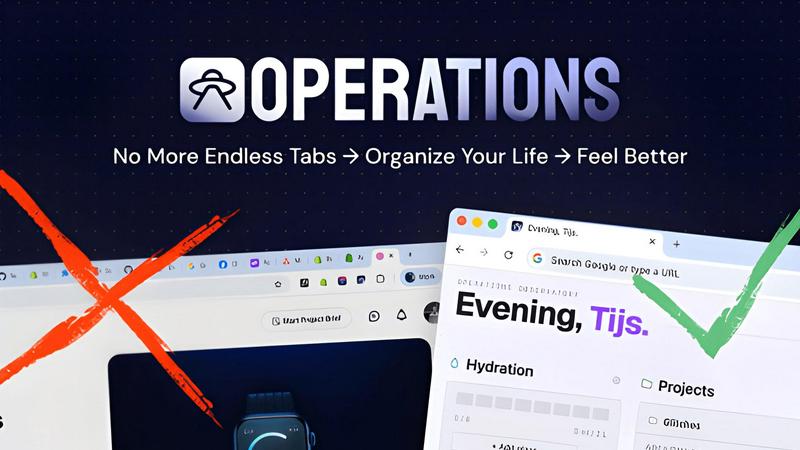
Operations replaces dozens of browser tabs with one clean dashboard that groups your GitHub, notes, projects, and tools by project.
About Operations
Operations is a command center for your browser's new tab page, designed specifically for developers and technical professionals who manage multiple projects daily. If you have ever found yourself drowning in 20 to 50 open Chrome tabs just to keep track of what is happening across your projects, Operations offers a cleaner, more organized solution. It collapses all that scattered information into a single, focused dashboard that appears every time you open a new tab.
The product is built for developers, product managers, and anyone juggling multiple repos, deployments, and tools. Each project gets its own dedicated card where you can see GitHub pull requests and issues, deploy URLs, live site links, and staging environments. There is also a per-project API key vault that stays entirely on your device using Chrome's local storage, so your sensitive credentials never leave your machine. Beyond project management, Operations includes a scratchpad for quick notes, a todo list scoped to each project, a focus timer, a hydration tracker, and a customizable news feed from RSS sources and subreddits. The entire experience is local-first, meaning your data lives on your device and works offline. By replacing dozens of scattered tabs with one unified dashboard, Operations reduces context switching, saves time, and helps you stay focused on what matters most.
Features of Operations
GitHub Activity Dashboard
Operations pulls every open pull request and issue from the GitHub organizations you care about and groups them under the right project card. You can see reviews waiting on you, threads you opened, and issues still unresolved, all on one screen. The dashboard refreshes in the background so the information is never stale. This feature eliminates the need to dig through tab strips and notification emails to figure out what needs your attention next.
Per-Project Vault
Each project in Operations comes with a secure key-value store for tokens, passwords, and API keys. This vault lives entirely in Chrome's local storage on your device and never touches Operations' servers. You can scope credentials per project, so your production API keys stay separate from staging environment secrets. Accessing a token is as simple as opening your new tab and clicking into the relevant project card.
Bookmarks Carousel and Notes
A fast-access bookmark rail sits on the dashboard, letting you pin the dozen links you open all day without cluttering your browser bar. Next to it, a built-in scratchpad provides space for ideas, sketches, and standup notes that stay with the project they belong to. Together, these features replace the messy collection of browser bookmarks and sticky notes that typically scatter across your workflow.
Focus Timer and Hydration Tracker
A Pomodoro-style focus timer is baked directly into the dashboard. Start a 25-minute session from your new tab, take a real break when it buzzes, and ship more work in less time. The hydration tracker lets you tap a glass to log a drink, with your daily count filling up on the dashboard. Gentle reminders appear on the new tab you are already looking at, with no notification spam.
Use Cases of Operations
Managing Multiple Developer Projects
A full-stack developer working on three client projects simultaneously can use Operations to keep everything organized. Each client gets its own project card with GitHub PRs, live URLs, staging links, and a vault for client-specific API keys. Instead of switching between 20 browser tabs, the developer opens a single new tab to see all open reviews, deploy statuses, and project notes.
Streamlining Standup Preparation
A tech lead preparing for daily standup meetings can use Operations to quickly review what each team member has contributed. The GitHub activity dashboard shows all open pull requests and issues grouped by repo and org. The lead can also check project-specific notes and todos to ensure nothing is missed during the standup. This cuts preparation time from five minutes to under thirty seconds.
Securing Credential Access for Teams
A DevOps engineer who needs to share staging environment credentials with a new team member can use the per-project vault in Operations. The engineer stores the credentials in the vault scoped to the staging project card. The team member accesses the vault through their own Operations dashboard, and the data never leaves their local Chrome storage. This removes the need for insecure password sharing or additional credential management tools.
Maintaining Focus During Deep Work
A software developer using the Pomodoro technique can start a focus timer directly from the Operations dashboard. During the 25-minute session, the developer sees only their project cards and GitHub activity, avoiding distractions from other browser tabs. The hydration tracker reminds them to drink water between sessions. This combination helps the developer maintain deep focus while still having all project information available at a glance.
Frequently Asked Questions
How does Operations keep my API keys and tokens secure?
Operations stores all vault data in Chrome's local storage on your device. The product never sends your credentials to any external server, including our own servers. Each project has its own scoped vault, so you can keep production and staging credentials completely separate. The vault is accessible only through your Operations dashboard, and the data stays on your machine even when you are offline.
Do I need to install anything besides the Chrome extension?
No. Operations is a Chrome extension that replaces your new tab page. You add it from the Chrome Web Store, sign in with your GitHub account, and open a new tab. Your dashboard is ready in under 60 seconds from installation. There are no additional apps, desktop software, or server setups required.
Can I use Operations with multiple GitHub organizations?
Yes. Operations pulls open pull requests and issues from all the GitHub organizations you care about. You can configure which organizations and repos appear on your dashboard during setup. The activity is automatically grouped under the correct project card, so you can see everything relevant to each project without manual filtering.
Is Operations free to use?
Operations offers a free tier that includes the core dashboard features, GitHub integration, project cards, vault, notes, todos, and the focus timer. Premium features such as unlimited projects, advanced news feed customization, and additional theme options are available through paid plans. You can check the Pricing page on the Operations website for the latest details on plans and costs.
What happens to my data if I remove the extension?
Since all your data is stored locally in Chrome's local storage, removing the extension will delete your vault entries, notes, todos, and settings. We recommend exporting any important data before uninstalling. Your GitHub account remains unaffected, and you can reinstall Operations later to set up your dashboard again from scratch.
Can I customize the look and feel of my dashboard?
Yes. Operations includes five handcrafted theme directions: NOPE Classic, Mission Control, Field Manual, Observatory, and Ink. Each theme is available in both light and dark modes. You can switch between themes from the dashboard settings to match your personal preference or your current work environment.
Explore more in this category:
Similar to Operations


ErgoAssessment
See your posture the way an ergonomist beside your desk would. Your camera, five body angles, plain fixes. Free, no signup.

AI Email Filter
AI Email Filter sorts incoming mail into folders using plain-language prompts you write. Works with any IMAP mailbox; bring your own LLM if you want.

BetterKnocks
One powerful software for D2D (Door to door) fields reps to manage their sales and their teams to easily track territories and complete powerhouse CRM


StrictDNS
Block adult content, gambling and more on all your devices, with a friend as your accountability partner who is notified.

Sayble
AI copilot that tells you what to say next on live sales calls, then writes the recap and follow-up.

Memwyre
Memwyre is an AI memory platform that gives every AI tool, agent, and conversation a persistent, shared memory you can search and reuse.