
Alternatives to Operations
Explore the best alternatives and competitors to Operations.
Explore 20 alternatives to Operations. Compare features, pricing, and find the best fit for your needs.

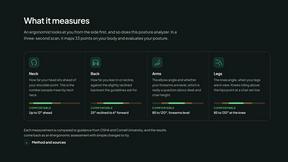
ErgoAssessment
See your posture the way an ergonomist beside your desk would. Your camera, five body angles, plain fixes. Free, no signup.
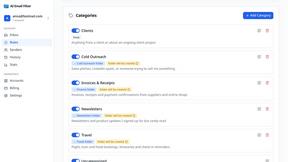
AI Email Filter
AI Email Filter sorts incoming mail into folders using plain-language prompts you write. Works with any IMAP mailbox; bring your own LLM if you want.
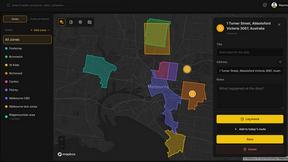
BetterKnocks
One powerful software for D2D (Door to door) fields reps to manage their sales and their teams to easily track territories and complete powerhouse CRM

StrictDNS
Block adult content, gambling and more on all your devices, with a friend as your accountability partner who is notified.
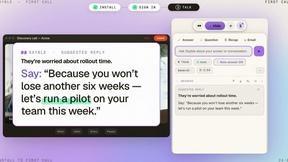
Sayble
AI copilot that tells you what to say next on live sales calls, then writes the recap and follow-up.
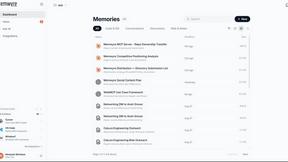
Memwyre
Memwyre is an AI memory platform that gives every AI tool, agent, and conversation a persistent, shared memory you can search and reuse.

Piano to Sheet Music
Turn a piano recording into sheet music, MIDI and MusicXML, with the first 30 seconds free in your browser.

Ins Autopilot
Instagram automation and outreach Chrome extension for targeted follow, protected unfollow, auto like, comments, and DMs.



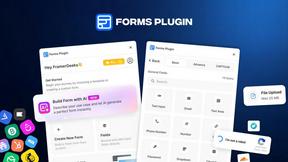
Forms Plugin
The #1 Native Form Builder Plugin for Framer - No Code, No Embeds, No External Platforms.
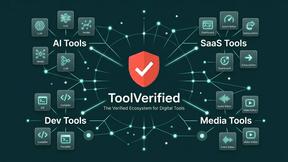
ToolVerified
ToolVerified is a hand-curated directory of new software, verified by real humans and elevated by authentic community upvotes.


HomeAnswerBook
Practical, independent guides to home repairs, maintenance, costs, troubleshooting, and everyday fixes.
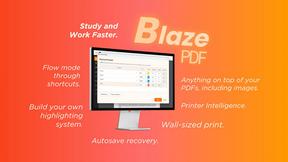
BlazePDF
Highlight faster. Study in flow with custom shortcuts and a workflow built around you. Print smarter, or turn any page into a tiled poster.

AI STL Generator
The fastest AI STL generator to turn prompts and images into 3D printable STL files.

About Operations Alternatives
Operations is a productivity tool that lives in the “Productivity & Management” category, designed specifically for developers and technical professionals who juggle multiple projects at once. It replaces the chaos of having 20 to 50 browser tabs open by turning your new-tab page into a single, organized dashboard. Users often start looking for alternatives because they want a different pricing model, need a specific platform or browser extension, or require deeper integrations with tools they already use, like Jira or Slack. When evaluating alternatives, it is important to look for solutions that offer strong local-first data security, a clean and customizable interface, and the ability to centralize project-specific information like GitHub updates, deployment URLs, notes, and tasks without relying on constant internet access. When choosing an alternative to a tool like Operations, focus on how well it reduces context switching and keeps your workflow smooth. The best options will let you view real-time project statuses, store sensitive data like API keys securely on your own device, and include practical extras like a focus timer or a personalized news feed. You should also consider how easy it is to set up per-project cards and whether the tool supports your preferred code hosting platforms and deployment services. Ultimately, the right choice will feel like a natural extension of your work habits, helping you stay focused and organized without adding more complexity to your day.
FAQs about Operations Alternatives
What is Operations?
Operations is a new-tab dashboard that replaces the need for 20 to 50 open browser tabs when managing multiple projects. Each project gets its own card displaying GitHub pull requests and issues, deploy and live URLs, an API-key vault, notes, todos, and a scratchpad. It also includes a focus timer, hydration reminders, and a customizable news rail with RSS feeds and subreddits. The tool is built to be local-first, meaning your data stays on your device and is never sent to external servers.
Who is Operations for?
Operations is built for developers, engineers, and technical project managers who work on several projects at the same time and need a centralized way to monitor progress. It is especially helpful for anyone who finds themselves with dozens of browser tabs open just to keep track of GitHub activity, deployments, notes, and to-do lists. The tool is designed for individuals who value a clean, local-first approach and want to reduce distractions without losing visibility into their work.
What are the main features of Operations?
Operations provides per-project cards that show GitHub pull requests and issues, deployment and live URLs, a scoped API-key vault, notes, a todo list, and a scratchpad for quick text snippets. It also includes a focus timer, hydration reminders, and a bring-your-own news rail that supports RSS feeds and subreddits. All data is stored locally on your device, ensuring privacy and offline access. The dashboard replaces your browser’s new-tab page, so it is always one click away.
Is Operations secure?
Yes, Operations is designed with security as a priority because it is local-first, meaning your data stays on your own device and is never transmitted to any external servers. The API-key vault is scoped per project and never leaves your computer, so sensitive credentials remain under your control. This approach minimizes the risk of data breaches that can occur with cloud-based tools. By keeping all information local, Operations ensures that only you have access to your project details and secrets.