

Remove Veo Watermark
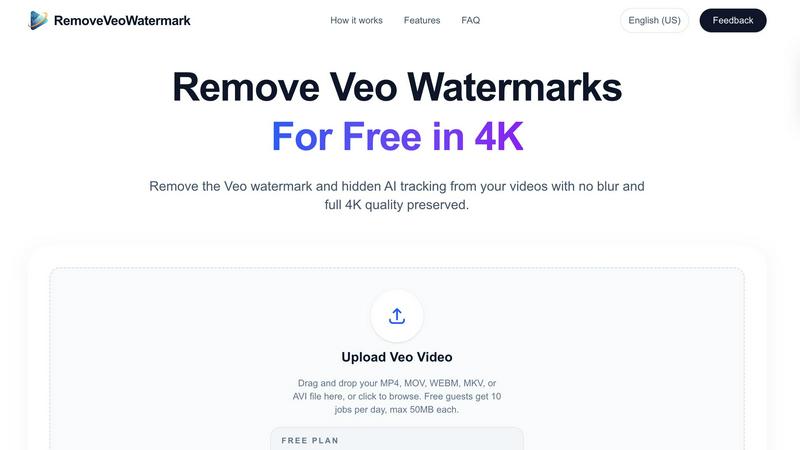
Effortlessly remove Veo watermarks from your videos in pristine 4K quality, keeping every detail intact for professional use.
About Remove Veo Watermark
Remove Veo Watermark is an innovative, browser-based tool designed specifically for creators looking to remove watermarks from their videos while preserving the original quality. This powerful tool efficiently cleans video exports from Veo, Google Flow, and Gemini, ensuring that your footage remains pristine and professional. One of the standout features is its ability to maintain the original 4K resolution, so your videos look just as stunning after processing. Ideal for content creators, marketers, and video editors, this free-to-use tool offers a hassle-free experience without the need for software installation. With just a few clicks, users can achieve polished, watermark-free videos that are perfect for sharing on social media or using in commercial projects.
Features of Remove Veo Watermark
Native 4K Preservation
Remove Veo Watermark ensures that your videos maintain their original 4K resolution after the watermark is removed. This feature is crucial for creators who prioritize high-quality visuals, allowing for professional-grade output that is perfect for any platform.
Clean Removal Without Blur
Our advanced frame-aware inpainting technology removes the Veo watermark seamlessly, eliminating any blur or artifacts that are often left behind by generic tools. This ensures that the visual integrity of your footage remains intact, providing a smooth viewing experience.
Hidden AI Tracking Cleanup
In addition to removing the visible watermark, Remove Veo Watermark also cleans up hidden AI tracking signatures embedded in your videos. This feature helps prevent AI-generated content detection, ensuring that your work is not flagged as automated or altered.
Fast Processing
Most videos can be processed in just a few minutes, making it an efficient solution for busy creators. This quick turnaround allows users to focus on their projects without unnecessary delays, making it an essential tool for time-sensitive edits.
Use Cases of Remove Veo Watermark
Social Media Content Creation
Content creators can use Remove Veo Watermark to refine their videos before posting on platforms like YouTube, Instagram, or TikTok. By removing watermarks, they can present their work in a more professional light, attracting a larger audience.
Marketing and Advertising
Digital marketers can benefit from this tool by producing clean, polished video ads for their campaigns. With the watermark removed, the focus remains on the product or service, enhancing the overall message and appeal of the advertisement.
Educational and Training Videos
Educators and trainers can utilize the tool to create instructional videos without distracting watermarks. This helps maintain the viewer's focus on the content being taught, improving the educational experience.
Client Projects for Agencies
Digital agencies can integrate Remove Veo Watermark into their workflow for client projects, ensuring that all video exports are polished and devoid of any visible branding. This results in higher client satisfaction and a more professional presentation.
Frequently Asked Questions
How do I remove the Veo watermark from a video?
To remove the Veo watermark, simply upload your exported MP4, MOV, or WEBM file to the Remove Veo Watermark tool. The system will automatically detect and remove the watermark, providing you with a clean MP4 for download.
Is the Veo watermark remover free to use?
Absolutely! Remove Veo Watermark is free to use, allowing users to process up to 10 videos per day with a maximum file size of 50MB each.
Does it work with Google Flow and Gemini exports?
Yes, the tool supports video exports from Veo, Google Flow, and Gemini. You can use it seamlessly across these platforms without any issues.
Will the output lose quality or become blurry?
No, the primary goal of Remove Veo Watermark is to preserve the original resolution of your videos. The tool ensures that there is no visible blur or quality loss around the areas where the watermark has been removed.
Explore more in this category:
Similar to Remove Veo Watermark

Bulin 47 AI
Turn one portrait into a vertical AI-generated freestyle performance video.

Klype AI
Writes LinkedIn and social posts in your own measured voice and checks every draft for AI tells and invented claims.

VoiceVibe
Talk to your computer: dictate, rewrite, ask about your screen, launch AI agents.

Booksmaker.ai
Books Maker AI is the AI-powered platform that turns your idea into a professional book.

Toolara Music
Describe a song in plain text and get a complete track — vocals or instrumental, custom lyrics, up to 120 seconds, MP3 download

AFFLIGO
AFFLIGO is a free online toolkit for everyday file tasks. Easily edit PDFs, compress images, convert file formats, and get things done.

Restore Old Photos - Retrocap
AI photo restoration app for iPhone and Android: repair scratches and tears, colorize black-and-white photos, sharpen faces and animate old portraits.

LinkIntel
MCP server giving your AI assistant your X post results and X’s ranking weights, with sources.