
Alternatives to Remove Veo Watermark
Explore the best alternatives and competitors to Remove Veo Watermark.
Explore 20 alternatives to Remove Veo Watermark. Compare features, pricing, and find the best fit for your needs.
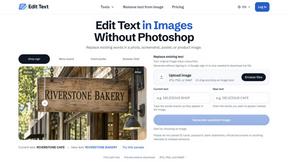
Reword Image
Change the text already printed inside a photo, screenshot or poster, without the original design file.
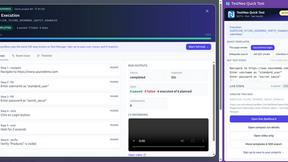
TestNeo
TestNeo.ai is an AI-native engineering and release assurance platform that helps teams automate web and API testing using natural language.

Leadeon
AI growth tool for X and LinkedIn: write posts in your voice, schedule at your best times, find leads on X and see what works.

Artcraft AI
AI image and video studio in your browser: generate and edit images, turn photos into videos, edit clips by sentence.
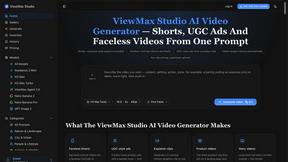
ViewMax Studio
AI video generator that turns one prompt into shorts, UGC-style ads and faceless videos, with script, voiceover and captions.
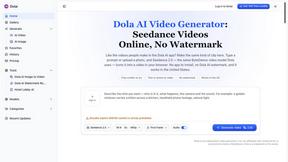
Dola AI
Dola AI video generator online: make Seedance 2.5 videos from text or a photo in your browser. No app, no watermark, free credits.


ToonBee AI
ToonBee AI turns a script or a one-line idea into a narrated cartoon video, keeping the same character in every scene. 10+ styles, 16:9 or 9:16.
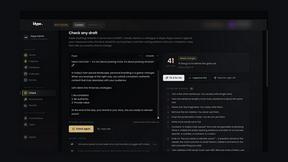
Klype AI
Writes LinkedIn and social posts in your own measured voice and checks every draft for AI tells and invented claims.

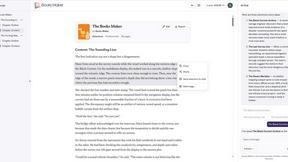
Booksmaker.ai
Books Maker AI is the AI-powered platform that turns your idea into a professional book.

Toolara Music
Describe a song in plain text and get a complete track — vocals or instrumental, custom lyrics, up to 120 seconds, MP3 download
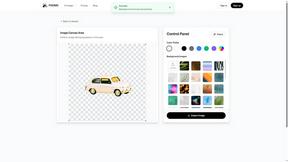
PXDMD
Free AI image editor: remove backgrounds, erase objects and watermarks, and color-grade photos in seconds.
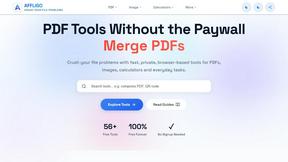
AFFLIGO
AFFLIGO is a free online toolkit for everyday file tasks. Easily edit PDFs, compress images, convert file formats, and get things done.

Restore Old Photos - Retrocap
AI photo restoration app for iPhone and Android: repair scratches and tears, colorize black-and-white photos, sharpen faces and animate old portraits.

LinkIntel
MCP server giving your AI assistant your X post results and X’s ranking weights, with sources.

Ask Versa AI
AI verdicts for any two Amazon products, in seconds. Live specs plus real buyer reviews, scored 0-100, one clear winner. Free, no account.


Bulin 47 AI
Bulin 47 AI puts your face into the viral Bulin 47 freestyle video from one photo. Get a 5–19-second vertical MP4 for TikTok and Reels.
About Remove Veo Watermark Alternatives
Remove Veo Watermark is a browser-based tool designed for content creators who need to eliminate watermarks from their video exports, specifically those produced by Veo, Google Flow, and Gemini. This tool falls under categories like AI Assistants, Content Creation, and Design Tools. Many users seek alternatives due to various reasons such as pricing concerns, the need for additional features, or platform compatibility. As video editing and content creation continue to evolve, creators often look for solutions that offer flexibility, efficiency, and quality retention. When choosing an alternative to Remove Veo Watermark, consider factors like ease of use, quality of output, and whether the tool maintains the original resolution of your videos. It's also important to assess whether the alternative meets specific needs, such as removing hidden markers or providing batch processing capabilities. Ultimately, the right choice will depend on individual preferences and the unique requirements of your projects.
FAQs about Remove Veo Watermark Alternatives
What is Remove Veo Watermark?
Remove Veo Watermark is a browser-based tool designed to remove visible and hidden watermarks from video exports while maintaining the original 4K resolution.
Who is Remove Veo Watermark for?
Remove Veo Watermark is ideal for content creators and video producers who regularly work with AI-generated videos and want a polished, watermark-free result.
Is Remove Veo Watermark free?
Yes, Remove Veo Watermark is free to use, making it accessible for all users.
What are the main features of Remove Veo Watermark?
The main features include the ability to remove visible and hidden AI markers, retain native 4K resolution, and operate entirely in the browser without needing software installation.