

RemoveTexts
Remove text and watermarks from photos, memes, and screenshots using AI background reconstruction, with a workflow suited to small overlays.
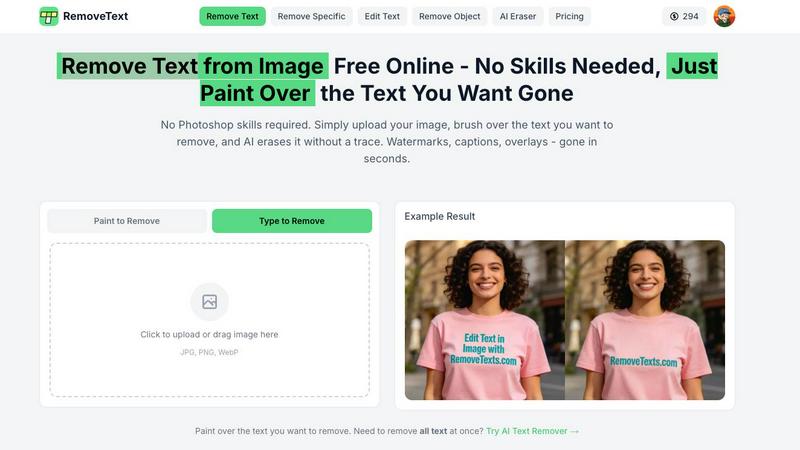
About RemoveTexts
If a caption or label is the only thing keeping an image from being reusable, RemoveTexts offers a focused browser workflow: upload an image and paint over the text you want gone. Its AI reconstructs the covered background, making the tool relevant to creators preparing memes, marketers cleaning product shots, or designers working with poster templates.
The service accepts JPG, PNG, and WebP files up to 10 MB. Alongside selected-text removal, the page describes modes for removing all text, editing text, and removing watermarks. The strongest fit is a small amount of text; RemoveTexts advises processing dense copy in short sections and notes that busy patterns or faces may call for a second pass. It is not intended for identity documents, certificates, bank statements, or other official documents, so it should not be treated as a document-editing utility.
Features of RemoveTexts
- Paint over the text area to start removal
- AI reconstruction targets the background beneath the overlay
- Supports text editing and watermark-removal workflows
- Works with JPG, PNG, and WebP files up to 10 MB
Use Cases of RemoveTexts
- Remove a short meme caption before adding new copy
- Clear promotional labels from a product photo
- Prepare a screenshot or poster image without a small text overlay
- Remove a camera date stamp from a personal photograph
Frequently Asked Questions
Is it a good fit for images with lots of text?
It is best suited to smaller amounts. RemoveTexts recommends working through dense text a few words at a time, using multiple passes.
What might need extra cleanup?
The product notes that busy patterns and faces are more likely to need a second pass.
Does it edit official documents?
No. The page excludes identity documents and other official documents from supported use.
Pricing of RemoveTexts
Free to start; paid credits are sold as a one-time purchase, without a subscription, and do not expire. Free outputs carry a small watermark; paid outputs are watermark-free.
Similar to RemoveTexts

TattooStencilHub
TattooStencilHub combines AI tattoo design, skin previews, stencil conversion, and tattoo aging checks for ink lovers and working artists.

Text Photo AI
Update text on exported photos, signs, and packaging with AI, or add a free caption locally and download a PNG.

BGSwaper
BGSwaper removes photo backgrounds and offers an editor for new backgrounds, touch-ups, resizing, and batch downloads, without requiring an account.

GTA 6 AI Generator
GTA 6 AI Generator turns selfies and group photos into preset GTA-inspired art or short videos in a browser, without prompt writing.

MakePieces OfUs
MakePieces OfUs turns a pet photo into a virtual room with free puzzles, a private album and journal, plus optional daily stories and journeys.

RainbowPetAI
Create a pet memorial page with photos, stories, optional timeline moments, and a star location to share with family and friends.

MediaToURL
MediaToURL turns images and other media into shareable direct links, with local previews, editing tools and controls for access and expiry.

Sticker Bomb Lab
Sticker Bomb Lab is a free browser editor for dense sticker collages, with optional AI sticker packs and print-ready PNG export.