

Seedream 5.0
Seedream 5.0 is a lightning-fast AI image generator that creates stunning 4K images from prompts in seconds.
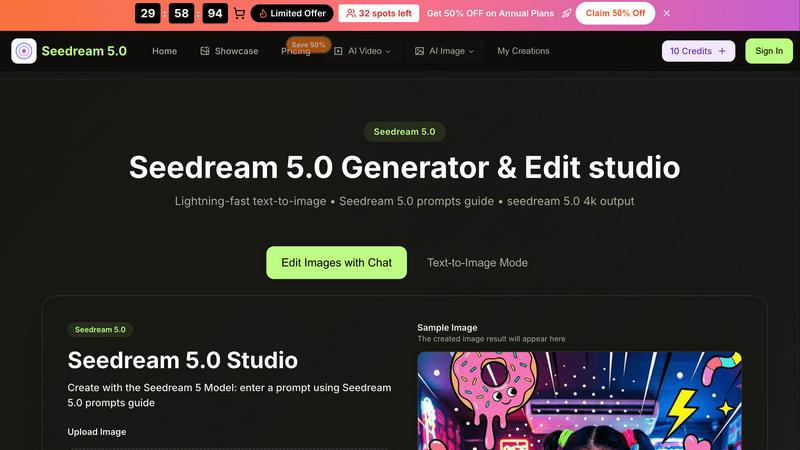
About Seedream 5.0
Seedream 5.0 is a revolutionary AI image generator and editor developed by ByteDance, tailored for anyone looking to create captivating visuals swiftly and effortlessly. This innovative platform harnesses the power of advanced artificial intelligence to transform text prompts into stunning high-quality images in a matter of 2-5 seconds. Whether you are a content creator, marketer, artist, or simply a hobbyist, Seedream 5.0 offers an intuitive user interface that allows users of all skill levels to generate professional-grade artwork without needing extensive graphic design training. The platform boasts features like a comprehensive prompts guide, support for 4K output, and robust editing capabilities, ensuring that users can turn creative ideas into reality seamlessly. Additionally, Seedream 5.0 enhances creativity while maintaining consistency in character design and visual storytelling, making it an invaluable tool for producing eye-catching images.
Features of Seedream 5.0
Lightning-Fast Text-to-Image Generation
Seedream 5.0's advanced AI technology enables lightning-fast text-to-image generation, producing stunning visuals in just 2-5 seconds. This speed allows users to iterate on their ideas quickly and efficiently, making it ideal for time-sensitive projects.
User-Friendly Prompts Guide
The prompts guide feature provides users with tailored suggestions and tips to optimize their text entries. By helping users specify details like colors, styles, and moods, this guide enhances the quality of generated images and encourages creativity.
High-Quality 4K Output
Seedream 5.0 supports high-resolution image generation, offering an option for 4K output. This capability ensures that images are suitable for print-quality projects and professional presentations, maintaining clarity and detail even at large sizes.
Image Editing with Natural Language
The platform allows users to edit images using natural language commands, making the process intuitive and straightforward. Users can refine their creations by simply describing the changes they want, eliminating the need for complicated editing tools.
Use Cases of Seedream 5.0
Content Creation for Social Media
Seedream 5.0 is perfect for social media marketers looking to produce eye-catching visuals quickly. Whether creating promotional graphics or engaging posts, the platform allows for rapid generation and customization of images tailored to specific campaigns.
Character Design for Artists
Artists can utilize Seedream 5.0 to create and maintain consistent character designs across multiple images. This feature is particularly beneficial for comic book creators and animators who require character continuity for storytelling.
Visual Storytelling for Writers
Writers can enhance their storytelling by generating visuals that complement their narratives. Seedream 5.0 allows authors to create illustrations that bring their characters and settings to life, enriching the reader's experience.
Marketing Materials for Businesses
Businesses can use Seedream 5.0 to design marketing materials such as brochures, flyers, and online ads. The ability to generate high-quality imagery quickly helps businesses maintain a professional appearance and adapt to changing marketing needs.
Frequently Asked Questions
What types of image formats does Seedream 5.0 support?
Seedream 5.0 supports popular image formats including JPG, PNG, and WEBP, allowing users to upload and work with various types of images easily.
Is there a limit to the number of characters I can use in my prompts?
Yes, prompts can be up to 500 characters long, giving users ample space to describe their desired images in detail and achieve the best results.
Can I edit images generated by Seedream 5.0?
Absolutely! Seedream 5.0 includes powerful editing capabilities that allow users to refine and enhance their images based on natural language commands, making it easy to achieve the desired look.
Is Seedream 5.0 suitable for beginners?
Yes, Seedream 5.0 is designed with a user-friendly interface and helpful features like the prompts guide, making it accessible for users of all skill levels, including those with no graphic design experience.
Similar to Seedream 5.0

Budgetpixel AI
Create and edit AI images, videos, music, and designs in one workspace, with multiple models, reusable characters, and API access.

Try OC Maker
Create OCs from text or images, customize their look, and turn them into animated videos with AI.

IconCreator
IconCreator is an AI-powered logo and app icon generator. Create professional logos, app icons, favicons, and brand assets in minutes.

Reword Image
Change the text already printed inside a photo, screenshot or poster, without the original design file.

IdeaAize Free AI Tools
IdeaAize Free AI Tools is a suite of 50+ free online utilities that run 100% in your browser — no registration, no file uploads, no watermarks.

Spaceora
Turn room and outdoor photos into AI interior, virtual staging, garden and landscape design concepts.

Artcraft AI
AI image and video studio in your browser: generate and edit images, turn photos into videos, edit clips by sentence.

PXDMD
Free AI image editor: remove backgrounds, erase objects and watermarks, and color-grade photos in seconds.