

Seedream Pro
Seedream Pro instantly generates stunning, on-brand images with text prompts, smart editing, and image fusion features.
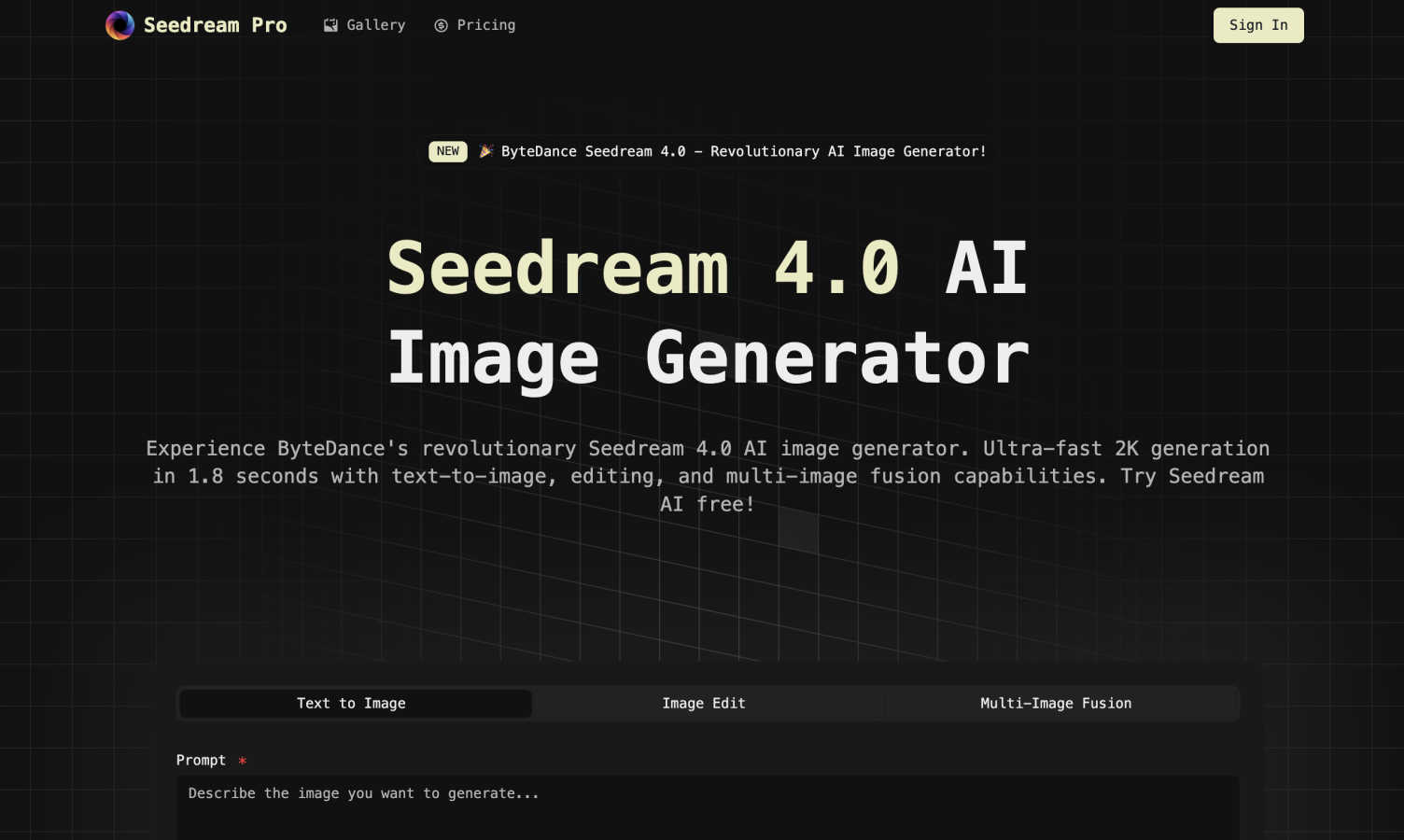
About Seedream Pro
Meet Seedream Pro, an innovative all-in-one creative studio designed to revolutionize your visual content creation process. This powerful tool harnesses the advanced capabilities of ByteDance's Seedream 4.0 technology, allowing users to generate stunning, campaign-ready visuals in just minutes. With a single-screen AI image workflow, Seedream Pro eliminates the hassle of navigating through multiple tabs and tools. Simply input your vision through a text prompt, and within 1.8 seconds, receive high-resolution images in 2K or 4K quality. The platform also offers precise on-canvas masking and inpainting features, enabling you to refine every detail of your images. Furthermore, you can blend styles from multiple reference images to maintain brand consistency. Seedream Pro is tailored for designers, marketers, e-commerce sellers, indie creators, and agencies, ensuring a swift and efficient pathway from initial concept to final export for various applications, including ads, social media, and presentations. With an intuitive interface and user-friendly policies, it is built with your creative flow in mind.
Features of Seedream Pro
Ultra-Fast Image Generation
Seedream Pro boasts an ultra-fast image generation capability, producing high-resolution images in just 1.8 seconds. This ensures that your creative process remains efficient, allowing you to focus more on ideation rather than waiting for images to render.
On-Canvas Masking and Inpainting
With precise on-canvas masking and inpainting tools, Seedream Pro gives you the power to refine your visuals. You can easily manipulate images by masking specific areas and making detailed edits, ensuring that every element aligns with your vision.
Multi-Image Fusion
Seedream Pro’s multi-image fusion feature enables you to combine styles from various reference images seamlessly. This not only enhances creativity but also ensures that your outputs maintain brand consistency across different visuals.
Intuitive User Interface
The clean and user-friendly interface of Seedream Pro simplifies the creative process. You can navigate through its features effortlessly, making it accessible for users of all skill levels, from beginners to seasoned professionals.
Use Cases of Seedream Pro
E-Commerce Product Showcase
For e-commerce sellers, Seedream Pro is a game changer. You can generate high-quality product images and lifestyle shots in seconds, making your products more appealing to potential buyers and enhancing your marketing efforts.
Content Creation for Blogs and Articles
Bloggers and content creators can leverage Seedream Pro to enhance their articles with vivid visuals. The tool allows for quick generation of engaging images that can be used as headers, infographics, or illustrations, enriching the overall content.
Virtual Try-On and Styling
Fashion and beauty brands can utilize Seedream Pro for virtual styling. By uploading a photo, users can experiment with different clothing and hairstyles while maintaining character consistency, offering a personalized shopping experience.
Corporate Branding and Promotion
Businesses can create professional visuals for their corporate branding needs. Whether it’s for a corporate website, brochures, or presentations, Seedream Pro helps produce polished images that enhance the corporate image and communicate effectively.
Frequently Asked Questions
What types of images can I generate with Seedream Pro?
You can generate a wide variety of images, including e-commerce product photos, lifestyle shots, educational graphics, and promotional visuals for social media and websites, all tailored to your specific needs.
How does the image generation process work?
The image generation process is simple. You enter a text prompt describing your vision, and Seedream Pro utilizes advanced AI technology to create high-resolution images in just 1.8 seconds, streamlining your creative workflow.
Can I refine the images after they are generated?
Yes, Seedream Pro includes features like on-canvas masking and inpainting, which allow you to refine and edit your images easily after generation, ensuring that every detail meets your expectations.
Is there a limit to how many images I can generate?
Seedream Pro has clear daily limits in place to ensure fair usage. Additionally, failed generations do not count against your quota, allowing you to explore your creativity without penalties.
Explore more in this category:
Similar to Seedream Pro

VoiceVibe
Talk to your computer: dictate, rewrite, ask about your screen, launch AI agents.

Booksmaker.ai
Books Maker AI is the AI-powered platform that turns your idea into a professional book.

Toolara Music
Describe a song in plain text and get a complete track — vocals or instrumental, custom lyrics, up to 120 seconds, MP3 download

AFFLIGO
AFFLIGO is a free online toolkit for everyday file tasks. Easily edit PDFs, compress images, convert file formats, and get things done.

LinkIntel
MCP server giving your AI assistant your X post results and X’s ranking weights, with sources.

Ask Versa AI
AI verdicts for any two Amazon products, in seconds. Live specs plus real buyer reviews, scored 0-100, one clear winner. Free, no account.

FloorPlanBot
AI-assisted floor plan concepts, image editing and free measurement tools. AI features require Google sign-in; outputs need professional review.

AI Image Tools
Text to image, photo edits, background removal and restoration. Pick Nano Banana, FLUX, Seedream or GPT Image and see the price first.