

TeamSlide
TeamSlide lets your team build on-brand presentations instantly by syncing approved slides from your content system directly into PowerPoint.
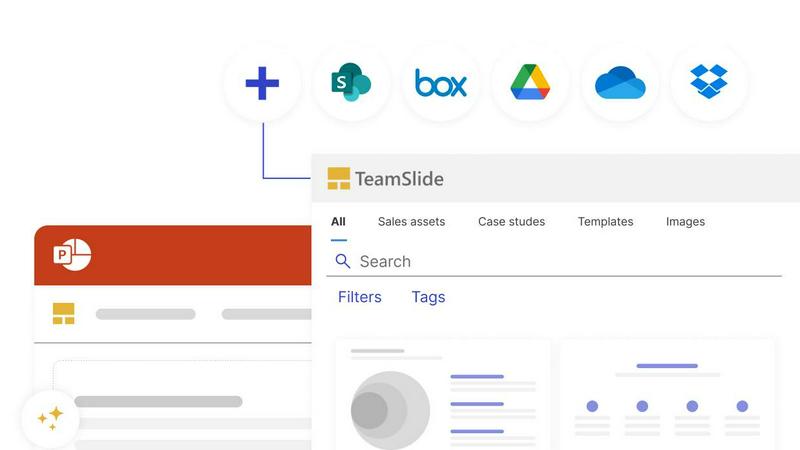
About TeamSlide
If you have ever wasted time digging through old PowerPoint decks to find that one perfect slide, or worried about sending a presentation with outdated branding, TeamSlide is built for you. TeamSlide is a PowerPoint-native slide library and presentation governance platform that transforms how teams create, manage, and share presentations. It connects directly with your existing content systems like SharePoint, OneDrive, Box, Google Drive, and Dropbox, so your entire library of approved slides, images, and videos is always available right inside PowerPoint. No more switching between apps or hunting through folders.
The platform is designed for teams in consulting, sales, finance, and marketing who need to build professional presentations quickly while staying on brand. With full-text search that works slide by slide, you can find content inside tables, diagrams, and notes instantly. TeamSlide also enforces brand consistency through template management, automated slide checks for formatting and branding errors, and version control that flags outdated slides the moment a source file changes. An AI slide generator even turns rough notes into polished, consulting-grade slides using your approved brand templates. Whether you deploy in the cloud or on-premise, TeamSlide keeps your data secure with encryption at rest and in transit. It is a practical, friendly tool that helps your team present with confidence, every time.
Features of TeamSlide
Instant Slide Search and Retrieval
Stop wasting time scrolling through endless folders. TeamSlide makes every slide in your library searchable by full text, including content inside tables, diagrams, and speaker notes. You can search by keywords, tags, or metadata, and apply filters to quickly narrow down results. This feature ensures you find the exact slide you need in seconds, not minutes, so you can focus on building your story.
Automated Brand Compliance Checks
Before any presentation reaches your audience, TeamSlide automatically checks for errors, formatting issues, and off-brand elements. It scans for typos, inconsistent fonts, incorrect colors, and layout problems. This gives you peace of mind that every slide aligns with your brand guidelines, reducing the risk of sending out a presentation that looks unprofessional or outdated.
Version Control and Content Updates
TeamSlide keeps your entire team working from the latest approved content. When a source file is updated in your content system, TeamSlide flags any slides that are now outdated. This eliminates confusion over which version is current and prevents the use of old or incorrect materials. Your presentations always reflect the most recent information and branding.
AI Slide Generator
Turn rough notes into professional, on-brand slides with the power of AI. TeamSlide's AI slide generator uses your approved PowerPoint design system to create slides that match your brand's look and voice. No more generic AI output. You simply provide your notes, and the tool produces consulting-grade slides that are ready to present or refine further.
Use Cases of TeamSlide
Sales Teams Building Client Proposals
A sales team needs to create a tailored proposal for a potential client. With TeamSlide, they can instantly search for approved case studies, product images, and pricing slides from the central library. They insert these directly into PowerPoint without leaving the application. Automated compliance checks ensure the final deck uses the correct fonts and colors, and version control guarantees no outdated materials are included. This saves hours of preparation time and ensures a polished, professional presentation.
Marketing Teams Maintaining Global Brand Consistency
A global marketing team manages presentations for multiple regions. TeamSlide provides a centralized template library with approved designs for each region. When a marketer in Europe creates a new presentation, they start from the correct template. The slide check feature automatically flags any deviations from brand guidelines, such as incorrect logo placement or off-brand colors. This ensures every regional presentation maintains a consistent brand identity, no matter who creates it.
Consulting Firms Rapidly Creating Client Deliverables
Consultants often need to produce high-quality slide decks on tight deadlines. Using TeamSlide's AI slide generator, a consultant can input rough notes from a client meeting and instantly generate a set of slides formatted in the firm's approved template. They can then search the library for relevant data visualizations and frameworks to enrich the deck. The result is a professional deliverable created in a fraction of the usual time.
Finance Teams Preparing Quarterly Reports
A finance team is responsible for a quarterly earnings presentation. They need to include the latest financial charts and compliance statements. With TeamSlide, they sync their SharePoint folder containing approved financial data. Version control ensures they always insert the most recent chart, not last quarter's. The slide check feature verifies that all numbers are formatted correctly and that no outdated disclaimers are used. This reduces the risk of errors in a high-stakes presentation.
Frequently Asked Questions
How does TeamSlide integrate with our existing content systems?
TeamSlide syncs directly with SharePoint, OneDrive, Box, Google Drive, and Dropbox. Once connected, your approved slides, images, and videos are indexed and searchable from within PowerPoint. The integration works in real time, so any updates made to files in your content system are reflected in TeamSlide. You do not need to change your existing workflows or move files to a new location.
Can TeamSlide work with our existing brand templates?
Yes, absolutely. TeamSlide allows you to upload and manage your approved brand templates in a centralized library. When users start a new presentation, they can choose from these templates directly inside PowerPoint. The automated slide check feature also enforces that all slides adhere to the fonts, colors, and layouts defined in your templates, ensuring consistency across your entire organization.
Is our data secure with TeamSlide?
TeamSlide takes security very seriously. All data is encrypted both at rest and in transit using Microsoft Azure's secure infrastructure. The platform undergoes regular third-party penetration testing to identify and address vulnerabilities. For organizations with strict data residency requirements, TeamSlide supports on-premise deployment in addition to cloud deployment. Physical security measures include 24/7 onsite personnel, access control, and network auditing.
How does the AI slide generator work?
The AI slide generator allows you to input rough notes, bullet points, or a brief outline. TeamSlide then uses your approved PowerPoint design system to automatically generate a set of slides formatted in your brand's style. The output includes appropriate layouts, fonts, colors, and visual hierarchy. You can then refine the generated slides as needed. This feature is designed to save time and ensure that even rapid drafts maintain a professional, on-brand appearance.
Explore more in this category:
Similar to TeamSlide

Uniclip
Clip pages, take full-page screenshots and batch-capture list data to Notion, Feishu, Obsidian, Markdown, CSV or JSON.

TroveKey
Search tabs, Chrome bookmarks and history, run browser commands, and save webpages and social posts locally—no account.

PLRental
AI-powered platform for car, motorcycle, and ATV rental agencies: scan IDs, generate contracts, and manage fleet and finances.

Replyinger
Automate Instagram and Facebook DMs, comment replies, and story interactions to turn followers into leads and customers. No coding required.

Agent Pets
Your Claude Code & Codex sessions as pets in Chrome. Approve, deny and reply to your coding agents from any tab.


Montaureo
AI-powered country comparison for relocation, living costs and lifestyle decisions.

TypeFire
Type a few letters, get the whole reply. Markdown notes as files you own. Find anything you copied.