
Alternatives to TeamSlide
Explore the best alternatives and competitors to TeamSlide.
Explore 20 alternatives to TeamSlide. Compare features, pricing, and find the best fit for your needs.

Promptifi
Reviewed AI prompts and workflows for B2B sales, from account research to renewal. Run them in ChatGPT, Claude, Gemini or Copilot. 100 free.
Statement2QBO
Bank statement PDF to QBO, Excel and Xero. Runs in your browser; three pages a day are free.

Emailyy
Free email tools for signatures, subject lines, HTML previews, word counts, and email headers. Browser-based, simple to use, and no signup required.

Kamero
AI event photo sharing for photographers. Guests take a selfie and face recognition instantly finds every photo they appear in from weddings & events.

Uniclip
Clip pages, take full-page screenshots and batch-capture list data to Notion, Feishu, Obsidian, Markdown, CSV or JSON.

TroveKey
Search tabs, Chrome bookmarks and history, run browser commands, and save webpages and social posts locally—no account.

TravelMapVisited
Use a countries visited map to track your travels, count how many countries you’ve been to, and create a visited countries map.

PLRental
AI-powered platform for car, motorcycle, and ATV rental agencies: scan IDs, generate contracts, and manage fleet and finances.

Replyinger
Automate Instagram and Facebook DMs, comment replies, and story interactions to turn followers into leads and customers. No coding required.

Agent Pets
Your Claude Code & Codex sessions as pets in Chrome. Approve, deny and reply to your coding agents from any tab.



TypeFire
Type a few letters, get the whole reply. Markdown notes as files you own. Find anything you copied.


WhichAIStack
Describe what you want to make and get the 3 AI tools that fit, with hand-checked prices and exact free-plan limits. Free, no signup.
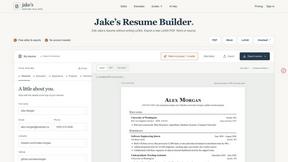
Jake's Resume Builder
Free resume editor with real LaTeX PDF, Word exports and optional AI help.
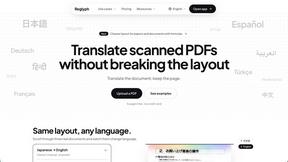
Reglyph
Translate scanned and image-only PDFs into 19 languages while tables, stamps and columns stay exactly where they were.


About TeamSlide Alternatives
TeamSlide is an AI-powered slide management platform designed to help teams keep their presentations on-brand and easy to find. It falls into the productivity and management category, acting as a PowerPoint-native library that syncs with popular cloud storage services so users can search for and reuse approved slides without ever leaving their presentation software. While TeamSlide offers powerful features like full-text search and compliance checks, users often look for alternatives due to factors like pricing structures, the need for a simpler interface, or integration requirements with specific tools not fully supported. Some teams might find the platform too robust for their needs, while others may require a solution that works across different presentation software or offers more advanced collaboration features. When choosing an alternative, it is important to consider your team's specific workflow and pain points. Look for a solution that integrates seamlessly with the tools you already use, whether that is Google Slides, Keynote, or a particular file storage system. Evaluate the ease of content discovery, such as how quickly you can find and insert a specific slide or asset. Additionally, think about governance features like version control and branding checks if maintaining consistency is a priority. Finally, consider the learning curve and whether the platform supports the size and collaboration style of your team, from small startups to large enterprise departments.
FAQs about TeamSlide Alternatives
What is TeamSlide?
TeamSlide is an AI-powered platform for on-brand slide management that works natively within Microsoft PowerPoint. It functions as a slide library and presentation governance tool, allowing teams to search, insert, and reuse approved content from connected cloud storage services like SharePoint, OneDrive, Box, Google Drive, and Dropbox. The platform uses full-text search to scan individual slides, including tables, diagrams, and notes, making it easy to find the right asset without digging through old decks.
Who is TeamSlide for?
TeamSlide is built for consulting, sales, finance, and marketing teams that frequently create and reuse presentations. It is ideal for organizations that need to maintain strict brand consistency and compliance across their slide decks, such as large enterprises or agencies. The platform is designed for teams that rely on PowerPoint and need a way to centrally manage approved content while reducing the time spent hunting for slides and the risk of using outdated or off-brand materials.
What are the main features of TeamSlide?
Key features of TeamSlide include a PowerPoint-native slide library that syncs with cloud storage services like SharePoint, OneDrive, Box, Google Drive, and Dropbox. It offers full-text search across slides, tables, diagrams, and notes, as well as compliance enforcement through template management, automated slide checks for formatting and branding errors, and version control that flags outdated slides. Additionally, an AI slide generator can turn rough notes into consulting-grade slides using approved brand templates.
Is TeamSlide secure?
Yes, TeamSlide is designed with security in mind and supports deployment in both cloud and on-premise environments. It provides data encryption at rest and in transit to protect your slide content and organizational data. This makes it suitable for enterprises with strict security and compliance requirements, ensuring that sensitive presentation materials remain protected throughout their lifecycle.