

Trupeer AI
Turn any rough screen recording into polished product videos, detailed guides, and AI-searchable knowledge in seconds, across 120+ languages.
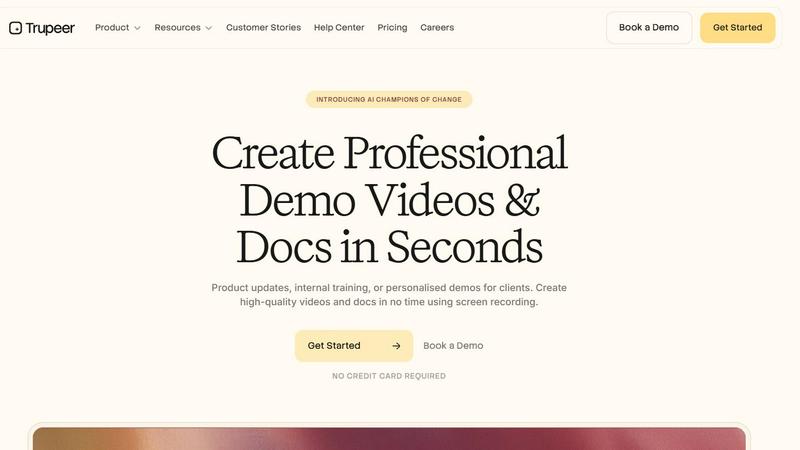
About Trupeer AI
Trupeer AI is a powerful platform designed to solve a common challenge in organizations: valuable knowledge is often trapped in people’s heads or buried in scattered notes. Trupeer transforms raw screen recordings into polished, professional content that teams can watch and AI agents can query. Think of it as your organization’s workflow knowledge layer for both humans and digital assistants.
The core idea is refreshingly simple: you record your screen while explaining a process, and Trupeer automatically generates multiple outputs from that single capture. Within seconds, you get a studio-quality video with smart zooms, a clean voiceover, and a ready-to-use script. But it doesn’t stop there. The same recording also produces fully formatted documentation, including manuals, SOPs, and guides with headings, steps, and annotations already in place.
Trupeer is built for anyone who needs to share knowledge efficiently—from product managers creating demos to support teams building help centers. It supports over 120 languages automatically, making it ideal for global teams. The platform is enterprise-ready, with ISO 27001, SOC 2, and GDPR certifications, plus SSO and SCIM integration. Trusted by Fortune 500 companies, Trupeer helps organizations stop rebuilding documentation from scratch every time something changes. Whether you need a quick product video, a detailed user guide, or a searchable knowledge base for AI agents, Trupeer handles the heavy lifting so you can focus on your work.
Features of Trupeer AI
Studio-Quality Video Creation
Trupeer turns raw screen recordings into polished, broadcast-ready videos automatically. It applies smart zooms to highlight every key action, so viewers never miss important details. You can choose from a library of professional voiceovers to add narration without recording yourself. The platform also generates a clean, professional script from your spoken explanation. If you want to appear on camera without actually filming, Trupeer offers lifelike avatars that present your content. Long videos are automatically split into chapters, making it easy for viewers to find exactly what they need. Your brand elements, including logo, colors, and fonts, are consistently applied to every video you create.
Automatic Documentation Generation
From a single screen recording, Trupeer generates fully formatted documents ready for immediate use. It captures every click and action through vision-led action detection, ensuring no step is missed. Smart screenshots and annotations are placed exactly where they belong in the documentation. The output includes proper headings, numbered steps, and a clean layout, so you never have to format anything manually. You can also replicate your own document templates, meaning every guide or manual you create follows your established brand and structure. This feature is perfect for creating SOPs, user manuals, training guides, and help center articles in seconds.
Multilingual Translation in 120+ Languages
Trupeer automatically translates your videos and documentation into over 120 languages, making your content accessible to global audiences. This feature works seamlessly across all outputs, so your product demo can be viewed in Japanese, your user manual can be read in German, and your training guide can be accessed in Hindi. The translation maintains the original context and technical accuracy, which is crucial for professional documentation. This capability is especially valuable for international teams, global product launches, and companies serving diverse customer bases. You can select the target language with a single click, and Trupeer handles the rest.
AI-Powered Knowledge Base with Search
Trupeer creates a living knowledge base that both humans and AI agents can query. The platform indexes all your videos and documents, making them searchable through an intelligent AI search interface. Team members can ask questions and get answers pulled directly from your content. AI agents can access the same knowledge base to provide automated support or perform tasks based on your documented workflows. This feature transforms static documentation into an interactive resource that grows with your organization. The knowledge base supports workspaces and permissions, so different teams can have their own curated content libraries while maintaining enterprise security standards.
Use Cases of Trupeer AI
Creating Product Demos and Tutorials
Product teams can record their screen while walking through a new feature, and Trupeer instantly produces a polished video demo. The smart zooms highlight each click and action, while the AI-generated script provides clean narration. The same recording also generates a step-by-step tutorial document that users can reference later. This use case is ideal for SaaS companies that need to create onboarding materials, release notes, or feature walkthroughs quickly. Instead of spending hours editing video and writing documentation separately, product managers can record once and get both outputs in seconds.
Building Internal Training and SOPs
Organizations can capture expert knowledge by having senior team members record their screen while performing complex tasks. Trupeer converts these recordings into standardized training videos and standard operating procedures. New hires can watch the video to see the process in action, then refer to the written SOP for step-by-step instructions. This use case is especially powerful for onboarding, compliance training, and cross-training teams. It ensures that critical knowledge is preserved even when experienced employees leave or change roles. The multilingual translation feature also makes it easy to train global teams in their preferred languages.
Developing Customer Support Documentation
Support teams can record themselves resolving common customer issues and use Trupeer to create help center articles and troubleshooting guides. The documentation is automatically formatted with headings and steps, making it easy for customers to follow. The AI-powered knowledge base allows customers to search for answers and get relevant results instantly. Support agents can also query the same knowledge base to find solutions faster. This use case reduces the time spent answering repetitive questions and empowers customers to solve problems on their own. The translation feature ensures that support documentation is available in the languages your customers speak.
Building Agent-Ready Knowledge for AI Assistants
Companies deploying AI agents or chatbots can use Trupeer to feed them structured knowledge extracted from screen recordings. The platform captures workflows, decisions, and processes in a format that AI systems can understand and query. For example, an AI customer support agent can access the knowledge base to answer questions about product setup or troubleshooting steps. This use case is critical for organizations building automated workflows or AI-powered self-service tools. It ensures that AI agents have accurate, up-to-date information based on actual human workflows, not static documents that quickly become outdated.
Frequently Asked Questions
How does Trupeer convert a screen recording into multiple outputs?
When you record your screen using Trupeer’s Chrome extension or upload an existing recording, the platform analyzes the video to detect actions, clicks, and spoken content. It then processes this information through AI models to generate a polished video with smart zooms and voiceover, a clean script, and a fully formatted document with screenshots and annotations. All outputs are created from the same single recording, saving you from having to create each format separately.
Can I customize the branding in my videos and documents?
Yes, Trupeer allows you to set your brand guidelines once, and they are automatically applied to every video and document you create. This includes your logo, brand colors, and fonts. The platform also supports replicating your own document templates, so every guide or manual follows your established structure. This ensures consistency across all your content without requiring manual formatting each time.
Is Trupeer secure enough for enterprise use?
Trupeer is built with enterprise security as a priority. It holds ISO 27001, SOC 2, and GDPR certifications, meaning it meets rigorous international standards for data protection. Your content never leaves your control, and the platform supports SSO and SCIM integration for seamless access management. Workspaces and permissions allow you to control who can view, edit, or share content within your organization.
What languages does Trupeer support for translation?
Trupeer supports automatic translation into over 120 languages, including major languages like Japanese, German, Russian, Chinese, Hindi, Estonian, and many more. Both your videos and documentation are translated, maintaining technical accuracy and context. This makes Trupeer ideal for global teams, international product launches, and companies serving diverse customer bases. You can select the target language with a single click.
Similar to Trupeer AI

Riff
Free Chrome extension. Chrome's built-in AI turns your rough point into a fresh reply for posts on X, LinkedIn, Facebook or Instagram.

subtitle.im
Manage existing YouTube captions, detect burned-in subtitles with local OCR, turn off confirmed duplicates, and restore captions when needed.

GetYouTubeTranscript
YouTube transcripts, search and channel data via one API

Ins Autopilot
Instagram automation and outreach Chrome extension for targeted follow, protected unfollow, auto like, comments, and DMs.

Sumi - AI Manga Translator
Translate manga, manhwa, and webtoons while preserving the original artwork and page layout.


dEssence
Save anything. Get it back right when it matters.

Clipy
Clipy is the AI agent-native screen recorder: free, no watermark, for Mac, Chrome, and the web.