
Alternatives to Trupeer AI
Explore the best alternatives and competitors to Trupeer AI.
Explore 20 alternatives to Trupeer AI. Compare features, pricing, and find the best fit for your needs.

Safe Outreach
AI-powered platform that evaluates the safety of LinkedIn automation tools and helps reduce the risk of account restrictions.

Vocaryn
AI job-application agent: ranks jobs by fit with your confirmed experience, tailors your resume to each and applies on the employer's site.

DataLens
AI web scraper for Chrome and Edge. Open a product list, search results or a comment thread, click once, and export clean rows to CSV, Excel or JSON.

Full Page Screenshot
Capture entire web pages in one click — PNG, JPG or PDF. Free Chrome & Edge extension + web app.

Uniclip
Clip pages, take full-page screenshots and batch-capture list data to Notion, Feishu, Obsidian, Markdown, CSV or JSON.
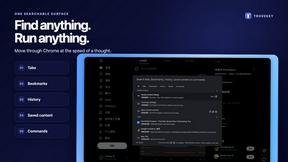
TroveKey
Search tabs, Chrome bookmarks and history, run browser commands, and save webpages and social posts locally—no account.

MailDignity
MailDignity helps teams catch generic, presumptuous, pushy, and artificial language in outgoing emails. Available as API and MCP integration, it audit
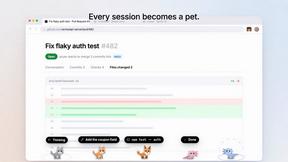
Agent Pets
Your Claude Code & Codex sessions as pets in Chrome. Approve, deny and reply to your coding agents from any tab.
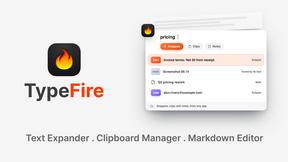
TypeFire
Type a few letters, get the whole reply. Markdown notes as files you own. Find anything you copied.

bad quality image maker
Make any image look intentionally bad — blurry, pixelated, or deep fried. Free, in your browser, no signup.

this+that
An AI agent that reads every email and chat message your team gets, turns requests into tasks, and does what they ask.
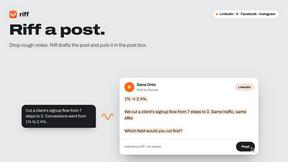
Riff
Free Chrome extension. Chrome's built-in AI turns your rough point into a fresh reply for posts on X, LinkedIn, Facebook or Instagram.

subtitle.im
Manage existing YouTube captions, detect burned-in subtitles with local OCR, turn off confirmed duplicates, and restore captions when needed.

Ins Autopilot
Instagram automation and outreach Chrome extension for targeted follow, protected unfollow, auto like, comments, and DMs.

Sumi - AI Manga Translator
Translate manga, manhwa, and webtoons while preserving the original artwork and page layout.

Clipy
Clipy is the AI agent-native screen recorder: free, no watermark, for Mac, Chrome, and the web.

scribing.io
Turns every patient conversation into a clinically accurate note, automatically. No typing, no dictation, no after-hours charting.
About Trupeer AI Alternatives
Trupeer AI is a tool that helps you turn a rough screen recording into polished product videos and detailed guides in just seconds. It falls into the category of Chrome extensions designed for content creation, specifically aimed at streamlining the process of demonstrating software, apps, or digital workflows. While it is incredibly efficient for quick turnarounds, users often look for alternatives due to a variety of reasons. These can include needing more advanced video editing features, wanting different pricing structures that fit a tighter budget, requiring support for platforms beyond a simple Chrome extension, or seeking integration with other tools they already use in their workflow. When you are searching for an alternative, it is important to focus on a few key aspects to find the right fit for your needs. First, consider the level of editing control you require; some tools offer simple automation while others give you a full timeline for detailed cuts and effects. Next, think about the output formats and quality, as you may need specific resolutions or file types for different platforms. Finally, look at the overall user experience and learning curve. A tool that is too complex might slow you down, while one that is too basic might not give you the professional finish you are after. Balancing these factors against your own production volume and budget will guide you to the best choice.
FAQs about Trupeer AI Alternatives
What is Trupeer AI?
Trupeer AI is a tool that allows you to create polished product videos and detailed step-by-step guides from a simple screen recording. It functions as a Chrome extension, automating the process of transforming raw footage into professional-looking content in just seconds. This saves users significant time compared to traditional manual video editing.
Who is Trupeer AI for?
Trupeer AI is designed for anyone who needs to create product demonstrations, tutorials, or guides quickly. This includes product managers, customer success teams, software developers, and marketers who want to show how a digital product works without spending hours on complex editing software. Its primary audience is professionals who need to communicate features and workflows efficiently.
Is Trupeer AI free?
The provided content does not specify the pricing model for Trupeer AI, so it is likely a paid tool with a potential free trial or limited free tier. To get accurate information on pricing and whether a free version is available, you should visit the official Trupeer AI website. Many similar tools offer subscription plans based on video length, storage, or feature access.
What are the main features of Trupeer AI?
The core feature of Trupeer AI is its ability to convert a rough screen recording into a polished product video and a detailed guide automatically. It belongs to the Chrome Extensions category, meaning it integrates directly into your browser for easy access. The main benefit is speed and simplicity, allowing you to create professional-looking content from a single recording without needing advanced editing skills.