

Veo 4
Create stunning 1080p videos in seconds from text or images with Veo 4's advanced AI video generation technology.
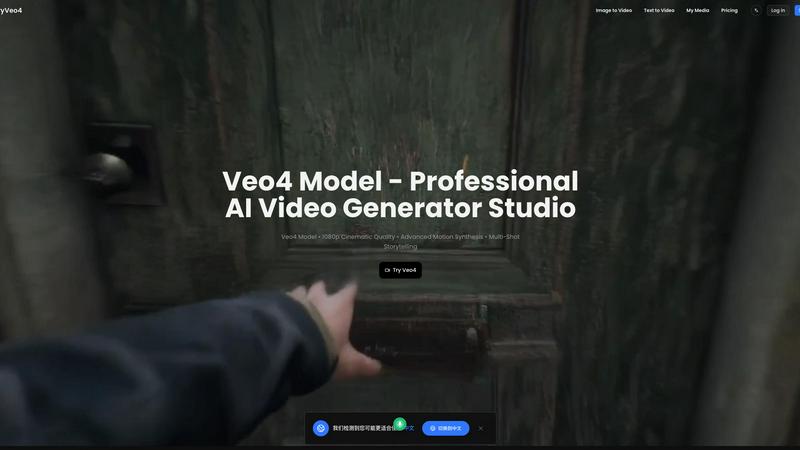
About Veo 4
Veo 4 is a revolutionary AI video generator that enables users to create cinematic 1080p videos in just seconds. By transforming text prompts and images into dynamic multi-shot stories, Veo 4 caters to a wide range of users, from content creators and marketers to educators and social media enthusiasts. The platform harnesses advanced AI technology, providing precise control over video elements, ensuring that even those with no prior video editing experience can produce professional-quality content effortlessly. With features that allow for rapid video generation and seamless storytelling, Veo 4 stands out as a go-to solution for anyone looking to elevate their video production game without the need for extensive software installations.
Features of Veo 4
Text & Image to Video
Veo 4 allows users to create stunning videos by converting text prompts or static images into engaging 1080p videos. This feature leverages advanced language processing to give users precise control over every shot, ensuring that the final output aligns with their vision.
High-Definition Video Generation
With native 1080p resolution, Veo 4 guarantees high-definition video quality with smooth motion synthesis. Every video produced is of professional output quality, making it ideal for both personal and commercial use.
Multi-Shot Storytelling
Veo 4 supports native multi-shot storytelling, enabling users to generate cohesive narrative videos. This feature allows for seamless transitions between multiple shots within a single render, enhancing the storytelling experience.
Ultra-Fast Processing
Veo 4 boasts industry-leading generation speeds, allowing users to create professional videos in a matter of seconds instead of hours. This rapid processing capability is perfect for content creators who need to produce videos quickly without sacrificing quality.
Use Cases of Veo 4
Social Media Content Creation
Veo 4 is ideal for social media managers and influencers who need to create eye-catching videos for platforms like Instagram, TikTok, and YouTube. With its fast processing and high-quality output, users can keep their content fresh and engaging.
Marketing Campaigns
Businesses looking to enhance their marketing strategies can utilize Veo 4 to generate promotional videos that capture attention. Whether it’s for advertisements or product launches, the platform enables marketers to produce compelling visual content quickly.
Educational Videos
Educators and trainers can use Veo 4 to create informative and engaging educational content. By converting lecture notes or images into videos, they can present complex topics in an accessible format that enhances learning.
Personal Projects
Individuals can leverage Veo 4 for personal video projects, such as family memories or travel recaps. The ease of use and high-quality output make it a perfect tool for anyone looking to document and share their experiences creatively.
Frequently Asked Questions
What platforms can I use Veo 4 on?
Veo 4 is a web-based application that can be accessed online without the need for installation. This means you can use it on any device with internet access, including desktops, laptops, and tablets.
Do I need any video editing experience to use Veo 4?
No, you do not need any prior video editing experience to use Veo 4. The platform is designed to be user-friendly, allowing anyone to create professional-quality videos with ease.
Can I customize the videos I create with Veo 4?
Yes, Veo 4 offers advanced features that allow you to customize your videos. You can control elements like shot composition, transitions, and effects, ensuring that your videos align with your specific vision.
Is there a free version of Veo 4 available?
Yes, Veo 4 provides free credits for users to try the platform online. This allows you to explore its features and capabilities before committing to a subscription plan.
Similar to Veo 4


Link to Song
Paste a TikTok, YouTube, Instagram, Facebook or X video link and get the song name, artist and official listening links.


VideoCutout
Remove video backgrounds with AI, export transparent WebM, or replace scenes with a custom image.

RemoveSubs
Remove burned-in subtitles and captions from videos with AI, without cropping or editing frame by frame.

CleanNoise
AI noise remover for audio and video. Hear a free 30-second preview with no sign-up, then download the cleaned file from $0.99.

Meigen AI
Create AI images and videos from text, images, or editing prompts using multiple leading models in one workspace.

Hashvix
AI music generator and video creation for artists, creators, and producers.