
Alternatives to Veo 4
Explore the best alternatives and competitors to Veo 4.
Explore 20 alternatives to Veo 4. Compare features, pricing, and find the best fit for your needs.

Ozil AI
Put yourself in the viral Ozil goal video from one photo. Silent 9:16 720p MP4, no watermark, from $6.99.


Genjutsu AI Video Editor
Edit existing videos with AI: swap characters, outfits, objects or scenes while using the source clip to guide motion and camera framing.
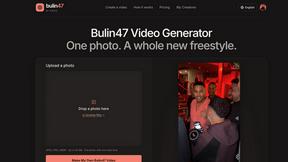
Bulin 47 Video Generator
AI Video Bulin47 lets you put yourself in the viral Bulin47 video trend with AI. Upload your photo, create a personalized Bulin47 video, and share it

Bulin 47 AI Freestyle Video Generator
Upload any photo and get your own Bulin 47 AI Freestyle video
AI Face Swap Video
Swap any face into any video online with AI in minutes. Upload a clip and a photo, get natural lighting and expressions. Free credits on sign-up.

Rumpelstiltskin AI Video Generator
Make the viral Rumpelstiltskin tiptoe dance meme video from two photos



Bulin 47 AI
Bulin 47 AI puts your face into the viral Bulin 47 freestyle video from one photo. Get a 5–19-second vertical MP4 for TikTok and Reels.
Parlune
Learn a language from real content, not vocab dumps. Parlune turns your favourite foreign-language YouTube videos into immersive, audio-synced lessons




Hotel Lobby AI
Two photos become one hotel lobby video. One person stands on each side of the hanging microphone. No prompt.

Exemplary AI
Turn long videos and podcasts into short captioned clips, transcripts in 99 languages, subtitles in 116 languages and ready-to-post content.

Slide-Easy
A Mac app that turns your App Store link into a week of Instagram Reels and carousels, written from your real reviews.


Hotel Lobby AI Video Generator
Turn two photos into an orange hotel-lobby style AI duet video and download it as an MP4.

About Veo 4 Alternatives
Veo 4 is an innovative AI video generator that empowers users to create cinematic-quality videos in stunning 1080p resolution within seconds. By transforming text prompts and images into engaging multi-shot stories, Veo 4 caters to a variety of video creation needs, making it a popular choice among content creators, marketers, and educators. This tool is part of the video production category, where the demand for rapid and visually appealing content is constantly growing. Users often seek alternatives to Veo 4 for several reasons, such as budget constraints, specific feature requirements, or compatibility with different platforms and devices. When searching for a suitable alternative, it's essential to consider factors like pricing models, ease of use, customization options, and customer support. Additionally, understanding the specific needs of your projects—like the types of videos you want to create or the level of detail you require—can help guide you to the right choice for your video creation endeavors.
FAQs about Veo 4 Alternatives
What is Veo 4?
Veo 4 is an AI-powered video generator that allows users to create high-quality cinematic videos in 1080p resolution quickly and effortlessly. By utilizing text prompts and images, Veo 4 transforms your ideas into engaging multi-shot narratives, making video production accessible to everyone, regardless of technical expertise.
Who is Veo 4 for?
Veo 4 is designed for a wide range of users, including content creators, marketers, educators, and businesses looking to enhance their video marketing strategies. Whether you are a beginner or an experienced professional, Veo 4 caters to various skill levels and creative needs, enabling anyone to produce polished videos.
Is Veo 4 free?
Veo 4 offers free credits that allow users to try the service online without any installation requirements. This provides an excellent opportunity for users to explore its features and capabilities before committing to a paid plan.
What are the main features of Veo 4?
The main features of Veo 4 include the ability to generate cinematic 1080p videos in seconds, create multi-shot stories from text prompts and images, and a user-friendly interface that requires no technical skills. Additionally, users can benefit from free credits to experiment with the tool, making it an accessible option for anyone interested in video creation.