

Veo 4 AI
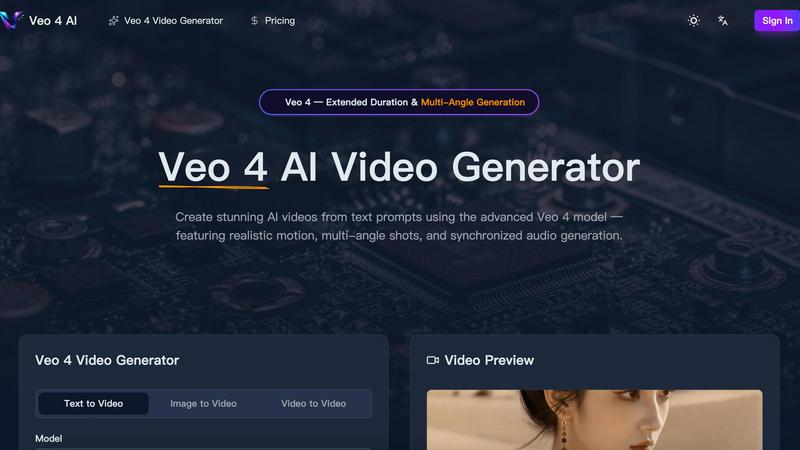
Veo 4 AI instantly creates stunning, realistic videos from your text prompts with synchronized audio and multi-angle shots.
About Veo 4 AI
Veo 4 AI is a groundbreaking text-to-video generator that transforms your imagination into stunning, photorealistic video content. Built on Google's most advanced model, it's designed for filmmakers, content creators, marketers, and anyone who wants to produce high-quality video without a film crew or expensive equipment. Simply describe your scene in natural language, and Veo 4 AI brings it to life with incredible detail, realistic motion, and cinematic flair. Its core value lies in democratizing professional video production, offering features like multi-angle shots and synchronized audio generation that were once exclusive to big studios. Whether you're crafting a short film, a social media ad, or an educational clip, Veo 4 AI provides the creative control and quality you need to tell compelling visual stories effortlessly.
Features of Veo 4 AI
Photorealistic Text-to-Video Generation
Describe any scene in plain English, and watch as Veo 4 AI generates a high-fidelity video that matches your vision. It excels at creating realistic lighting, accurate physics for elements like water and fabric, and natural human movement, turning your prompts into believable, cinematic footage.
Multi-Angle Camera Generation
This powerful feature allows you to generate the same scene from multiple perspectives—like front, side, overhead, and behind—all in a single request. It provides complete creative coverage, making it perfect for creating dynamic sequences without having to generate each shot separately.
Synchronized Audio & Lip-Sync
Veo 4 AI doesn't just create silent movies. It generates dialogue, sound effects, and ambient audio that are perfectly synchronized with the on-screen action. This includes accurate lip-sync for characters across multiple languages, creating a cohesive and professional audiovisual experience from one prompt.
Extended Duration & Cinematic Control
Generate longer video clips with consistent quality, giving you more usable footage for storytelling. Furthermore, you have precise control over the cinematography, allowing you to specify lens types, camera motion, and tracking shots for a truly directorial level of creative input.
Use Cases of Veo 4 AI
Content Creation for Social Media & Marketing
Quickly produce eye-catching promotional videos, product demos, or branded content for platforms like TikTok, Instagram, and YouTube. Generate diverse scenes and angles to keep your audience engaged without the need for live-action shoots.
Pre-Visualization and Storyboarding for Filmmakers
Directors and screenwriters can use Veo 4 AI to visualize complex scenes before filming. Generate different camera angles and character actions to plan shots, test concepts, and create dynamic animatics or storyboards efficiently.
Educational and Explainer Video Production
Educators and trainers can bring complex concepts to life. Generate videos showing scientific processes, historical reenactments, or animated diagrams from a simple text description, making learning materials more engaging and accessible.
Prototyping for Game and Animation Studios
Game developers and animators can rapidly prototype character movements, environmental effects, or short narrative sequences. This accelerates the creative process, allowing teams to experiment with styles and motions before committing to final, resource-intensive production.
Frequently Asked Questions
What makes Veo 4 better than previous versions?
Veo 4 represents a significant leap forward with stronger character consistency across shots, more realistic and synchronized audio generation, enhanced understanding of complex prompts, and greater control over cinematic elements like camera motion. It produces higher quality, more coherent, and professional-looking videos.
Can I use an image to create a video with Veo 4 AI?
Absolutely! The Image-to-Video feature allows you to upload any still picture. Veo 4 AI will then animate it, adding natural motion, depth, and cinematic camera movement to bring your static image to life in a dynamic video format.
How long can the videos generated by Veo 4 be?
Veo 4 supports extended duration video generation, allowing for longer clips than previous models while maintaining consistent quality. The exact maximum length may vary, but it is designed to provide more footage per generation for better storytelling.
Do I need video editing skills to use Veo 4 AI?
Not at all! Veo 4 AI is built to be user-friendly. You can create stunning videos directly from text prompts. However, for creators who want more control, it offers advanced settings for aspect ratio, resolution, and audio to fine-tune your results without complex software.
Explore more in this category:
Best Blockchain & Crypto AI tools
Similar to Veo 4 AI

TestNeo
TestNeo.ai is an AI-native engineering and release assurance platform that helps teams automate web and API testing using natural language.

Posy
A link-in-bio page that looks hand-made. Pick a look, add your links and publish in a minute. Free, open source, and your AI can edit it for you.

Leadeon
AI growth tool for X and LinkedIn: write posts in your voice, schedule at your best times, find leads on X and see what works.

Riff
Free Chrome extension. Chrome's built-in AI turns your rough point into a fresh reply for posts on X, LinkedIn, Facebook or Instagram.

FollowX Today
Swipe to match with verified solo founders in your niche. Form 7-day mutual follow pacts, earn points, and grow a feed full of builders who engage in

Gas Station Dance AI
Turn your photos into a viral gas station dance video with AI

Klype AI
Writes LinkedIn and social posts in your own measured voice and checks every draft for AI tells and invented claims.

wery.ai
Wery is an AI-powered virtual creative studio for entertainment content.