
Alternatives to Veo 4 AI
Explore the best alternatives and competitors to Veo 4 AI.
Explore 20 alternatives to Veo 4 AI. Compare features, pricing, and find the best fit for your needs.

CryptoBriefs
CryptoBriefs turns crypto reporting into swipeable briefs under 75 words, with source links, topic filters, breaking alerts and live prices.
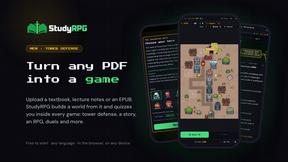
StudyRPG
StudyRPG turns your PDFs and EPUBs into quiz driven game worlds with RPG play, flashcards and active recall for students.

Ignelis
Launch and manage Solana tokens with a non-custodial launchpad, liquidity tools, portfolio features, and copy trading.

HitDM
HitDM automates Instagram comment, story, and keyword replies, sending tracked links and capturing leads through Meta's official messaging API.

IntelCue
IntelCue monitors market and competitor signals, then turns them into ranked content opportunities and drafts for marketers and small teams.
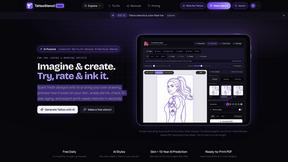
TattooStencilHub
TattooStencilHub combines AI tattoo design, skin previews, stencil conversion, and tattoo aging checks for ink lovers and working artists.

LongevLab
LongevLab turns wearable and lab data into biological age, wellbeing scores, daily protocols, and personalized AI health guidance.

N33 AI
Chat with multiple AI models, search the web, and work with images and PDFs in one interface, with free access and paid Pro.

7 Deadly Sins Test
7 Deadly Sins Test is a browser quiz that scores seven behavioral traits and displays them in an instant radar chart for self-reflection.

iCalendarPrint
Make a free printable calendar with editable date notes, US holidays, Sunday or Monday starts, and layouts for monthly or yearly planning.

Astrocarto
Explore a free astrocartography map from birth details, compare cities through planetary lines, and unlock a one-time report for a deeper shortlist.

Highworth AI
Compare AI models through community reviews, worth-it scores, and pricing details to find options suited to your tasks and budget.

MakePieces OfUs
MakePieces OfUs turns a pet photo into a virtual room with free puzzles, a private album and journal, plus optional daily stories and journeys.
InfoNestHub
Free online tools with Maryam, an AI chatbot assistant — word counter, image tools, QR generator and calculators, all in your browser.

Jumpbit
Jumpbit brings together Solana token launch, trading, distribution and safety tools, alongside a directory comparing fees, custody and live status.

RainbowPetAI
Create a pet memorial page with photos, stories, optional timeline moments, and a star location to share with family and friends.
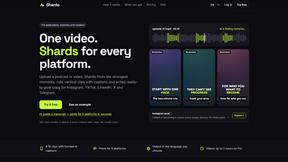
Shardo
Shardo turns podcasts and videos into captioned clips and ready-to-post content for five social platforms, with a transcript-only option.
Welcome 2027
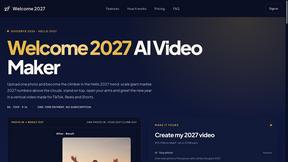
Welcome 2027 turns one photo into an 8-second vertical New Year video of the subject climbing giant 2027 numbers above the clouds.

Regga
Regga checks AI answers claiming something does not exist and presents possible matches with direct links for you to assess.
About Veo 4 AI Alternatives
Choose a generation tool when you want to explore a scene from a written or visual prompt. Choose an editor when the main task is arranging footage and refining a sequence. A filmed production is another approach when the concept depends on exact real-world performances or locations. Compare the control each workflow gives you over shots and revisions, along with the time or credits needed for another take.
FAQs about Veo 4 AI Alternatives
Which workflow suits a moving concept preview?
Prompt-led or image-led generation is described for creating video concepts; an editor or filmed workflow may suit projects that need different kinds of shot control.
What should I compare when choosing a workflow?
Consider how you will provide the visual direction, revise the shots and handle the number of iterations your project requires.