

Video to Text
Instantly convert any video or audio into accurate, searchable text with support for 99 languages.
About Video to Text
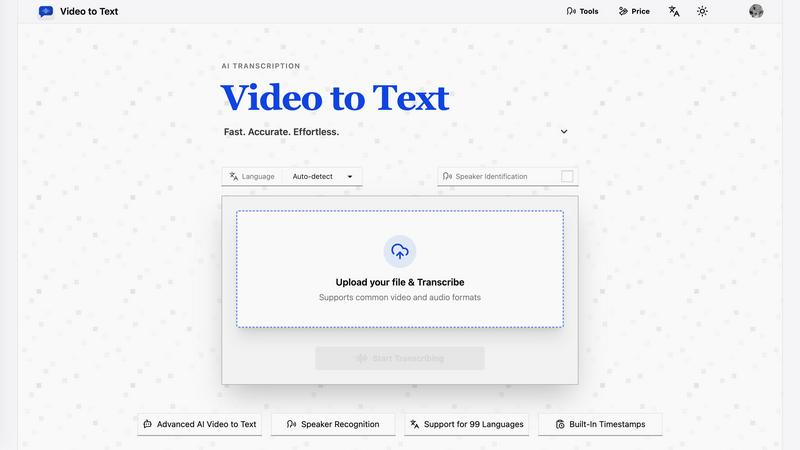
Video to Text is your fast, accurate, and effortless AI-powered transcription service. Designed for creators, teams, and individuals, it takes the complexity out of converting speech to text. Simply upload your video or audio file, and our advanced AI handles the rest, delivering a clean, exportable transcript without you needing to set up any technical pipelines. Whether you're a content creator needing subtitles, a journalist transcribing interviews, or a student capturing lecture notes, Video to Text streamlines your workflow. Its core value lies in combining high-accuracy transcription with an incredibly simple process. You get speaker-aware transcripts, support for nearly 100 languages, and built-in timestamps, all through a user-friendly interface. With 30 free minutes to start and flexible pay-as-you-go pricing, it's the accessible, professional-grade tool for turning spoken content into actionable, searchable text.
Features of Video to Text
High-Accuracy AI Transcription
At the heart of Video to Text is a powerful AI engine built specifically for understanding human speech. It delivers remarkably accurate transcripts by analyzing audio patterns, context, and vocabulary. This means you spend less time correcting errors and more time using your content, whether for subtitles, blog posts, or meeting notes. The AI continuously learns and improves, ensuring reliable results across various accents, speaking styles, and audio qualities.
Support for 99 Languages & Auto-Detection
Break down language barriers with support for an impressive 99 languages, from global English and Spanish to Japanese, Arabic, and countless others. The tool features intelligent auto-detection, so it can identify the primary language in your file automatically. It even handles multi-language recognition for recordings where speakers switch between languages, making it perfect for international meetings, multilingual interviews, or global content.
Speaker Identification (Diarization)
Never get lost in a conversation again. Our speaker diarization feature intelligently identifies and labels different speakers throughout your transcription. In a meeting recording with three participants or an interview with two people, the transcript will clearly mark "Speaker 1," "Speaker 2," etc., making it easy to follow who said what. This is invaluable for creating readable interview notes, accurate team meeting summaries, and scripted dialogue.
Flexible Export with Timestamps
Your workflow, your rules. Video to Text lets you export your finished transcript in the format that works best for you. Choose clean TXT for simple text, CSV for data analysis in spreadsheets, or professional SRT and VTT files ready for adding subtitles to videos. Every export includes precise timestamps, allowing you to easily sync text with audio, edit specific video segments, or create perfectly timed closed captions.
Use Cases of Video to Text
Content Creation & Subtitling
Video creators, YouTubers, and online educators can effortlessly add subtitles and closed captions to their content. This boosts accessibility, improves viewer retention, and enhances SEO. Simply upload your final video, get a timestamped transcript, and export it as an SRT file to upload alongside your video on platforms like YouTube, Vimeo, or social media.
Meeting & Interview Transcription
Turn hours of spoken dialogue into searchable, shareable text in minutes. Perfect for journalists transcribing interviews, researchers documenting focus groups, or teams wanting accurate records of brainstorming sessions and client calls. Speaker identification makes it clear who contributed each idea, and the text can be easily searched for key points or quotes.
Academic & Learning Support
Students and educators can transform lectures, seminars, and educational podcasts into structured study notes and accessible learning materials. Instead of frantically writing, learners can focus on understanding the lecture, knowing a full transcript will be available later for review, highlighting, and annotation, aiding comprehension and revision.
Accessible Documentation for Teams
Freelancers, consultants, and remote teams can create written records of important calls, training sessions, and project briefings. These transcripts ensure nothing is missed or misunderstood, provide a reference for team members in different time zones, and help in building a knowledge base from verbal discussions and presentations.
Frequently Asked Questions
What file formats does Video to Text support?
Video to Text supports a wide range of common audio and video formats to fit your workflow. For video, you can upload MP4, MOV, MKV, WEBM, and M4V files. For audio, supported formats include MP3, WAV, M4A, FLAC, OGG, AAC, and OPUS. This covers most files from smartphones, recording devices, and professional editing software.
How accurate is the transcription?
Video to Text uses state-of-the-art AI models to deliver high-accuracy transcription. The accuracy can be influenced by audio quality, background noise, speaker accents, and technical vocabulary. For clear audio with standard vocabulary, you can expect excellent results. The tool is designed to handle various accents and speaking styles within its 99 supported languages.
What are the export options for my transcript?
You have four flexible export options to suit different needs. You can download a simple TXT file for plain text, a CSV for opening in spreadsheet tools like Excel, or subtitle files in the standard SRT and VTT formats. The SRT and VTT files include timestamps, making them ready to use for adding captions to videos on platforms like YouTube.
Is there a free trial?
Yes! New users receive 30 free minutes of transcription to test the service. This allows you to upload a few files, experience the accuracy and speed of the AI, and try out the different export formats without any commitment. After using your free minutes, you can purchase more minutes through our simple, pay-as-you-go pricing packs.
Pricing of Video to Text
Video to Text offers simple, transparent pay-as-you-go pricing with no required subscriptions. You only pay for the minutes you transcribe.
Starter Pack: $9.9 for 200 minutes (cost: $1 for 20 mins).
Most Popular Pack: $19.9 for 600 minutes (cost: $1 for 30 mins).
Best Value Pack: $99 for 6000 minutes (cost: $1 for 60 mins).
All new users start with 30 free transcription minutes to try the service. Simply choose a pack that fits your volume, and add more minutes anytime.
Explore more in this category:
Similar to Video to Text


xfiles
Free PDF, image and audio tools that process your files locally in your browser. No account or added watermarks.

Dame Hombro
Make a personalized Dame Hombro freestyle video from one person or pet photo.

Popstar AI
Popstar AI is an AI video generator that puts you in Drake's POPSTAR music video from one photo, with the original song and no watermark.

Bulin 47 AI Videos
One photo in, a 15-second Bulin 47 street freestyle video with sound out: original dembow beat, lip-synced Spanish verse, crowd.


Bulin 47 AI
Turn one photo into the viral 19-second Bulin 47 freestyle, with original sound and a watermark-free vertical MP4.