

VRChat Avatar Maker
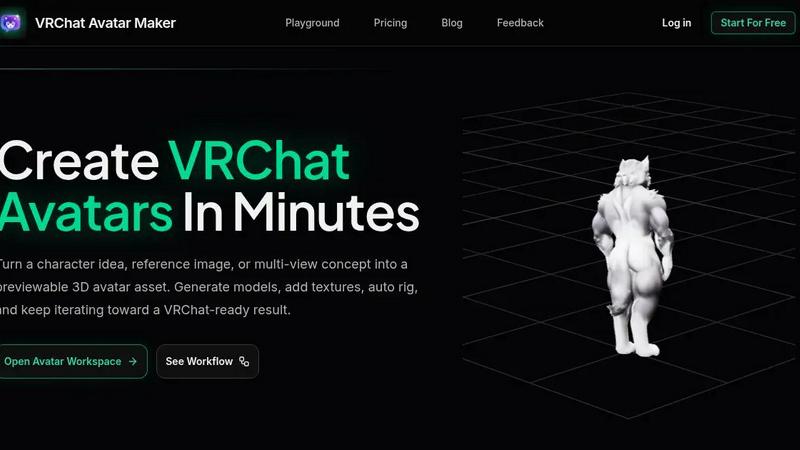
Turn your character idea or reference image into a previewable, rigged VRChat avatar in minutes with one streamlined workspace.
About VRChat Avatar Maker
VRChat Avatar Maker is a dedicated creator workspace designed to help you transform a simple idea, a written prompt, or a collection of reference images into a fully realized, previewable 3D avatar asset. Instead of jumping between multiple disconnected tools, this platform brings the entire avatar creation pipeline into one streamlined workflow. You can start by generating a model from text or an image, then move directly into adding textures, auto rigging the model for animation, and previewing the final result before downloading. The product is built specifically for VRChat avatar creators who want to move from concept to a usable asset without the usual friction of learning complex 3D software. Whether you are designing an anime character, a furry persona, or a cute original creation, VRChat Avatar Maker supports popular styles and provides tools like Multi-view generation, Texture repainting, and motion presets for rigging. The workspace treats each result as part of a continuing process, so you can iterate on the same asset rather than starting over from scratch every time. This approach saves hours of manual work and helps you explore more creative directions in less time. Ultimately, VRChat Avatar Maker is for anyone who wants a faster, more intuitive way to create custom avatars that are ready for preview, export, and further refinement in their VRChat pipeline.
Features of VRChat Avatar Maker
Text to Avatar
Turn a written character idea into a 3D avatar model so you can move from concept to asset faster. This feature allows you to describe your avatar's style, clothing, mood, and silhouette using a simple prompt, and the AI generates a 3D model that matches your description. It is perfect for first-pass custom avatar concepts when you have a clear vision but no reference images. You can iterate quickly by adjusting your prompt to refine the result, making it an excellent tool for exploring different character directions without any manual modeling.
Image to Avatar
Upload a single character image or a set of multi-view references to create a stronger avatar foundation. This feature is ideal when you have concept art, a drawing, or a photo of a character you want to recreate in 3D. By providing front, left, back, and right views, the AI can build a more accurate and detailed model that captures the intended proportions and design elements. This approach reduces the guesswork involved in translating 2D art into a 3D asset and ensures your avatar stays true to the original concept.
Texture Generation and Repainting
Add textures to an existing model or repaint specific areas to achieve the exact look you want. After generating your 3D avatar, you can apply AI-generated textures that match your character's style, whether it is realistic skin, shiny armor, or soft fur. The repainting tool lets you target specific parts of the model, like changing the color of a shirt or adding patterns, without affecting the rest of the texture. This feature saves hours of manual UV mapping and painting, giving you professional-looking results in minutes.
Auto Rigging with Motion Presets
Automatically rig your generated avatar with a skeleton and apply motion presets so it is ready for animation in VRChat. Rigging is one of the most technical and time-consuming steps in avatar creation, but VRChat Avatar Maker handles it for you. You can choose from preset motion styles, such as idle animations or walk cycles, and the AI applies the appropriate bone structure to your model. This ensures your avatar moves naturally and is compatible with VRChat's requirements, allowing you to skip the steep learning curve of manual rigging.
Use Cases of VRChat Avatar Maker
Creating a Custom Avatar from a Written Idea
If you have a character concept in your head but no reference images, you can use the Text to Avatar feature to bring it to life. For example, you might describe a "steampunk fox with goggles and a leather jacket" and get a 3D model that matches that description. You can then add textures, rig it, and preview it in the workspace, all without drawing a single line. This use case is perfect for roleplayers, streamers, or anyone who wants a unique avatar that reflects their personality.
Turning Concept Art into a 3D Asset
Artists and designers often have character sketches or concept art they want to see in 3D. With the Image to Avatar and Multi-view features, you can upload your drawings and get a model that preserves the original design. For instance, if you have front and side views of an anime character, the AI will use those references to build a proportional 3D avatar. This is a huge time-saver for creators who want to prototype their designs quickly before committing to a full 3D modeling pipeline.
Iterating on an Existing Avatar
Many creators have a base avatar but want to improve it with new textures or rigging. VRChat Avatar Maker lets you upload your existing model and use the Add Texture or Auto Rigging features to enhance it. For example, you could repaint the skin tone, add a new outfit texture, or apply a different motion preset to change how the avatar moves. This use case is ideal for creators who want to update their avatar for a new VRChat world or event without rebuilding everything from scratch.
Exploring Multiple Character Directions Quickly
When brainstorming for a new avatar, you might want to test several styles or themes before settling on one. Using the Text to Avatar and Text to Image features, you can generate multiple concepts in minutes. For instance, you could create a "cute cat girl," a "cyberpunk warrior," and a "fantasy elf" all in the same session. You can preview each result, compare them, and decide which direction to pursue further. This rapid exploration helps you find the perfect avatar idea without wasting time on manual modeling for each option.
Frequently Asked Questions
What types of avatars can I create with VRChat Avatar Maker?
You can create a wide variety of avatar styles, including anime, furry, cute, fantasy, sci-fi, and realistic characters. The tool supports popular VRChat aesthetics and allows you to customize clothing, accessories, colors, and proportions using text prompts or reference images. Whether you want a humanoid, animal, or hybrid design, the AI can generate a model that fits your vision.
Do I need any 3D modeling experience to use this tool?
No, you do not need any prior 3D modeling experience. VRChat Avatar Maker is designed to be user-friendly and accessible to beginners. The entire workflow from text or image to a rigged, textured avatar is automated. You simply provide inputs like prompts or images, and the AI handles the complex tasks of generation, texturing, and rigging. However, having a clear idea of what you want will help you get better results faster.
Can I download my avatar and use it directly in VRChat?
Yes, you can download your final avatar asset after completing the pipeline. The output is designed to be VRChat-ready, meaning it includes the necessary model file, textures, and rigging. You can then import it into VRChat using the Unity SDK or other compatible tools. The workspace also allows you to preview the rigged avatar before downloading, so you can ensure it looks and moves as expected.
What happens if the generated model does not look right?
The workspace is built for iteration. If the initial result is not perfect, you can adjust your prompt, upload better reference images, or use the texture repainting tool to fix specific areas. You can also regenerate the model with different settings or try a different creation mode. The goal is to treat each result as a step in the pipeline, so you can refine and improve your avatar without starting over from scratch.
Pricing of VRChat Avatar Maker
VRChat Avatar Maker offers a "Start For Free" option, allowing you to try the workspace and create avatars without upfront payment. For detailed pricing plans and tiers, including any subscription or credit-based models, you should visit the Pricing page on the official website. The available content does not specify exact costs, so please check there for the most current information on what each plan includes.
Explore more in this category:
Similar to VRChat Avatar Maker

TestNeo
TestNeo.ai is an AI-native engineering and release assurance platform that helps teams automate web and API testing using natural language.

VoiceVibe
Talk to your computer: dictate, rewrite, ask about your screen, launch AI agents.

Booksmaker.ai
Books Maker AI is the AI-powered platform that turns your idea into a professional book.

Toolara Music
Describe a song in plain text and get a complete track — vocals or instrumental, custom lyrics, up to 120 seconds, MP3 download

LinkIntel
MCP server giving your AI assistant your X post results and X’s ranking weights, with sources.

Ask Versa AI
AI verdicts for any two Amazon products, in seconds. Live specs plus real buyer reviews, scored 0-100, one clear winner. Free, no account.

Verla AI
AI academic assistant for writing, research, presentations, and coding

TryThatTool
Discover AI tools worth trying. Compare options, explore practical reviews, and build your own AI stack based on your goals and budget.