

Whisper AI
Whisper AI turns your audio, video, and live recordings into accurate, searchable text in over 100 languages using OpenAI technology.
About Whisper AI
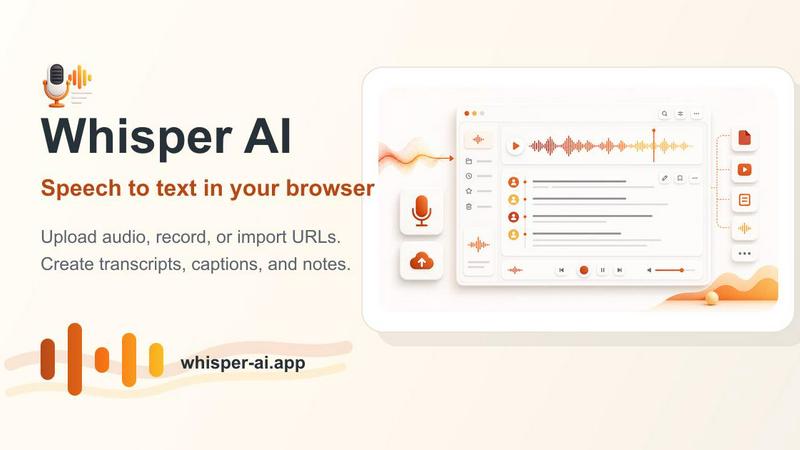
Whisper AI is an online speech to text and AI transcription workspace that makes it incredibly easy to convert spoken words into accurate, editable, and searchable text. Powered by OpenAI Whisper technology, this tool is designed for anyone who needs to turn audio or video content into written form, whether you are a journalist transcribing interviews, a student capturing lecture notes, a podcaster creating show notes, or a business professional documenting meetings. The main value proposition is simplicity and flexibility: you can upload audio or video files, record directly in your browser, or even import a media URL, and within moments, you get a high-quality transcript. Whisper AI supports over 100 languages with auto-detection, adds speaker labels and timestamps for clarity, and allows you to search through and edit your transcript before exporting it in various formats like TXT, SRT, VTT, JSON, PDF, or DOCX. It is private and runs in your browser, meaning no desktop software is required, and your data stays secure. With a free tier to get started and Pro plans for advanced features like AI summaries, analytics, and translation, Whisper AI is a practical, all-in-one workspace for speech to text conversion.
Features of Whisper AI
Upload Audio or Video
Whisper AI lets you upload common media files like MP3, WAV, M4A, MP4, and MOV directly into the transcription workflow. You can simply drag and drop your file or use the upload console, and the tool will process it quickly. This feature eliminates the need to switch between different applications, saving you time and effort when converting recordings into text.
Record in the Browser
Need to capture a quick voice note, a live meeting, or an interview on the spot? Whisper AI includes a built-in browser recorder that lets you record audio directly and send it straight into the speech to text pipeline. This is perfect for spontaneous moments or when you don't have a pre-recorded file, making transcription seamless and immediate.
Import a Media URL
If you have audio or video hosted online, such as a podcast episode on a streaming platform or a video lecture, you can simply paste the media URL into Whisper AI. The tool will fetch the content and transcribe it without requiring you to download and re-upload the file. This feature streamlines your workflow, especially when dealing with online resources.
Language and Speaker Options
Whisper AI supports over 100 languages and can automatically detect the spoken language in your audio. You can also manually select a language from a comprehensive list. Additionally, the tool offers speaker labeling, which is essential for interviews, panel discussions, or meetings with multiple participants. This ensures your transcript is organized and easy to follow.
Transcript Search and Editing
Once your transcript is generated, you can review it directly within the workspace. The search function allows you to quickly find specific words, phrases, or timestamps, making it easy to locate important moments. You can also edit the text to correct any errors, adjust formatting, or prepare the content for publishing, all without leaving the application.
Flexible Export Formats
Whisper AI provides a variety of export options to suit different needs. You can download your transcript as plain text (TXT), subtitle files (SRT, VTT), structured data (JSON), or formatted documents (PDF, DOCX). This flexibility means you can use the output for captions, notes, articles, documentation, or further processing in other AI workflows.
Use Cases of Whisper AI
Transcribing Interviews for Journalists
Journalists can use Whisper AI to quickly convert recorded interviews into accurate text. By uploading an audio file or recording directly in the browser, they get a searchable transcript with speaker labels and timestamps. This saves hours of manual typing and allows them to focus on crafting their stories, with the ability to search for key quotes and edit the text for publication.
Creating Lecture Notes for Students
Students can record lectures using their device and then upload the audio to Whisper AI for instant transcription. The tool auto-detects the language and adds timestamps, making it easy to review specific parts of the lecture later. They can export the transcript as a DOCX or PDF for study notes, ensuring they never miss important information.
Generating Podcast Show Notes and Captions
Podcasters can use Whisper AI to transcribe their episodes, turning spoken content into written show notes, blog posts, or social media captions. By importing a media URL or uploading the audio file, they get a transcript that can be edited and exported as SRT for captions or TXT for summaries. This enhances accessibility and SEO for their podcast.
Documenting Business Meetings and Support Calls
Professionals can record team meetings, client calls, or support conversations and upload them to Whisper AI for transcription. The tool provides a searchable record with speaker labels, making it easy to review action items, decisions, or customer issues. Exporting as PDF or DOCX allows for easy sharing and archiving within the organization.
Frequently Asked Questions
How accurate is Whisper AI transcription?
Whisper AI uses OpenAI Whisper technology, which is known for its strong accuracy across various accents, noisy environments, and technical terminology. The tool performs well with clear audio, but results can vary based on recording quality. It also supports auto-detection of over 100 languages, ensuring reliable transcription for multilingual content.
Is my data private when using Whisper AI?
Yes, privacy is a key feature of Whisper AI. The tool processes audio directly in your browser using technologies like WebGPU and Transformers.js, meaning your files are not uploaded to external servers for transcription. This browser-native approach keeps your data secure and confidential, making it suitable for sensitive recordings.
What file formats can I upload and export?
You can upload common audio and video formats including MP3, WAV, M4A, MP4, and MOV. For exports, Whisper AI supports TXT, SRT, VTT, JSON, PDF, and DOCX. This wide range of formats ensures you can use the transcript for notes, captions, subtitles, or further processing in other applications.
Do I need to install any software to use Whisper AI?
No, Whisper AI is entirely web-based and requires no desktop software installation. You can start transcribing directly from your browser by uploading files, recording live, or importing a media URL. This makes it accessible on any device with an internet connection and a modern browser.
Pricing of Whisper AI
Whisper AI offers a free tier to get started with basic transcription features. For users who need advanced capabilities, Pro plans are available that include AI summaries, analytics, and translation. Specific pricing details for the Pro plans are not provided in the available context, but the product is designed to be accessible with a free option and scalable for professional use.
Similar to Whisper AI

xfiles
Free PDF, image and audio tools that process your files locally in your browser. No account or added watermarks.

VoiceVibe
Talk to your computer: dictate, rewrite, ask about your screen, launch AI agents.

Vizle
Vizle transforms lengthy videos into convenient, accessible documents, as PDFs and PPTs. No more speeding through your videos at 2x!

Parlune
Learn a language from real content, not vocab dumps. Parlune turns your favourite foreign-language YouTube videos into immersive, audio-synced lessons

Exemplary AI
Turn long videos and podcasts into short captioned clips, transcripts in 99 languages, subtitles in 116 languages and ready-to-post content.

CleanNoise
AI noise remover for audio and video. Hear a free 30-second preview with no sign-up, then download the cleaned file from $0.99.

Mina Flow
Speak at 180+ WPM directly into any Mac app. Offline Whisper STT, AI Polish, and voice macros with zero monthly fees.

H3 Video
Free Hailuo 3 AI video generator online. Native 2K, stereo audio, text-to-video and image-to-video in your browser.