
Alternatives to Add Loved One to Photo
Explore the best alternatives and competitors to Add Loved One to Photo.
Explore 20 alternatives to Add Loved One to Photo. Compare features, pricing, and find the best fit for your needs.
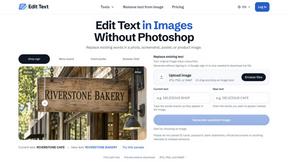
Reword Image
Change the text already printed inside a photo, screenshot or poster, without the original design file.
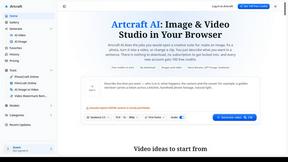
Artcraft AI
AI image and video studio in your browser: generate and edit images, turn photos into videos, edit clips by sentence.

Dola AI
Dola AI video generator online: make Seedance 2.5 videos from text or a photo in your browser. No app, no watermark, free credits.
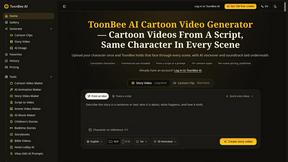
ToonBee AI
ToonBee AI turns a script or a one-line idea into a narrated cartoon video, keeping the same character in every scene. 10+ styles, 16:9 or 9:16.

sakuttoAI
A free suite of online tools for everyday tasks like PDF compression, image conversion, text diff and CSV to Excel.
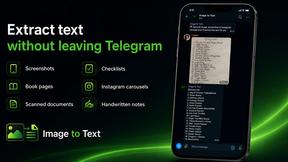
imgtxtapp.laviolab.com
imgtxtapp.laviolab.com is a Telegram-based image-to-text converter that turns photos, screenshots, scanned documents into editable text
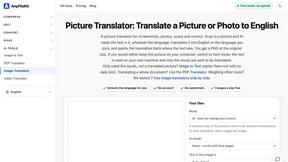
AnyFileKit Image Translator
Translate the text in screenshots, photos and manga, with the translation drawn back over the original image.
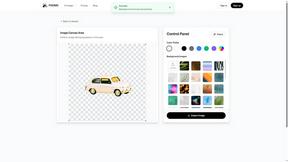
PXDMD
Free AI image editor: remove backgrounds, erase objects and watermarks, and color-grade photos in seconds.
SightRadar
Face recognition API, a drop-in replacement for AWS Rekognition. Index, search, compare and detect faces, billed per photo with no subscription.
Restore Old Photos - Retrocap
AI photo restoration app for iPhone and Android: repair scratches and tears, colorize black-and-white photos, sharpen faces and animate old portraits.


Bulin 47 AI
Bulin 47 AI puts your face into the viral Bulin 47 freestyle video from one photo. Get a 5–19-second vertical MP4 for TikTok and Reels.
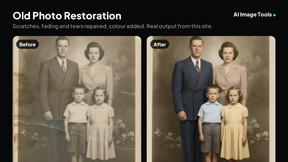
AI Image Tools
Text to image, photo edits, background removal and restoration. Pick Nano Banana, FLUX, Seedream or GPT Image and see the price first.
ImageAICraft
GPT Image 2 AI Image Generator & Editor for Text-to-Image and Image-to-Image Creation
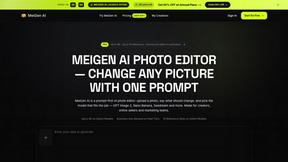
MeiGen AI
AI photo editor and image generator: upload a photo, describe the change in plain English, pick GPT Image 2, Nano Banana Pro or Seedream.

Passport Size Photo
Turn any selfie into a compliant passport, visa or ID photo in 60 seconds. AI background removal for 530+ official photo specs.

About Add Loved One to Photo Alternatives
Add Loved One to Photo is an innovative AI memorial photo tool that allows users to seamlessly incorporate a missing or deceased loved one into an existing photograph. This product falls under the Image & Photo category and utilizes advanced AI technology to blend two uploaded images—one of a group photo and another of the loved one—resulting in a heartfelt and realistic representation. It is particularly useful for creating cherished memories during significant life events such as family reunions, weddings, or holidays, where the presence of those who have passed is deeply missed. Users often seek alternatives to Add Loved One to Photo for various reasons, including pricing concerns, specific feature requirements, or compatibility with their preferred platforms. When considering an alternative, it is essential to evaluate several factors, such as the ease of use, the quality of the image blending, the range of artistic styles available, and the overall user experience. Additionally, understanding the pricing structure and any additional costs involved can help make an informed decision that aligns with personal needs and budget.
FAQs about Add Loved One to Photo Alternatives
What is Add Loved One to Photo?
Add Loved One to Photo is an AI-powered memorial photo tool designed to help users add a missing or deceased loved one into existing photographs. By uploading a group photo and a separate reference image of the loved one, the app creates a realistic and emotionally resonant composite image. This tool is perfect for commemorating significant memories and preserving family connections.
Who is Add Loved One to Photo for?
Add Loved One to Photo is intended for anyone looking to honor and remember a loved one who is no longer with them. It is especially valuable for families wanting to include departed relatives in special occasions like weddings, holidays, or reunions, allowing them to create lasting memories that celebrate their lives and contributions.
Is Add Loved One to Photo free?
Add Loved One to Photo may not be entirely free, as it typically operates on a pricing model that may include various tiers or pay-per-use options. Users should check the specific pricing details on the platform to understand the costs involved in using the service and any features that may be included in different plans.
What are the main features of Add Loved One to Photo?
The main features of Add Loved One to Photo include the ability to blend two images seamlessly to create a memorial photo, style-based generation modes for artistic renditions such as watercolor or oil painting, and a user-friendly interface that guides users through the photo enhancement process. This versatile tool caters to various sentimental use cases, making it a meaningful addition to any family photo collection.