
Alternatives to AddSubtitles
Explore the best alternatives and competitors to AddSubtitles.
Explore 20 alternatives to AddSubtitles. Compare features, pricing, and find the best fit for your needs.

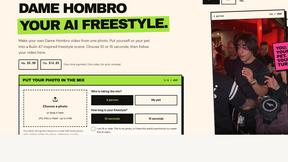

Popstar AI
Popstar AI is an AI video generator that puts you in Drake's POPSTAR music video from one photo, with the original song and no watermark.

Bulin 47 AI Videos
One photo in, a 15-second Bulin 47 street freestyle video with sound out: original dembow beat, lip-synced Spanish verse, crowd.

Leadeon
AI growth tool for X and LinkedIn: write posts in your voice, schedule at your best times, find leads on X and see what works.
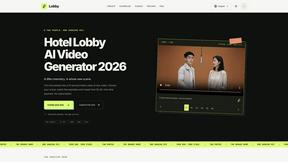
LobbyClip
Turn two photos into a 15-second AI duo video. Choose a scene and export MP4 in 480p or 720p. One-time payment.

Bulin 47 AI
Turn one photo into the viral 19-second Bulin 47 freestyle, with original sound and a watermark-free vertical MP4.
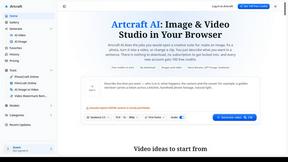
Artcraft AI
AI image and video studio in your browser: generate and edit images, turn photos into videos, edit clips by sentence.

FreeVideoGenerator
Free AI video generator that turns text prompts and photos into video clips using Sora 2, Veo 3.1, Wan and more. Free starter credits.
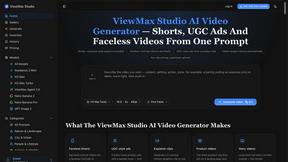
ViewMax Studio
AI video generator that turns one prompt into shorts, UGC-style ads and faceless videos, with script, voiceover and captions.

BoogiePaw
AI dog dancing videos from your dog's photo: upload one shot, pick a dance, get a 9:16 clip in minutes. No prompts, no editing.
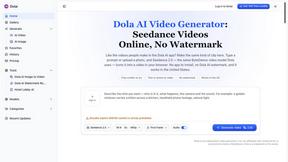
Dola AI
Dola AI video generator online: make Seedance 2.5 videos from text or a photo in your browser. No app, no watermark, free credits.
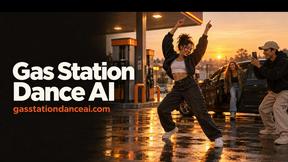
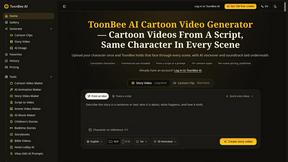
ToonBee AI
ToonBee AI turns a script or a one-line idea into a narrated cartoon video, keeping the same character in every scene. 10+ styles, 16:9 or 9:16.

Ozil AI
Put yourself in the viral Ozil goal video from one photo. Silent 9:16 720p MP4, no watermark, from $6.99.
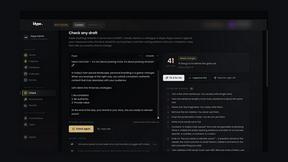
Klype AI
Writes LinkedIn and social posts in your own measured voice and checks every draft for AI tells and invented claims.
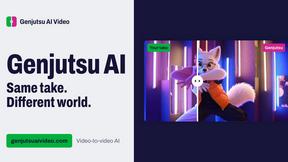
Genjutsu AI Video Editor
Edit existing videos with AI: swap characters, outfits, objects or scenes while using the source clip to guide motion and camera framing.
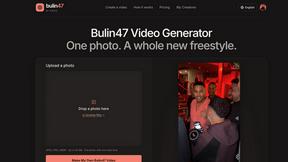
Bulin 47 Video Generator
AI Video Bulin47 lets you put yourself in the viral Bulin47 video trend with AI. Upload your photo, create a personalized Bulin47 video, and share it
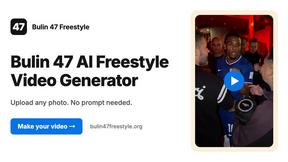
Bulin 47 AI Freestyle Video Generator
Upload any photo and get your own Bulin 47 AI Freestyle video
About AddSubtitles Alternatives
AddSubtitles is an AI-powered video editing tool designed to help content creators automatically generate subtitles and captions for their videos. It falls squarely into the content creation and video editing category, offering features that go beyond simple transcription by including silence removal, filler word filtering, and dynamic word-by-word text animations that mimic viral social media styles. While AddSubtitles is a powerful solution, users often look for alternatives for a few common reasons. Some may find the pricing model doesn’t fit their budget or usage volume, while others might need specific platform integrations that aren’t available, or perhaps they require more granular control over the visual styling of captions. Additionally, a creator working primarily on long-form YouTube content might have different needs than someone editing short-form TikToks or Reels, prompting a search for a tool that specializes in their preferred format. When choosing an alternative, it is important to focus on the core features that match your workflow. Look for a tool that offers accurate auto-transcription, preferably with support for multiple languages if that is relevant to your audience. Consider how much control you have over the final output—can you easily edit the timing of captions, change fonts and colors, and export in the formats your platform requires? Speed is another critical factor; the best alternatives should process videos quickly without sacrificing accuracy. Finally, evaluate the overall ecosystem, including whether the tool offers a free trial, a one-time purchase option versus a subscription, and if it integrates directly with your existing video editing software or social media platforms to keep your workflow smooth and efficient.
FAQs about AddSubtitles Alternatives
What is AddSubtitles?
AddSubtitles is an AI-powered auto subtitle generator and video editor designed to streamline the process of adding captions to videos. It automates tasks like transcribing audio, removing silent pauses, and filtering out filler words like 'um' and 'ah'. The tool also includes features to apply viral-style word-by-word animations to make your subtitles more engaging for social media platforms.
Who is AddSubtitles for?
AddSubtitles is primarily built for content creators, video editors, and social media managers who need to produce accessible and engaging video content quickly. It is especially useful for those creating short-form videos for platforms like TikTok, Instagram Reels, and YouTube Shorts, where dynamic captions can significantly boost viewer retention and reach. Whether you are a solo creator or part of a marketing team, the tool aims to simplify the editing workflow.
Is AddSubtitles free?
While AddSubtitles may offer a free trial or a limited free tier to test its core functionality, it is generally a paid service for full, unlimited access. The specific pricing model, including whether it is a subscription or pay-per-video plan, should be checked on their official website. Free tiers typically have limitations on video length, export quality, or the number of projects you can create.
What are the main features of AddSubtitles?
The main features include automatic AI subtitle and caption generation, which accurately transcribes spoken words. It also offers video editing capabilities such as removing silences and automatically filtering out filler words to create a smoother final cut. A standout feature is the ability to apply viral word-by-word animations to captions, which helps make text pop on screen and increases viewer engagement.