
Alternatives to AppLaunchFlow
Explore the best alternatives and competitors to AppLaunchFlow.
Explore 20 alternatives to AppLaunchFlow. Compare features, pricing, and find the best fit for your needs.
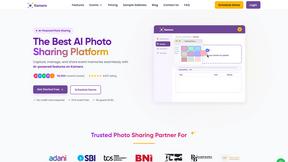
Kamero
AI event photo sharing for photographers. Guests take a selfie and face recognition instantly finds every photo they appear in from weddings & events.

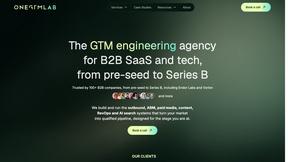
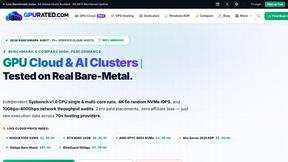
Gpu Rated
Independent hosting comparison directory that benchmarks GPU cloud, VPS, RDP, dedicated, VPN and proxy providers with Sysbench, fio and ip tests.
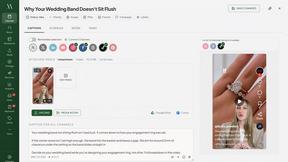
Maeve Social
Plan, approve and publish social content with an AI assistant, analytics, and API, CLI and MCP access for agents.
Influence
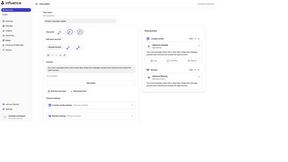
Influence helps creators write social captions with AI & keep the next week’s posts organized.
DodoLaunch
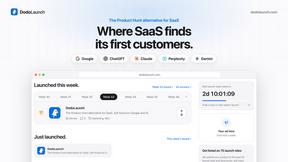
The Product Hunt alternative for SaaS. Launch free every week, get a permanent page and backlink, and get found on Google and AI.
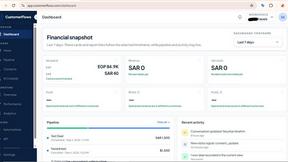
CustomerFlows
A modern, AI-native CRM built for lead-driven businesses. Qualify leads 24/7, track pipelines, and measure true ad ROI with flat-rate pricing.
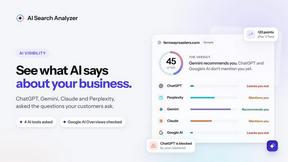
AI Search Analyzer
See what ChatGPT, Gemini, Claude, Perplexity and Google's AI Overviews say about your business, and get the fixes for your site.
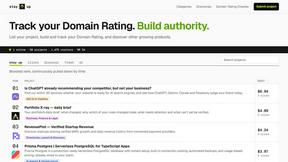
Stay Up
Stay Up is a startup directory and leaderboard where you can promote your project, grow its Domain Rating, track SEO progress, and discover other grow
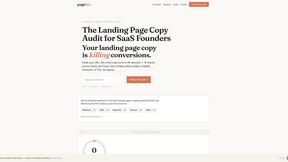
PageLint
AI copy audit for landing pages: 55 checks, each finding quotes your page and cites its source. Free 16-check audit, no signup.
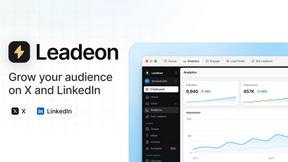
Leadeon
AI growth tool for X and LinkedIn: write posts in your voice, schedule at your best times, find leads on X and see what works.
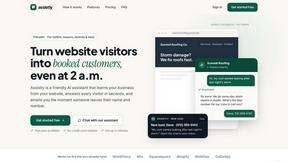
Assistly
An AI receptionist on your website that answers visitors 24/7 from your own content and captures every lead.
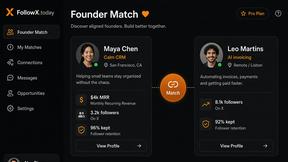
FollowX Today
Swipe to match with verified solo founders in your niche. Form 7-day mutual follow pacts, earn points, and grow a feed full of builders who engage in
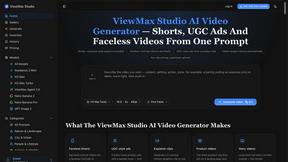
ViewMax Studio
AI video generator that turns one prompt into shorts, UGC-style ads and faceless videos, with script, voiceover and captions.
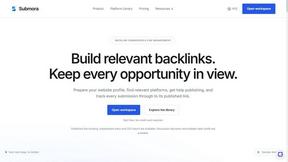
Submora
Find backlink opportunities, prepare directory submissions with AI, autofill forms, and monitor published links in one workspace.
About AppLaunchFlow Alternatives
AppLaunchFlow is a specialized tool designed to streamline the chaotic process of preparing a mobile app for its public launch. It sits at the intersection of marketing and mobile app development, acting as a one-stop workspace for creating all the visual and textual assets needed for App Store and Play Store listings. Instead of juggling between design software, video editors, and translation services, this platform centralizes the creation of screenshots, ASO copy, promo videos, app icons, and mockups into a single, collaborative environment. Users typically search for alternatives when their specific needs outgrow the platform’s scope or budget. You might look elsewhere if you require deeper integration with a specific design ecosystem, need a more aggressive pricing model for a single project, or find that the tool’s focus on launch assets doesn’t cover ongoing post-launch marketing needs like A/B testing or social media management. When evaluating other options, prioritize a tool that matches your team’s technical skill level, offers the specific asset types you need most (like video or localization), and provides a clear workflow that doesn’t sacrifice creative control for automation. The best alternative will feel like an extension of your team, not a black box that limits your vision.
FAQs about AppLaunchFlow Alternatives
What is AppLaunchFlow?
AppLaunchFlow is a dedicated workspace for creating all the assets needed to launch a mobile app on the App Store and Play Store. It combines tools for designing screenshots, writing ASO copy, generating promo videos, creating app icons, and producing 3D mockups into one platform. The goal is to replace the fragmented workflow of jumping between separate design, video, and translation tools.
Who is AppLaunchFlow for?
AppLaunchFlow is built for indie app developers, small mobile app studios, and marketing managers who handle app launches. It is particularly useful for anyone who finds the process of preparing store listing assets to be repetitive and disjointed. The tool is designed for users who want creative control over their assets but need the speed and convenience of AI-powered drafting and a unified workspace.
Is AppLaunchFlow free?
Based on the provided description, there is no explicit mention of a free tier. The platform is described as a premium workspace that consolidates many expensive tools (like video editors and translation services) into one place. Users should check the official website for the most current pricing plans and any available free trial options.
What are the main features of AppLaunchFlow?
The core feature is a screenshot editor that allows users to upload raw screenshots once and reuse them across different store sets, with AI helping to draft layouts and copy. It also includes a promo video workflow that converts screenshots into storyboards, a layered icon composer, and a keyword monitoring tool for tracking ASO performance. Additional features include localization tools for screenshots and copy, social graphic creation, and 3D mockup generation.