
Alternatives to Browser Notes
Explore the best alternatives and competitors to Browser Notes.
Explore 20 alternatives to Browser Notes. Compare features, pricing, and find the best fit for your needs.
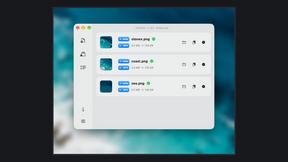
Zipic
Native image compression for Mac and Windows (Windows beta), with a local CLI and AI skill for automated image workflows.

002call
Call 190+ countries from your browser, with no SIM card, no app, and no contract. Cheap international calls start at $0.02 a minute, and your first mi

NexiaTools
NexiaTools is an all-in-one AI platform with 86+ micro-tools for writing, marketing and everyday business tasks. Free to try.
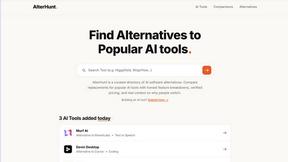
AlterHunt
AlterHunt is a curated directory of AI alternatives where you can find the best alternatives to popular tools like Higgsfield and Cursor.
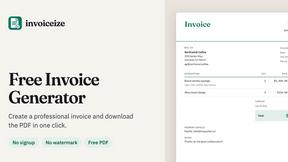
Invoiceize
Free invoice generator with live previews, PDF export and optional AI-assisted Scan & fill.

Promptifi
Reviewed AI prompts and workflows for B2B sales, from account research to renewal. Run them in ChatGPT, Claude, Gemini or Copilot. 100 free.
Statement2QBO
Bank statement PDF to QBO, Excel and Xero. Runs in your browser; three pages a day are free.

Full Page Screenshot
Capture entire web pages in one click — PNG, JPG or PDF. Free Chrome & Edge extension + web app.

TallyNexa
TallyPrime books live on any phone, a WhatsApp summary every morning and Nexa AI answers from your books.
Splitceipt
Snap a receipt and AI itemizes it. Assign each item to whoever ordered it, and Splitceipt tracks who owes whom until everyone settles up.

Emailyy
Free email tools for signatures, subject lines, HTML previews, word counts, and email headers. Browser-based, simple to use, and no signup required.

Kamero
AI event photo sharing for photographers. Guests take a selfie and face recognition instantly finds every photo they appear in from weddings & events.

Uniclip
Clip pages, take full-page screenshots and batch-capture list data to Notion, Feishu, Obsidian, Markdown, CSV or JSON.

SquishFile
Compress video free in your browser — shrink MP4, MOV, MKV or AVI to an exact size like 10MB or 25MB. No upload, no watermark, no sign-up.

TroveKey
Search tabs, Chrome bookmarks and history, run browser commands, and save webpages and social posts locally—no account.

TravelMapVisited
Use a countries visited map to track your travels, count how many countries you’ve been to, and create a visited countries map.

PLRental
AI-powered platform for car, motorcycle, and ATV rental agencies: scan IDs, generate contracts, and manage fleet and finances.

Replyinger
Automate Instagram and Facebook DMs, comment replies, and story interactions to turn followers into leads and customers. No coding required.

Agent Pets
Your Claude Code & Codex sessions as pets in Chrome. Approve, deny and reply to your coding agents from any tab.
About Browser Notes Alternatives
Browser Notes is a local-first productivity tool that combines notes, sticky notes, and mind maps into a single workspace without requiring an account or cloud storage. It falls under the Productivity & Management category, offering a private, offline-capable environment where your data stays entirely in your browser. As more people grow wary of subscription fees, data tracking, and forced syncing, Browser Notes stands out by eliminating all of those concerns, but it may not fit everyone’s workflow perfectly. Users often look for alternatives to Browser Notes when they need advanced collaboration features, cross-device syncing across multiple platforms, or more robust formatting and export options. Others might want a tool that integrates with their existing project management systems or offers mobile apps for on-the-go access. When choosing an alternative, consider what matters most to you: is it seamless team sharing, a specific pricing model like a one-time purchase, or a particular platform like iOS or Windows? Also think about whether you prefer a tool that keeps everything local for privacy or one that leverages the cloud for accessibility and backup. The best choice will balance your need for simplicity, security, and the specific features that support your daily workflow.
FAQs about Browser Notes Alternatives
What is Browser Notes?
Browser Notes is a local-first productivity tool that brings notes, sticky notes, and mind maps into one unified workspace. It requires no signup or cloud connection, storing everything directly in your browser for offline use. You can back up your data at any time, making it a private and self-contained solution for capturing and organizing your ideas.
Who is Browser Notes for?
Browser Notes is designed for individuals who value privacy and simplicity, such as students, freelancers, writers, and anyone who wants to keep their notes and ideas completely offline. It is ideal for users who are tired of scattered writing apps, sticky boards, and mind-mapping tools that push data to the cloud. If you prefer a no-account, no-tracking workspace that works even without an internet connection, Browser Notes is a great fit.
Is Browser Notes free?
Yes, Browser Notes is free to use with no account required, no subscription fees, and no hidden costs. You can access all its features—including notes, sticky notes, and mind maps—directly in your browser without any payment. Since it is local-first and does not rely on cloud storage, there are no ongoing charges for syncing or backups.
What are the main features of Browser Notes?
Browser Notes offers three core features: traditional notes for writing and organizing text, sticky notes for quick reminders and visual boards, and mind maps for brainstorming and connecting ideas. All of these work offline and store data locally in your browser, with no tracking or forced sync. You can also back up your entire workspace at any time for added security.