
Alternatives to ChatGPT Image 2 Photo Editor
Explore the best alternatives and competitors to ChatGPT Image 2 Photo Editor.
Explore 20 alternatives to ChatGPT Image 2 Photo Editor. Compare features, pricing, and find the best fit for your needs.
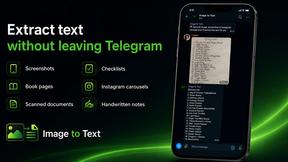
imgtxtapp.laviolab.com
imgtxtapp.laviolab.com is a Telegram-based image-to-text converter that turns photos, screenshots, scanned documents into editable text
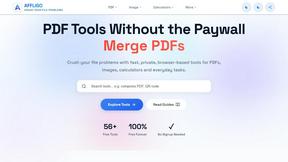
AFFLIGO
AFFLIGO is a free online toolkit for everyday file tasks. Easily edit PDFs, compress images, convert file formats, and get things done.
SightRadar
Face recognition API, a drop-in replacement for AWS Rekognition. Index, search, compare and detect faces, billed per photo with no subscription.
Restore Old Photos - Retrocap
AI photo restoration app for iPhone and Android: repair scratches and tears, colorize black-and-white photos, sharpen faces and animate old portraits.
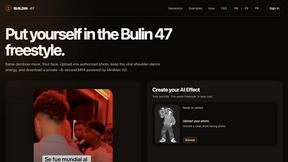
Bulin 47 AI
Bulin 47 AI puts your face into the viral Bulin 47 freestyle video from one photo. Get a 5–19-second vertical MP4 for TikTok and Reels.
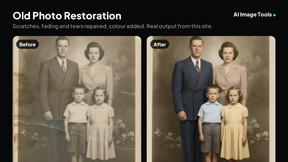
AI Image Tools
Text to image, photo edits, background removal and restoration. Pick Nano Banana, FLUX, Seedream or GPT Image and see the price first.
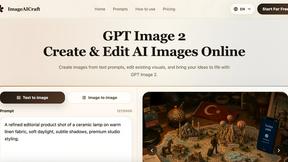
ImageAICraft
GPT Image 2 AI Image Generator & Editor for Text-to-Image and Image-to-Image Creation
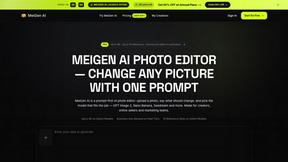
MeiGen AI
AI photo editor and image generator: upload a photo, describe the change in plain English, pick GPT Image 2, Nano Banana Pro or Seedream.
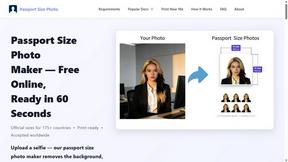
Passport Size Photo
Turn any selfie into a compliant passport, visa or ID photo in 60 seconds. AI background removal for 530+ official photo specs.
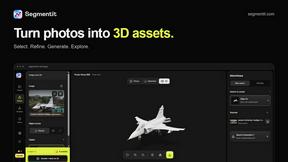
Segmentit
Turn objects in your photos into 3D assets. Select, refine, preview and export in one browser-based workspace.

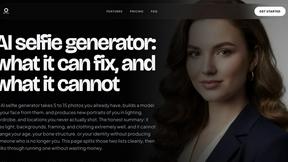
MyPhotoAI
Turn your selfies into AI headshots and portraits. Get 3 photos for US$5 or every photo from one shoot for US$10. No subscription.
Glimbench
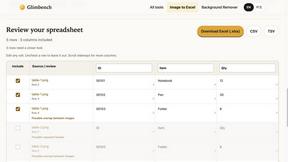
Remove backgrounds, convert table screenshots to Excel, and batch-convert HEIC to JPG. Free, no sign-up.
About ChatGPT Image 2 Photo Editor Alternatives
ChatGPT Image 2 Photo Editor is an online AI-powered tool that combines image generation with photo editing, placing it squarely in the design and photography category. It allows users to create visuals from scratch using text prompts, edit existing images through simple instructions, and upscale or clean up their work, all within a web browser. People often look for alternatives because they might need a different pricing model, require more advanced manual editing controls, or are searching for a tool that integrates better with their specific platform or workflow. When choosing an alternative, it is important to consider the core features you rely on, such as prompt-based editing or reference image support, as well as the output quality and whether the tool offers a free tier or trial to test its capabilities. The best alternative for you will depend on your primary use case. If you are an ecommerce team needing fast product variations, look for a tool with strong image-to-image and batch processing features. For marketers and designers creating brand assets, focus on tools that offer high-resolution outputs and robust cleanup options. Small businesses and creators should prioritize ease of use and browser-based accessibility, ensuring the alternative can handle both photo editing and generation without requiring a steep learning curve. By matching the tool’s strengths to your specific creative tasks, you can find an option that fits your budget and workflow seamlessly.
FAQs about ChatGPT Image 2 Photo Editor Alternatives
What is ChatGPT Image 2 Photo Editor?
ChatGPT Image 2 Photo Editor is an online AI photo editor and image generator designed for creators, marketers, designers, ecommerce teams, and small businesses. It combines text-to-image and image-to-image generation with prompt-based editing, reference image workflows, upscaling, and cleanup capabilities. All processing and output generation happen directly in the browser, allowing users to create product visuals, ads, thumbnails, portraits, brand assets, and fast creative variations without installing software.
Who is ChatGPT Image 2 Photo Editor for?
This tool is built for a wide range of users including creators, marketers, designers, ecommerce teams, and small businesses. It is ideal for anyone who needs to quickly generate or edit visual content such as product photos, social media ads, video thumbnails, or brand assets. The intuitive prompt-based interface makes it accessible even for those without traditional design skills, while still offering enough depth for professional use cases like reference image workflows and high-resolution upscaling.
Is ChatGPT Image 2 Photo Editor free?
The availability of a free tier depends on the specific platform or service offering the tool. Typically, AI photo editors like this may provide a limited number of free generations or basic editing features, with paid plans for higher resolution outputs, faster processing, or commercial usage rights. Users should check the official pricing page for the most current information on free access and subscription options.
What are the main features of ChatGPT Image 2 Photo Editor?
Key features include text-to-image generation, image-to-image editing, prompt-based editing, reference image workflows, upscaling, and cleanup tools. It supports downloading creative outputs directly from the browser and is optimized for creating product visuals, ads, thumbnails, portraits, and brand assets. The tool also enables fast creative variations, making it useful for A/B testing visual concepts or generating multiple design options quickly.