
Alternatives to EditTextImage
Explore the best alternatives and competitors to EditTextImage.
Explore 20 alternatives to EditTextImage. Compare features, pricing, and find the best fit for your needs.

Hotel Lobby AI
Hotel Lobby AI turns two portraits into a duet video in an orange recording booth with motion, lip-sync, and audio.

Tiny Desk AI Video Maker
Turn three photos into a vertical Tiny Desk-style concert video with original sound.

ZombieTrend AI
ZombieTrend AI turns two photos into a cinematic zombie love story video with sound, no watermark, and a free preview.
GenX
All-in-one AI workspace to generate images, videos, and audio with multiple leading AI models.



Hotel Lobby AI Video
Create a Hotel Lobby duo video from two character photos. Choose left and right performers, review the AI result, and download your finished clip.

Design.com AI Image Generator
Turn text prompts into polished, copyright-safe visuals that plug directly into branded templates
FastH3 Omni
Run FastH3 Omni in your browser. Up to 9 reference images plus 3 audio references become a 5–15s clip with synced audio. No install, no GPU.
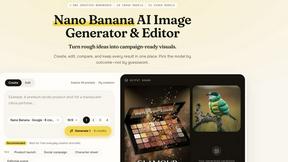
Nano AI
Create and edit AI images and videos in one workbench, with multiple models, reference images and a shared credit balance.
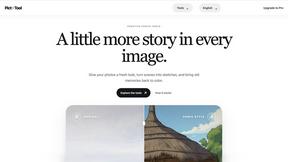
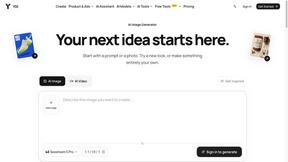
YIX
YIX combines AI image and video generation, photo editing, restoration, product visuals and free prompt tools in one browser studio.

drovy.ai
Turn one selfie into this week's viral photo trend in about 20 seconds. One free AI tool per trend, no app, no account.

Aigena
All-in-one AI generator in Russian: images, video, music, voice and chat in one account, no VPN needed in Russia.
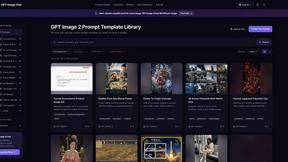
GPT Image Hub
Curated image prompts, reusable templates, and multi-model AI generation in one workspace.
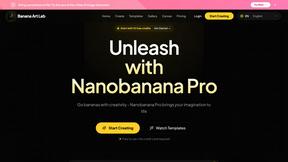
NanoBanana
Generate and edit AI images with six models, references, templates, and a visual workflow canvas.
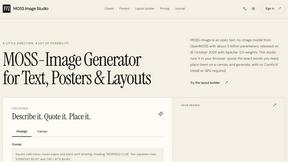
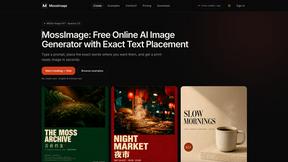
MossImage
MossImage is a browser-based AI image generator built on MOSS-Image SFT. It renders English and Chinese text inside posters, menus, packaging, ads and
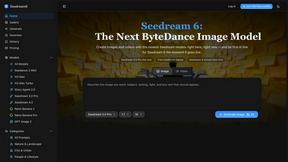
Seedream 6
Independent Seedream 6 guide with a browser-based AI image and video generator powered by Seedream 5.0 Pro and 5.5.

Seedream 5.5
Seedream 5.5 by ByteDance: 80+ rounds of stable image editing, native RGBA transparency, 100-layer splits, 4K output and reliable multilingual text.
About EditTextImage Alternatives
EditTextImage is a specialized AI-powered tool in the image generation and editing category that lets you replace or edit text within an existing image without needing the original design file, fonts, or any software like Photoshop. Instead of manually cloning pixels or guessing the typeface, it uses artificial intelligence to sample the typography, colors, shadows, and perspective directly from the image, then seamlessly renders the new text in the exact same style. This makes it ideal for fixing typos, updating dates, or testing headlines on finished posters, screenshots, and product photos in about ten seconds. Users often look for alternatives to EditTextImage for a few common reasons, including wanting a different pricing model, needing more editing features beyond just text replacement, or requiring a desktop application rather than a web-based tool. Some might also seek options that offer batch processing, higher resolution outputs, or integration with other design workflows. When evaluating alternatives, focus on how accurately the tool preserves the original font and layout, whether it supports complex effects like drop shadows and perspective, and if the pricing fits your usage frequency. The best choice will balance ease of use with the specific editing capabilities you need, especially if you work with non-standard or hand-lettered typefaces.
FAQs about EditTextImage Alternatives
What is EditTextImage?
EditTextImage is an online AI-powered tool that lets you edit or replace text in any image without needing the original design file or font files. It works by sampling the typography, color, drop shadow, and perspective directly from the pixels in your image, then seamlessly rendering the new text in the exact same style. The process takes about 10 seconds and outputs the result at 2K resolution, making it a fast and simple alternative to Photoshop or Canva for quick text fixes.
Who is EditTextImage for?
EditTextImage is designed for anyone who needs to change text on a finished image but has lost the original design file. This includes marketers updating dates on posters, designers fixing typos in screenshots, social media managers swapping headlines on product photos, and small business owners editing text on graphics without hiring a professional. It is especially useful for users who do not have access to paid fonts or design software like Photoshop.
Is EditTextImage free?
Yes, EditTextImage offers a free trial for your first edit with no credit card required. After that, it is a one-time payment of $9.90 for 30 edits, with no subscription or recurring fees. This pay-per-edit model makes it affordable for occasional use, as you only pay for the edits you actually need.
What are the main features of EditTextImage?
The main features include AI-powered text replacement that samples fonts, colors, drop shadows, and perspective directly from the image pixels, so paid fonts and hand-lettering work without installation. It completes edits in about 10 seconds and outputs at 2K resolution. The tool also supports fixing typos, swapping dates, and A/B testing headlines on finished images without requiring Photoshop or any design file.