
Alternatives to Export to Figma
Explore the best alternatives and competitors to Export to Figma.
Explore 20 alternatives to Export to Figma. Compare features, pricing, and find the best fit for your needs.

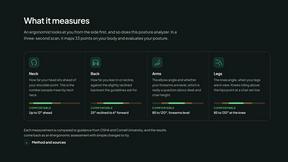
ErgoAssessment
See your posture the way an ergonomist beside your desk would. Your camera, five body angles, plain fixes. Free, no signup.

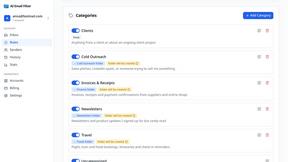
AI Email Filter
AI Email Filter sorts incoming mail into folders using plain-language prompts you write. Works with any IMAP mailbox; bring your own LLM if you want.
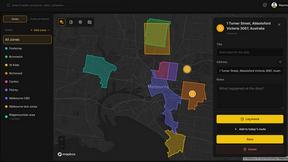
BetterKnocks
One powerful software for D2D (Door to door) fields reps to manage their sales and their teams to easily track territories and complete powerhouse CRM
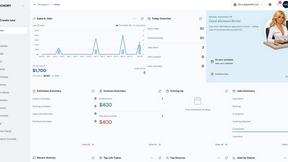
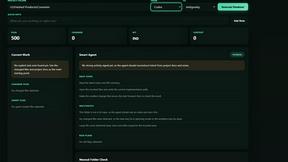
shardstitch
ShardStitch helps recover and hand off AI coding work, with a visual website editor and SEO Guardrails MCP in development.
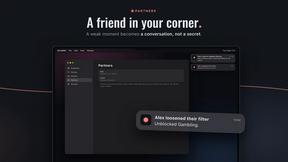
StrictDNS
Block adult content, gambling and more on all your devices, with a friend as your accountability partner who is notified.

Sayble
AI copilot that tells you what to say next on live sales calls, then writes the recap and follow-up.

RemoveMate
AI background removal and image cleanup tools for product photos, portraits, social posts and everyday creative projects.

Krea 3
Krea 3 is an AI image editor that relights photos, swaps backgrounds and changes one object from a text prompt with GPT Image 2 and Nano Banana Pro.
Nano Pro
AI photo editor and image generator with Nano Banana models, up to 14 references and 4K output.
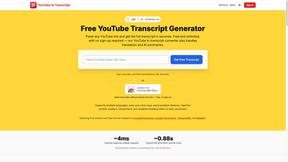

stackledge
The human-curated directory of verified AI tools, active SaaS, and custom n8n workflows. Discover dependable software free from bot-scraped spam.
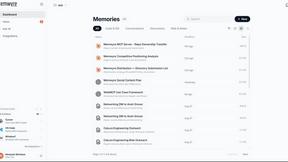
Memwyre
Memwyre is an AI memory platform that gives every AI tool, agent, and conversation a persistent, shared memory you can search and reuse.
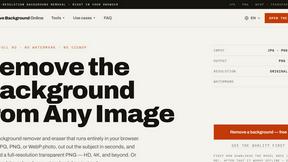
Remove Background
Free background remover that runs entirely in your browser — no uploads, no watermark, no account.
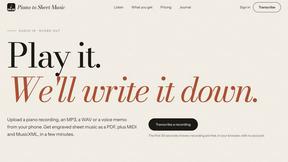
Piano to Sheet Music
Turn a piano recording into sheet music, MIDI and MusicXML, with the first 30 seconds free in your browser.

Ins Autopilot
Instagram automation and outreach Chrome extension for targeted follow, protected unfollow, auto like, comments, and DMs.
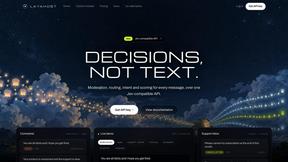
layahost
Moderation, routing, intent and scoring for any text over one Jev-compatible API, hosted in the EU.
laya.tools
Free directory of 950+ projects built on Laya, the open-source model that turns text into typed decisions in milliseconds.
About Export to Figma Alternatives
Export to Figma is a specialized browser extension that falls under design tools and web development utilities, enabling users to convert live websites into fully editable Figma files with a single click. Rather than relying on screenshots, it preserves every design element including layout, text, colors, images, typography, spacing, and structure as organized layers inside Figma. This tool is particularly valuable for UI/UX designers, frontend developers, and teams working with AI-generated websites or rapid prototyping workflows. Users often look for alternatives to Export to Figma for several practical reasons. Some may find the pricing structure doesn't fit their budget or usage frequency, while others might need support for additional platforms beyond Figma, such as Sketch or Adobe XD. Feature gaps can also drive the search, for example if someone requires more advanced responsive layout handling, better image extraction quality, or deeper integration with specific design systems. When evaluating alternatives, it's important to consider how well the tool preserves original styling, whether it supports full-page capture reliably, how clean the layer organization is, and if it fits into your existing workflow without causing friction. Compatibility with your preferred design tool and the ability to handle complex, modern websites should be top priorities.
FAQs about Export to Figma Alternatives
What is Export to Figma?
Export to Figma is a browser extension that converts live websites into editable Figma design files instantly. With a single click, it captures any website and preserves its layout, text, colors, images, typography, spacing, and structure as organized, editable layers inside Figma. It is designed to work without relying on screenshots, ensuring high-quality, accurate reproductions of the original site.
Who is Export to Figma for?
Export to Figma is built for UI/UX designers, frontend developers, and teams involved in modern design workflows like rapid prototyping and AI-generated website projects. It is especially useful for professionals who need to move quickly from a live website to an editable design file for collaboration, redesign, or analysis. Anyone working with responsive layouts and needing clean layer organization will find it valuable.
Is Export to Figma free?
Export to Figma typically offers a free tier with basic functionality, such as capturing a limited number of pages or exporting at a standard resolution. For advanced features like full-page capture, responsive layout handling, or higher usage limits, a paid subscription may be required. Users should check the official extension page for the most current pricing and feature breakdown.
What are the main features of Export to Figma?
Key features include one-click website capture that preserves layout, text, colors, images, typography, spacing, and structure as editable Figma layers. It supports full-page capture, responsive layouts, and clean layer organization for easy editing. Additionally, it extracts high-quality images without relying on screenshots, making it ideal for professional UI/UX design and frontend collaboration workflows.