
Alternatives to Gemma4All Hardware Checker
Explore the best alternatives and competitors to Gemma4All Hardware Checker.
Explore 20 alternatives to Gemma4All Hardware Checker. Compare features, pricing, and find the best fit for your needs.

Manifolds
Manifolds deanonymizes and researches your users at signup, so you can know who your users actually are.

OpenDaemon
Free Windows AI agent app: describe an app in plain words and it plans and builds it phase by phase with your coding app.
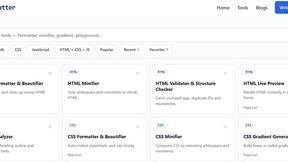
JoMatter
Jomatter provides free online tools for HTML, CSS, and JavaScript developers, helping simplify common web development and coding tasks.


Ideogram 4.5
Ideogram AI 4.5 is an image generator and editor for precise, drift-free refinement, native 2K lettering, and Pixel Lock.


PLRental
AI-powered platform for car, motorcycle, and ATV rental agencies: scan IDs, generate contracts, and manage fleet and finances.


Agent Pets
Your Claude Code & Codex sessions as pets in Chrome. Approve, deny and reply to your coding agents from any tab.

UX Critic
AI design critic: scored UX reviews with every issue pinned to the exact region of your screenshot.

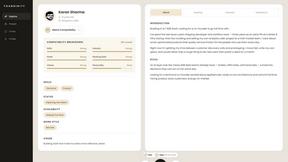
Foundinity
Foundinity is a cofounder matching tool that helps you find the perfect cofounder based on deep alignment matching

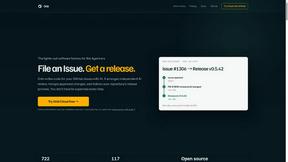

GeminiLaunch
Publish AI-generated HTML or React code from ChatGPT, Claude or Gemini as a live website in seconds. No GitHub needed.
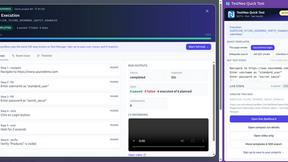
TestNeo
TestNeo.ai is an AI-native engineering and release assurance platform that helps teams automate web and API testing using natural language.

TokenSave
Free AI token counter and cost calculator for ChatGPT, Claude and Gemini, plus a private Claude Code usage analyzer.
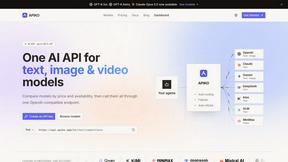
APIKO AI API
One OpenAI-compatible endpoint for text, image and video models from OpenAI, Anthropic, Google, DeepSeek and more.

sakuttoAI
A free suite of online tools for everyday tasks like PDF compression, image conversion, text diff and CSV to Excel.

BlazePhoenix
On-chain DEX aggregator: the swap route is computed inside the transaction that executes it. No API key, no signup.
About Gemma4All Hardware Checker Alternatives
Gemma4All Hardware Checker is a free, instant compatibility tool that tells you in about 10 seconds whether your Mac, PC, or phone can actually run Google’s Gemma 4 models locally. It fits squarely into the Dev Tools category, designed for developers, AI enthusiasts, and tinkerers who want to avoid downloading gigabytes of model weights they can’t use. Users often search for alternatives when they need broader hardware support beyond the current Gemma 4 focus, or when they want features like real-time benchmarking, batch comparisons across multiple devices, or integration with their existing model management workflows. When evaluating an alternative, look for tools that offer clear, actionable compatibility results without requiring a signup or payment. The best options will provide a breakdown of memory usage, quantization recommendations, and a verdict that matches your specific hardware configuration. You should also consider whether the tool supports a wide range of open models beyond just one family, and whether it offers step-by-step setup guides or shareable results to help you collaborate with others. Speed and simplicity are key—if a tool takes more than a few seconds or asks for personal information upfront, it may not be worth your time.
FAQs about Gemma4All Hardware Checker Alternatives
What is Gemma4All Hardware Checker?
Gemma4All Hardware Checker is a free, no-signup web tool that instantly tells you if your device can run Google's Gemma 4 models locally. In about 10 seconds, you select your hardware type (Mac, NVIDIA GPU, CPU-only PC, or phone) and your memory size, and it returns a verdict—Comfortable, Tight, or Won't fit—for all five Gemma 4 model sizes. It also recommends the best quantization for each model and provides a memory breakdown with QAT tips, plus a shareable results link.
Who is Gemma4All Hardware Checker for?
Gemma4All Hardware Checker is designed for developers, AI hobbyists, and anyone experimenting with running large language models locally. It's especially useful for people who want to avoid wasting time and bandwidth downloading model weights that won't run on their hardware. The tool also includes 20+ step-by-step guides for running Gemma 4 with Ollama and LM Studio, making it a practical resource for both beginners and experienced users.
Is Gemma4All Hardware Checker free?
Yes, Gemma4All Hardware Checker is completely free to use with no signup or payment required. You can run the check as many times as you like on different device configurations without any limitations. There are no hidden costs, trials, or premium tiers—the tool is built to be accessible to everyone who needs a quick hardware compatibility check.
What are the main features of Gemma4All Hardware Checker?
The main features include a 10-second compatibility check for Mac, PC, or phone against all five Gemma 4 model sizes, with a clear verdict of Comfortable, Tight, or Won't fit. It provides a memory usage breakdown and the best quantization pick for each model, along with QAT tips to optimize performance. You also get a shareable results link to compare setups with others, and access to over 20 free guides for running Gemma 4 with Ollama and LM Studio.