
Alternatives to JustPDF
Explore the best alternatives and competitors to JustPDF.
Explore 20 alternatives to JustPDF. Compare features, pricing, and find the best fit for your needs.
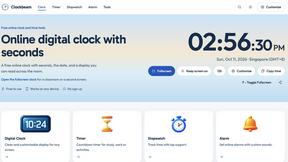
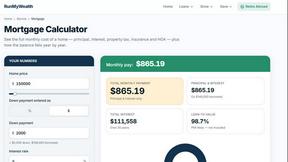
RunMyWealth
Smart, private financial calculators for mortgage, FIRE, and debt. 100% free, runs locally in your browser, no signup required.
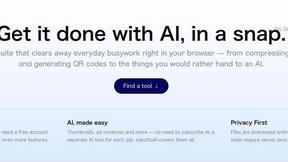
sakuttoAI
A free suite of online tools for everyday tasks like PDF compression, image conversion, text diff and CSV to Excel.
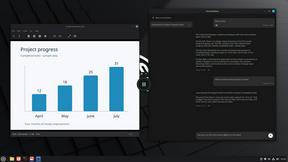
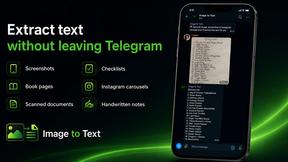
imgtxtapp.laviolab.com
imgtxtapp.laviolab.com is a Telegram-based image-to-text converter that turns photos, screenshots, scanned documents into editable text
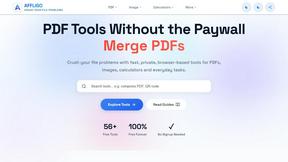
AFFLIGO
AFFLIGO is a free online toolkit for everyday file tasks. Easily edit PDFs, compress images, convert file formats, and get things done.
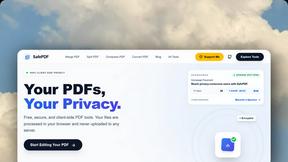
SafePDF
Free online PDF tools to merge, split, compress, convert, sign, and edit PDFs privately in your browser. No signup required.
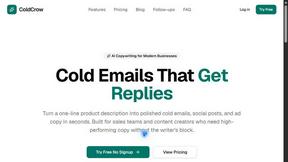
ColdCrow
AI cold email writer: turn one line about a prospect into personalized outreach with a deliverability score in seconds. Free trials, no credit card.
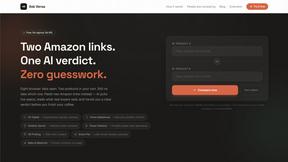
Ask Versa AI
AI verdicts for any two Amazon products, in seconds. Live specs plus real buyer reviews, scored 0-100, one clear winner. Free, no account.

Panzoe
Panzoe is an all-in-one AI platform for personal productivity, business automation, AI assistants, content creation, and custom AI solutions.
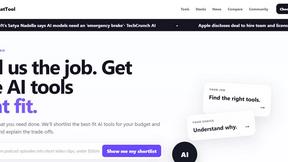
TryThatTool
Discover AI tools worth trying. Compare options, explore practical reviews, and build your own AI stack based on your goals and budget.
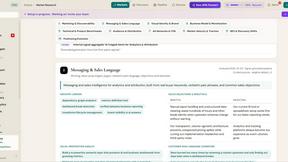
ROIpad
Stop losing enterprise deals to inferior products with better copy. Discover the exact messaging gaps your competitors left wide open.
JustTools
JustTools offers a growing collection of free online tools that run directly in your browser, with no sign-up and no uploads.

TimeLoop
TimeLoop: AI Day Planner is a free AI productivity tool that helps you turn a simple description of what you need to do into a more organized daily pl
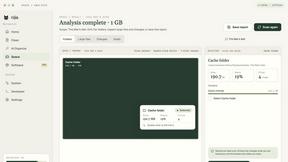
Nijia
A paid Mac app with local AI-assisted file organization, editable proposals and reviewed storage cleanup.
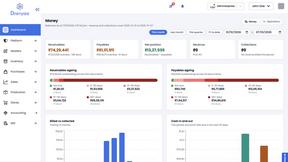
Dravyaa
Dravyaa is an AI-powered ERP platform that helps manufacturers, traders, and distributors manage sales, purchases, inventory, production, accounting,
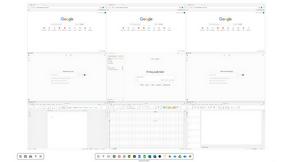
Novastart
Novastart brings apps and files onto an infinite canvas where people and AI agents can work together.

About JustPDF Alternatives
JustPDF is a privacy-first PDF toolkit that belongs to the Productivity & Management category, offering a suite of 17 professional-grade tools designed for seamless PDF file processing. Unlike many online PDF solutions that require files to be uploaded to remote servers, JustPDF operates entirely within the user's browser, ensuring that documents remain private and secure. This makes it an appealing choice for individuals and businesses who value confidentiality and need reliable PDF manipulation tools. Users often seek alternatives to JustPDF for various reasons, including pricing structures, feature sets, and specific platform needs. When choosing an alternative, it's essential to assess the range of tools available, ease of use, and whether the solution aligns with your privacy requirements. Additionally, consider the cost-effectiveness of the service, especially if you need to perform frequent operations or require advanced features that may not be included in a free tier. Taking the time to evaluate these aspects will help you find a PDF solution that suits your unique needs.
FAQs about JustPDF Alternatives
What is JustPDF?
JustPDF is a comprehensive PDF toolkit that provides users with 17 different tools for managing and manipulating PDF files. These tools include options to merge, split, compress, and convert PDFs, among other functionalities. Importantly, all processing is done within the user's browser, ensuring that files remain secure and private.
Who is JustPDF for?
JustPDF is designed for anyone who needs to work with PDF files, including students, educators, professionals, and businesses. Its user-friendly interface and range of tools make it suitable for both casual users and those requiring more advanced PDF functionalities, such as document conversion and compression.
Is JustPDF free?
Yes, JustPDF offers a free tier that allows users to access three operations per day without the need for an account. This makes it an excellent option for individuals who have occasional PDF needs. For users requiring unlimited access, a Pro subscription is available starting at $4 per month.
What are the main features of JustPDF?
JustPDF includes a wide variety of features, such as merging and splitting PDFs, converting documents between formats like Word and Excel, compressing files, and applying OCR for scanned documents. Additionally, it offers unique tools like 'Chat with PDF' powered by AI and options to unlock or sign PDFs, catering to diverse user needs.