
Alternatives to Kreotar
Explore the best alternatives and competitors to Kreotar.
Explore 20 alternatives to Kreotar. Compare features, pricing, and find the best fit for your needs.
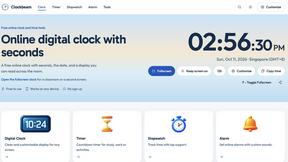
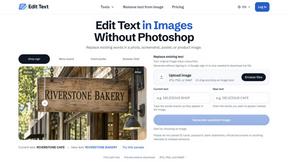
Reword Image
Change the text already printed inside a photo, screenshot or poster, without the original design file.
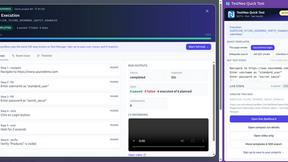
TestNeo
TestNeo.ai is an AI-native engineering and release assurance platform that helps teams automate web and API testing using natural language.
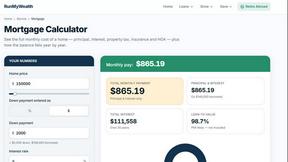
RunMyWealth
Smart, private financial calculators for mortgage, FIRE, and debt. 100% free, runs locally in your browser, no signup required.
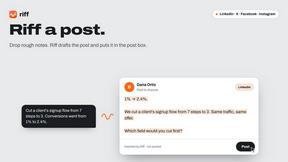
Riff
Free Chrome extension. Chrome's built-in AI turns your rough point into a fresh reply for posts on X, LinkedIn, Facebook or Instagram.
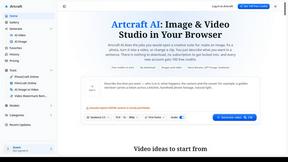
Artcraft AI
AI image and video studio in your browser: generate and edit images, turn photos into videos, edit clips by sentence.
sakuttoAI
A free suite of online tools for everyday tasks like PDF compression, image conversion, text diff and CSV to Excel.
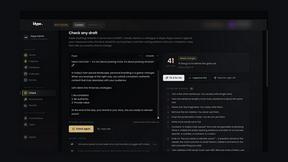
Klype AI
Writes LinkedIn and social posts in your own measured voice and checks every draft for AI tells and invented claims.
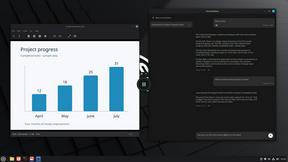
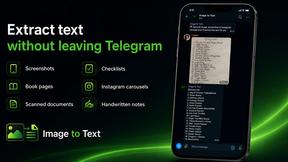
imgtxtapp.laviolab.com
imgtxtapp.laviolab.com is a Telegram-based image-to-text converter that turns photos, screenshots, scanned documents into editable text
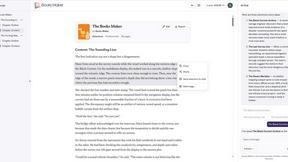
Booksmaker.ai
Books Maker AI is the AI-powered platform that turns your idea into a professional book.
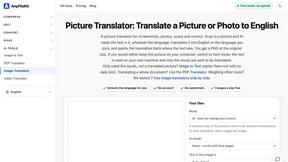
AnyFileKit Image Translator
Translate the text in screenshots, photos and manga, with the translation drawn back over the original image.
PXDMD
Free AI image editor: remove backgrounds, erase objects and watermarks, and color-grade photos in seconds.
AFFLIGO
AFFLIGO is a free online toolkit for everyday file tasks. Easily edit PDFs, compress images, convert file formats, and get things done.
SightRadar
Face recognition API, a drop-in replacement for AWS Rekognition. Index, search, compare and detect faces, billed per photo with no subscription.
JevModel
Bilingual console and guide for the jev decision model: classify, route, and score text or JSON.
Restore Old Photos - Retrocap
AI photo restoration app for iPhone and Android: repair scratches and tears, colorize black-and-white photos, sharpen faces and animate old portraits.
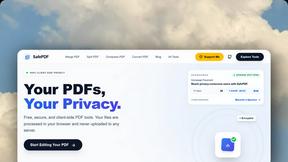
SafePDF
Free online PDF tools to merge, split, compress, convert, sign, and edit PDFs privately in your browser. No signup required.
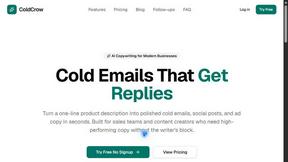
ColdCrow
AI cold email writer: turn one line about a prospect into personalized outreach with a deliverability score in seconds. Free trials, no credit card.

Ask Versa AI
AI verdicts for any two Amazon products, in seconds. Live specs plus real buyer reviews, scored 0-100, one clear winner. Free, no account.
About Kreotar Alternatives
Kreotar is a free, browser-native productivity workspace that brings together essential digital tools for working with PDFs, documents, images, code, file conversions, resumes, and everyday workflows all in one place. It falls into the broader category of online productivity and document management platforms, offering a lightweight alternative to traditional desktop software suites. Users commonly look for alternatives to Kreotar for a few key reasons: they may need more advanced features like batch processing or cloud storage integration, they might be seeking a tool with a mobile app for on-the-go access, or they could be looking for a platform that specializes in a single function, such as high-end PDF editing or professional document design. When choosing an alternative, it is important to evaluate your specific workflow needs first. Consider whether you need a comprehensive all-in-one solution or a specialized tool for a single task, check for offline functionality, review the pricing model (free vs. subscription), and ensure the platform supports the file formats you use most frequently. A good alternative should reduce friction, not add more steps to your process.
FAQs about Kreotar Alternatives
What is Kreotar?
Kreotar is a free browser-native productivity workspace designed to help people complete everyday digital tasks faster. It brings together tools for PDF editing, document creation, image resizing, file conversion, code formatting, resume building, and other practical workflows into one clean ecosystem. Instead of jumping between multiple websites or paying for several subscriptions, users can access a variety of useful browser-based tools from a single platform.
Who is Kreotar for?
Kreotar is designed for a wide range of users including students, freelancers, developers, creators, job seekers, small business owners, and teams. It is ideal for anyone who needs fast, accessible, and practical digital tools without the complexity of heavy software or complex dashboards. The platform is built to support modern digital work for people who want to move from problem to result quickly.
Is Kreotar free?
Yes, Kreotar is a free platform. It is built to help users avoid multiple paid subscriptions for simple everyday tasks like editing a PDF, resizing an image, or converting a file. The long-term vision is to make everyday online work less fragmented by providing useful browser-based tools from one place at no cost.
What are the main features of Kreotar?
Kreotar includes several focused product areas such as KreoPDF for PDF workflows, KreoDoc for document editing, Draw Studio for visual thinking, developer utilities, image tools, file converters, content generators, writing tools, and practical productivity helpers. These features cover a broad range of everyday digital tasks including editing documents, formatting code, creating resumes, and converting files, all within a single browser environment.