
Alternatives to Makeshots
Explore the best alternatives and competitors to Makeshots.
Explore 20 alternatives to Makeshots. Compare features, pricing, and find the best fit for your needs.
Manifolds
Manifolds deanonymizes and researches your users at signup, so you can know who your users actually are.
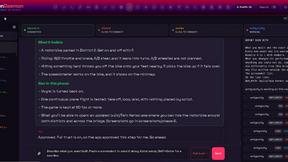
OpenDaemon
Free Windows AI agent app: describe an app in plain words and it plans and builds it phase by phase with your coding app.

Enhance My Photo
Online AI photo enhancer that sharpens portraits, products, scenery, pets and text images and exports JPEG/PNG/WebP without watermarks.
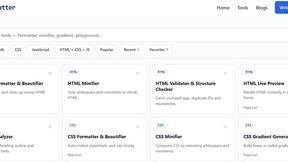
JoMatter
Jomatter provides free online tools for HTML, CSS, and JavaScript developers, helping simplify common web development and coding tasks.

Kamero
AI event photo sharing for photographers. Guests take a selfie and face recognition instantly finds every photo they appear in from weddings & events.

Hotel Lobby AI
Hotel Lobby AI turns two portraits into a duet video in an orange recording booth with motion, lip-sync, and audio.
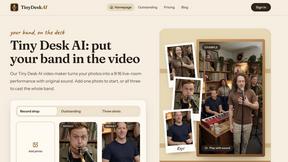
Tiny Desk AI Video Maker
Turn three photos into a vertical Tiny Desk-style concert video with original sound.
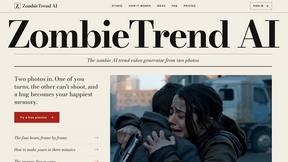
ZombieTrend AI
ZombieTrend AI turns two photos into a cinematic zombie love story video with sound, no watermark, and a free preview.
Rhinobird
AI video ads, UGC-style videos, and product visuals for cross-border sellers and e-commerce brands.
GenX
All-in-one AI workspace to generate images, videos, and audio with multiple leading AI models.
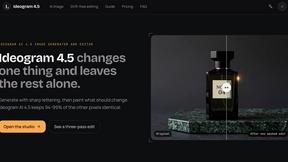
Ideogram 4.5
Ideogram AI 4.5 is an image generator and editor for precise, drift-free refinement, native 2K lettering, and Pixel Lock.
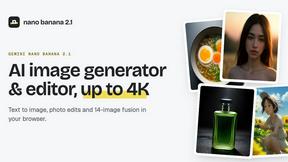
nanobanana 2.1
Nano Banana 2.1 is a fast AI image generation and editing model for realistic visuals, consistent characters, readable text, and precise creative cont


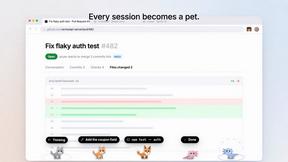
Agent Pets
Your Claude Code & Codex sessions as pets in Chrome. Approve, deny and reply to your coding agents from any tab.
Hotel Lobby AI Video
Create a Hotel Lobby duo video from two character photos. Choose left and right performers, review the AI result, and download your finished clip.
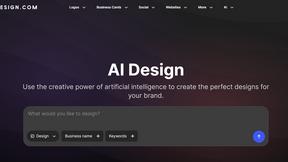
Design.com AI Image Generator
Turn text prompts into polished, copyright-safe visuals that plug directly into branded templates
FastH3 Omni
Run FastH3 Omni in your browser. Up to 9 reference images plus 3 audio references become a 5–15s clip with synced audio. No install, no GPU.
About Makeshots Alternatives
Makeshots is a specialized design tool that lives at the intersection of developer utilities and image generation, helping mobile app creators craft professional screenshots for the App Store and Google Play. It uses AI to streamline the entire process, allowing you to design, localize, resize, and test your screenshots without the manual grind. Because it sits in a niche between design tools and dev tools, users often start looking for alternatives for a few common reasons. Some find the pricing structure doesn’t fit their budget, especially if they only need it for a single project or a small indie app. Others might need deeper integration with their existing design workflow, or they may require features that Makeshots doesn’t offer, such as advanced animation support, team collaboration features, or specific localization capabilities for less common languages. When evaluating alternatives, it’s important to focus on your specific workflow and scale. Look for a tool that balances ease of use with the level of customization you need, particularly if you have a brand guideline to follow. Consider the output quality and the variety of device frames and templates available, as these directly impact your app’s first impression on potential users. Also, think about the platform support—does the alternative offer both iOS and Android templates, and can it handle the different aspect ratios and text lengths required by each store? Finally, check for integration with your existing project management or design tools, and always test the localization features if you plan to release your app in multiple countries.
FAQs about Makeshots Alternatives
What is Makeshots?
Makeshots is a screenshot generator designed specifically for mobile app developers. It helps you create professional, polished screenshots for both the Apple App Store and Google Play Store using AI-powered tools. The platform streamlines the entire design process, from initial creation to localization and resizing, saving you hours of manual work.
Who is Makeshots for?
Makeshots is built for app developers, product managers, and indie creators who need to produce high-quality store screenshots quickly. It is especially useful for solo developers or small teams who may not have a dedicated designer on staff. Anyone who needs to regularly update their app store listings with localized, device-specific screenshots will find it a practical tool.
What are the main features of Makeshots?
The core features of Makeshots include AI-powered design generation, which helps you create layouts from scratch or templates. It also offers localization tools to translate text into different languages, automatic resizing for various device screen sizes, and an A/B testing feature to optimize your screenshots for conversion. These features are designed to replace repetitive manual design tasks with a faster, automated workflow.
Why would someone choose Makeshots over manual design?
Choosing Makeshots saves significant time and effort compared to designing screenshots manually in tools like Photoshop or Canva. It automates the tedious tasks of resizing images for different devices and localizing text for multiple languages. This allows developers to focus on building and improving their app rather than spending hours on repetitive graphic design work.