
Alternatives to Muse Image
Explore the best alternatives and competitors to Muse Image.
Explore 20 alternatives to Muse Image. Compare features, pricing, and find the best fit for your needs.

UX Critic
AI design critic: scored UX reviews with every issue pinned to the exact region of your screenshot.

Halloween Unicorn
Create an original Halloween unicorn portrait from a photo with 34 ready-made styles.
Nano AI
Create and edit AI images and videos in one workbench, with multiple models, reference images and a shared credit balance.
VisageMap
Free face shape, color season, symmetry and undertone tools that run in your browser. The photo is measured on your device and never uploaded.
bad quality image maker
Make any image look intentionally bad — blurry, pixelated, or deep fried. Free, in your browser, no signup.
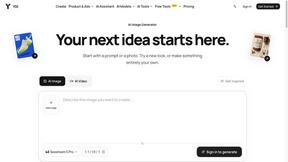
YIX
YIX combines AI image and video generation, photo editing, restoration, product visuals and free prompt tools in one browser studio.

drovy.ai
Turn one selfie into this week's viral photo trend in about 20 seconds. One free AI tool per trend, no app, no account.
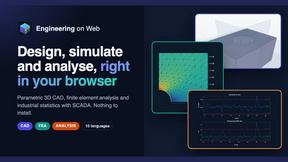
Engineering on Web
Free browser CAD, FEA and SPC with an AI assistant: model by text or voice, AI-tuned solvers, AI result interpretation. No install, no account.
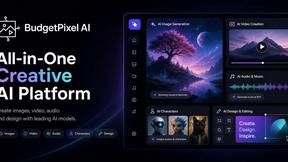
Budgetpixel AI
Create and edit AI images, videos, music, and designs in one workspace, with multiple models, reusable characters, and API access.
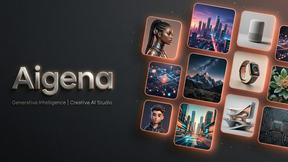
Aigena
All-in-one AI generator in Russian: images, video, music, voice and chat in one account, no VPN needed in Russia.
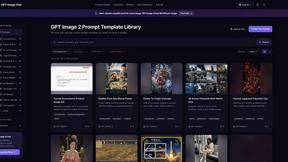
GPT Image Hub
Curated image prompts, reusable templates, and multi-model AI generation in one workspace.
stampcreatoronline
Online stamp maker. Keep every layer Create a custom stamp in the editor below. Change every word, border and symbol, then export a clean production
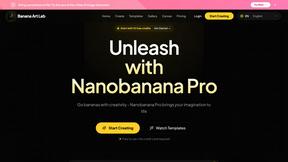
NanoBanana
Generate and edit AI images with six models, references, templates, and a visual workflow canvas.
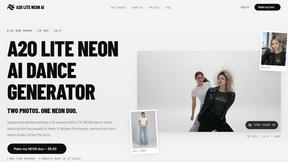
A2O LITE NEON AI
Upload two photos and get a 15-second AI video of those two people doing the A2O LITE NEON intro.

Baile Charme AI
Upload one photo and get a 10-second vertical AI video of you dancing the charme step in Rio.

Tip Toe AI
Upload a Dancer photo and a Partner photo and get your own AI Tip Toe barn-dance video. Free 5s preview, 12s HD from $4.90. No subscription.
About Muse Image Alternatives
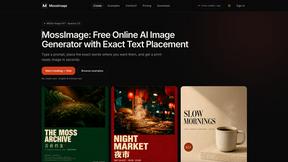
Muse Image is a free AI-powered tool that falls under the categories of design tools, image editing, and AI image generation. It allows users to create and edit high-quality visuals directly in their browser using text-to-image prompts, precise regeneration, and multi-reference synthesis. While it offers a robust set of features for generating clean text in posters and social media assets, users often look for alternatives due to specific needs like platform compatibility, advanced editing capabilities, or a different pricing model, as even free tools can have usage limits or lack certain integrations. When searching for an alternative to Muse Image, consider what matters most for your workflow. If you need more granular control over editing layers or prefer a desktop application over a browser-based tool, you might prioritize those features. Other factors include the quality of text rendering for infographics, the speed of image generation, and how well the tool handles multi-reference synthesis for complex compositions. Always evaluate whether the alternative supports your specific use case, such as creating product visuals or marketing materials, and check for any subscription costs or usage caps that could affect your team’s output.
FAQs about Muse Image Alternatives
What is Muse Image?
Muse Image is a free AI image generator and editor that works directly in your browser. It allows users to create images from text prompts, perform precise edits, and synthesize multiple references into a single composition. The tool is designed for fast, high-quality visuals without requiring complex software installations.
Who is Muse Image for?
Muse Image is built for designers, marketers, content creators, and teams who need quick AI-generated visuals. It is especially useful for anyone creating posters, infographics, product visuals, or social media assets. The tool simplifies workflows for users who want professional results without a steep learning curve.
Is Muse Image free?
Yes, Muse Image is completely free to use. There are no subscription fees or hidden costs for generating and editing images. Users can access its core features, including text-to-image creation and multi-reference synthesis, without any upfront payment.
What are the main features of Muse Image?
Muse Image offers text-to-image generation, precise image editing, multi-reference synthesis, and clean text rendering for readable graphics. It excels at regenerating specific parts of an image while keeping the rest intact. Users can also compose high-quality visuals for posters, infographics, and social media directly in the browser.