
Alternatives to Online Keyboard Shortcuts
Explore the best alternatives and competitors to Online Keyboard Shortcuts.
Explore 20 alternatives to Online Keyboard Shortcuts. Compare features, pricing, and find the best fit for your needs.


RunMyWealth
Smart, private financial calculators for mortgage, FIRE, and debt. 100% free, runs locally in your browser, no signup required.
sakuttoAI
A free suite of online tools for everyday tasks like PDF compression, image conversion, text diff and CSV to Excel.
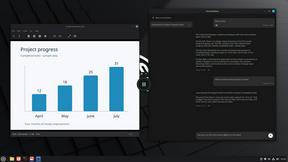
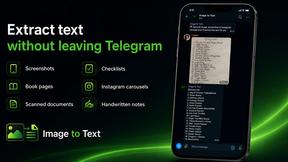
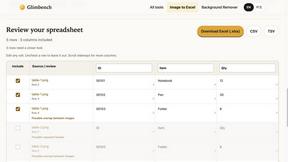
imgtxtapp.laviolab.com
imgtxtapp.laviolab.com is a Telegram-based image-to-text converter that turns photos, screenshots, scanned documents into editable text
AFFLIGO
AFFLIGO is a free online toolkit for everyday file tasks. Easily edit PDFs, compress images, convert file formats, and get things done.

SafePDF
Free online PDF tools to merge, split, compress, convert, sign, and edit PDFs privately in your browser. No signup required.

ColdCrow
AI cold email writer: turn one line about a prospect into personalized outreach with a deliverability score in seconds. Free trials, no credit card.

Ask Versa AI
AI verdicts for any two Amazon products, in seconds. Live specs plus real buyer reviews, scored 0-100, one clear winner. Free, no account.

Panzoe
Panzoe is an all-in-one AI platform for personal productivity, business automation, AI assistants, content creation, and custom AI solutions.

TryThatTool
Discover AI tools worth trying. Compare options, explore practical reviews, and build your own AI stack based on your goals and budget.
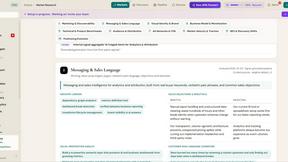
ROIpad
Stop losing enterprise deals to inferior products with better copy. Discover the exact messaging gaps your competitors left wide open.
JustTools
JustTools offers a growing collection of free online tools that run directly in your browser, with no sign-up and no uploads.

TimeLoop
TimeLoop: AI Day Planner is a free AI productivity tool that helps you turn a simple description of what you need to do into a more organized daily pl
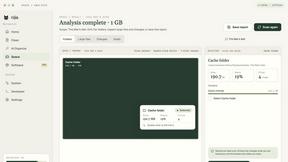
Nijia
A paid Mac app with local AI-assisted file organization, editable proposals and reviewed storage cleanup.
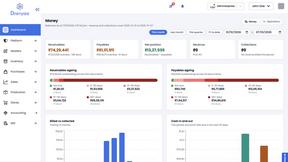
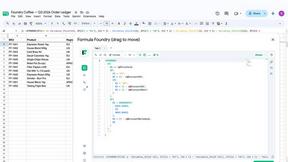
Dravyaa
Dravyaa is an AI-powered ERP platform that helps manufacturers, traders, and distributors manage sales, purchases, inventory, production, accounting,
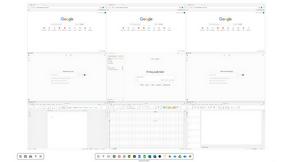
Novastart
Novastart brings apps and files onto an infinite canvas where people and AI agents can work together.

About Online Keyboard Shortcuts Alternatives
Online Keyboard Shortcuts is a comprehensive reference website that falls under the Productivity & Management category. It provides a curated list of essential keyboard shortcuts for the three major operating systems: Windows, macOS, and Linux. The goal of the site is to help users speed up their daily workflows by offering quick, easy-to-access combinations that reduce reliance on the mouse, making tasks like navigating windows, editing text, and managing files much faster. Users often look for alternatives to this type of resource for a few common reasons. Some may find that the list doesn't cover shortcuts for their specific applications, like design software or coding environments. Others might be searching for a more interactive learning tool, such as a browser extension that displays shortcuts on the fly, or a way to customize and remap their own key combinations. When choosing an alternative, it’s helpful to consider whether you need broader application coverage, a searchable database, offline access, or a tool that lets you practice and memorize the shortcuts rather than just read them.
FAQs about Online Keyboard Shortcuts Alternatives
What is Online Keyboard Shortcuts?
Online Keyboard Shortcuts is a reference website that compiles the most important keyboard shortcuts for Windows, macOS, and Linux operating systems. It serves as a quick guide for users looking to improve their efficiency by using key combinations instead of a mouse. The site is categorized under Productivity & Management and aims to help users complete tasks faster and more smoothly.
Who is Online Keyboard Shortcuts for?
This resource is designed for anyone who uses a computer regularly, from beginners to advanced users. It is particularly helpful for professionals like developers, designers, writers, and office workers who want to speed up their daily workflows. By offering shortcuts for all three major operating systems, it also serves users who frequently switch between Windows, macOS, and Linux environments.
Is Online Keyboard Shortcuts free?
Based on the provided product content, Online Keyboard Shortcuts is presented as a standard reference website listing all key combinations. There is no mention of a paywall or subscription model, which suggests that the content is freely accessible to all users. The focus is on providing easy access to productivity-enhancing information without financial barriers.
What are the main features of Online Keyboard Shortcuts?
The primary feature of Online Keyboard Shortcuts is its organized list of keyboard shortcuts covering Windows, macOS, and Linux systems. Each shortcut is described as a combination of keys that helps users perform tasks more easily and efficiently. The site emphasizes reducing dependency on the mouse, allowing for faster navigation and task execution across various common computer activities.