
Alternatives to Ozigi app
Explore the best alternatives and competitors to Ozigi app.
Explore 20 alternatives to Ozigi app. Compare features, pricing, and find the best fit for your needs.
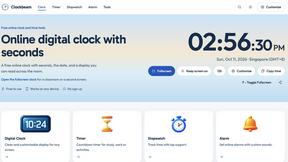
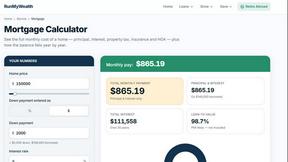
RunMyWealth
Smart, private financial calculators for mortgage, FIRE, and debt. 100% free, runs locally in your browser, no signup required.

Leadeon
AI growth tool for X and LinkedIn: write posts in your voice, schedule at your best times, find leads on X and see what works.

FollowX Today
Swipe to match with verified solo founders in your niche. Form 7-day mutual follow pacts, earn points, and grow a feed full of builders who engage in
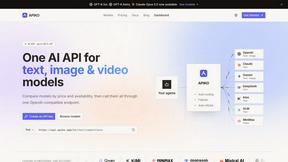
APIKO AI API
One OpenAI-compatible endpoint for text, image and video models from OpenAI, Anthropic, Google, DeepSeek and more.
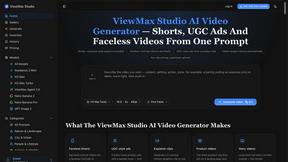
ViewMax Studio
AI video generator that turns one prompt into shorts, UGC-style ads and faceless videos, with script, voiceover and captions.

Dola AI
Dola AI video generator online: make Seedance 2.5 videos from text or a photo in your browser. No app, no watermark, free credits.


ToonBee AI
ToonBee AI turns a script or a one-line idea into a narrated cartoon video, keeping the same character in every scene. 10+ styles, 16:9 or 9:16.
sakuttoAI
A free suite of online tools for everyday tasks like PDF compression, image conversion, text diff and CSV to Excel.
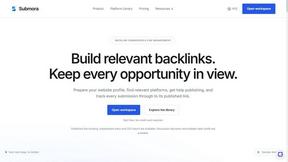
Submora
Find backlink opportunities, prepare directory submissions with AI, autofill forms, and monitor published links in one workspace.
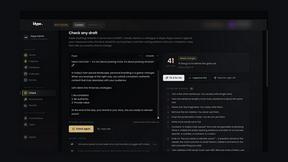
Klype AI
Writes LinkedIn and social posts in your own measured voice and checks every draft for AI tells and invented claims.
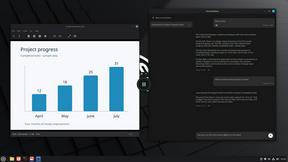

BlazePhoenix
On-chain DEX aggregator: the swap route is computed inside the transaction that executes it. No API key, no signup.
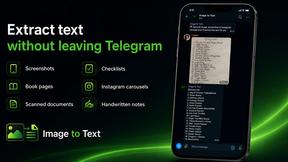
imgtxtapp.laviolab.com
imgtxtapp.laviolab.com is a Telegram-based image-to-text converter that turns photos, screenshots, scanned documents into editable text

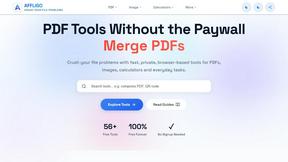
AFFLIGO
AFFLIGO is a free online toolkit for everyday file tasks. Easily edit PDFs, compress images, convert file formats, and get things done.
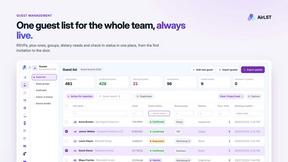
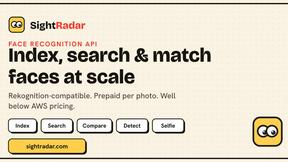
SightRadar
Face recognition API, a drop-in replacement for AWS Rekognition. Index, search, compare and detect faces, billed per photo with no subscription.
About Ozigi app Alternatives
Ozigi app is an AI-powered content generator built specifically for technical creators, founders, and builders who want their writing to sound like a real person, not like a generic chatbot. It falls into the content creation, marketing, and productivity categories, making it a specialized tool for those who need platform-specific drafts for X, LinkedIn, Discord, Slack, and email. However, users often look for alternatives due to factors like pricing, the need for additional platform support beyond what Ozigi offers, or a desire for features like built-in image generation or deeper collaboration tools. Others might find that their workflow requires a more traditional content management system or a tool that integrates with a wider range of third-party apps. When choosing an alternative, you should prioritize tools that preserve your unique voice and avoid generic AI slop, just as Ozigi does. Look for solutions that offer robust context ingestion, such as support for URLs, PDFs, or images, and that provide platform-specific formatting without requiring you to manually adjust for each channel. Consider your budget, the number of team members who need access, and whether the tool can handle the specific tone and technical depth your content demands. The best alternative will let you edit the final 10% that only you know, ensuring your expertise and credibility shine through without sacrificing efficiency.
FAQs about Ozigi app Alternatives
What is Ozigi app?
Ozigi app is an AI-powered content generator designed to produce writing that sounds like you, not like a generic language model. It helps technical creators, founders, and builders create platform-specific drafts for X, LinkedIn, Discord, Slack, and email by dropping in raw context like URLs, notes, PDFs, or images. The tool avoids common AI cliches like 'In today's fast-paced landscape' and terms like 'delve' or 'robust,' ensuring your content maintains credibility and a natural voice.
Who is Ozigi app for?
Ozigi is built for technical creators, founders, and builders who have real, specific things to say but find that other AI writing tools strip out their unique voice and credibility. It is ideal for professionals who need to produce polished, platform-specific content quickly without spending time on prompt engineering or manual reformatting. If you want your content to sound like a person who actually built the thing and knows how to explain it, Ozigi is designed for you.
What are the main features of Ozigi app?
Ozigi allows you to drop in raw context such as a URL, block of notes, PDF, or image, and it returns polished, platform-specific drafts for X, LinkedIn, Discord, Slack, and email. It eliminates the need for prompt engineering and manual reformatting for each platform, and it avoids producing generic AI slop. The output is designed to be edited only for the 10% only you know, preserving your voice and expertise while saving time.
Is Ozigi app free?
The provided content does not specify whether Ozigi app is free or its pricing model. However, it positions itself as a specialized tool for technical creators and founders, which often suggests a paid subscription model for full access to features like multi-platform drafting and context ingestion. For the most accurate and up-to-date pricing information, you should visit the official Ozigi website or contact their support team.