
Alternatives to QuickTextTools
Explore the best alternatives and competitors to QuickTextTools.
Explore 20 alternatives to QuickTextTools. Compare features, pricing, and find the best fit for your needs.
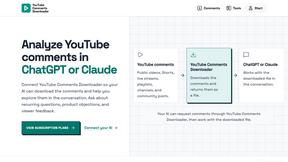
YouTube Comments Downloader
Your AI downloads the comments from a YouTube video, Short, stream, playlist or channel, then helps you find recurring topics, questions and feedback.

Vocaryn
AI job-application agent: ranks jobs by fit with your confirmed experience, tailors your resume to each and applies on the employer's site.

Cardify
Cardify turns Markdown into beautiful knowledge cards with 30+ themes, live preview and easy export.

ConnectMachine
Still handing out paper business cards? ConnectMachine is a free digital business card that saves straight into the other person's contacts.

Phantom Blade Zero Saves
Free PBZ starter saves and a browser save editor that never uploads your file.

How Long How Many Tool
Timers and hourly checks to figure how out long until a certain time or how many days away.

FeatQ
Feature-request board for software teams: users vote, your coding agent pulls the top request as a spec over MCP, voters get emailed when it ships.
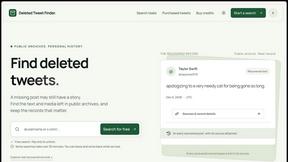
Deleted Tweet Finder
A practical guide to finding archived tweets, checking sources, and understanding missing media

TinyFines
A habit tracker your friends can see. Skip a day and you owe a friend a tiny fine: half a pizza, a coffee, €2. Money never goes through the app.
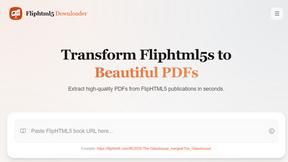
FlipHTML5 Downloader
Paste a FlipHTML5 book URL and get a clean PDF back - no watermark, no signup, nothing uploaded. Free and open source, runs in your browser.

Video Frame Extractor
Free online video frame extractor — extract frames in your browser, no upload.
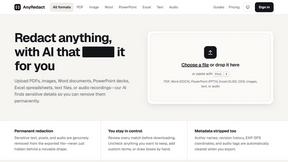
AnyRedact
Free online auto redaction tool with AI for PDFs, images, Word, PowerPoint, Excel, text and audio. Files are never stored.

TapirUpscale
A free, browser-based AI video upscaler that turns blurry, low-resolution clips into sharper 1080p or 4K MP4s without uploading them.
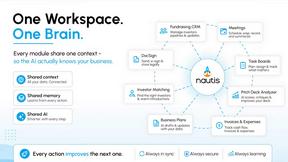
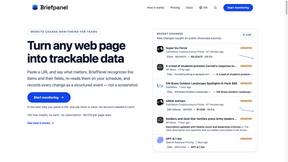
Briefpanel
Monitor web pages and get the exact field that changed, item by item. Pay per page read, no subscription.

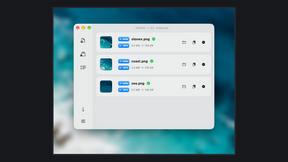
Zipic
Native image compression for Mac and Windows (Windows beta), with a local CLI and AI skill for automated image workflows.

002call
Call 190+ countries from your browser, with no SIM card, no app, and no contract. Cheap international calls start at $0.02 a minute, and your first mi

NexiaTools
NexiaTools is an all-in-one AI platform with 86+ micro-tools for writing, marketing and everyday business tasks. Free to try.
About QuickTextTools Alternatives
QuickTextTools is a versatile online platform that offers over 76 browser-based utilities tailored for a wide range of users, including writers, marketers, developers, students, and SEO professionals. Positioned within the productivity and management category, it aims to simplify complex tasks with straightforward, accessible tools that enhance workflow and efficiency. Users often seek alternatives when they encounter limitations in features, discover hidden costs associated with a service, or require compatibility with specific platforms or devices. When exploring alternatives, it is crucial to consider the range of functionalities offered, ease of use, and the overall user experience. Look for tools that prioritize speed and privacy, ensuring that they provide the necessary capabilities without overwhelming users with unnecessary complexity or bloat. Additionally, evaluate whether the alternative aligns with your specific needs, whether you are looking for additional features, better integration, or simply a more intuitive interface.
FAQs about QuickTextTools Alternatives
What is QuickTextTools?
QuickTextTools is a free online platform that provides users with over 76 browser-based tools designed to enhance productivity and streamline various online text processing tasks. It caters to a wide audience, including writers, marketers, developers, students, and SEO professionals, by offering practical utilities for their specific needs.
Who is QuickTextTools for?
QuickTextTools is designed for anyone who works with text or data online, including writers looking to improve their content, marketers needing SEO tools, developers requiring coding assistance, and students managing assignments. Its diverse toolkit makes it suitable for professionals and casual users alike who seek efficiency and ease in their tasks.
Is QuickTextTools free?
Yes, QuickTextTools is completely free to use. Users can access all available tools without any hidden charges or subscription fees, making it an accessible resource for those looking to enhance their productivity without financial commitment.
What are the main features of QuickTextTools?
QuickTextTools boasts a variety of features, including text formatting tools, SEO utilities, writing helpers, and encoding tools. It also provides keyword cleaning functions, meta tag analyzers, and JSON formatters, all designed to assist users in managing and processing text efficiently. The platform focuses on simplicity and speed, allowing users to work directly in their browser without the need for downloads.