
Alternatives to QUVIAI
Explore the best alternatives and competitors to QUVIAI.
Explore 20 alternatives to QUVIAI. Compare features, pricing, and find the best fit for your needs.
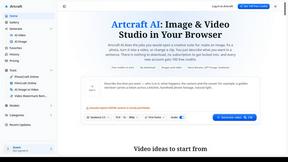
Artcraft AI
AI image and video studio in your browser: generate and edit images, turn photos into videos, edit clips by sentence.

Dola AI
Dola AI video generator online: make Seedance 2.5 videos from text or a photo in your browser. No app, no watermark, free credits.
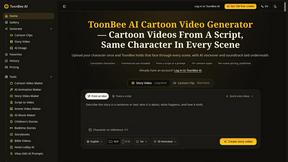
ToonBee AI
ToonBee AI turns a script or a one-line idea into a narrated cartoon video, keeping the same character in every scene. 10+ styles, 16:9 or 9:16.

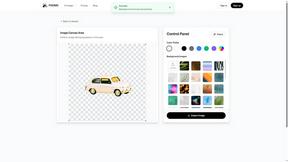
PXDMD
Free AI image editor: remove backgrounds, erase objects and watermarks, and color-grade photos in seconds.
Restore Old Photos - Retrocap
AI photo restoration app for iPhone and Android: repair scratches and tears, colorize black-and-white photos, sharpen faces and animate old portraits.

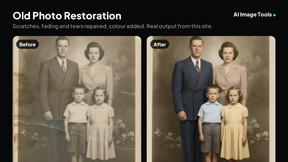
AI Image Tools
Text to image, photo edits, background removal and restoration. Pick Nano Banana, FLUX, Seedream or GPT Image and see the price first.
ImageAICraft
GPT Image 2 AI Image Generator & Editor for Text-to-Image and Image-to-Image Creation

MeiGen AI
AI photo editor and image generator: upload a photo, describe the change in plain English, pick GPT Image 2, Nano Banana Pro or Seedream.

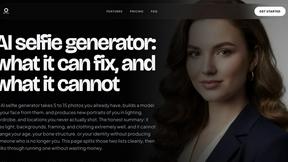
MyPhotoAI
Turn your selfies into AI headshots and portraits. Get 3 photos for US$5 or every photo from one shoot for US$10. No subscription.


ImageGPT
ImageGPT is an all-in-one AI creative platform for generating, editing and transforming images and videos using AI.
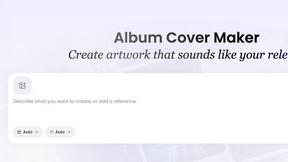
AI Album Cover Maker
Create release-ready album covers from a prompt or photo. Generate, refine, and export art for singles, EPs, mixtapes, and playlists.

RemoveMate
AI background removal and image cleanup tools for product photos, portraits, social posts and everyday creative projects.
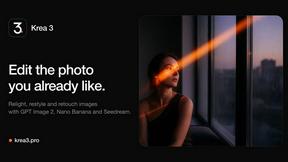
Krea 3
Krea 3 is an AI image editor that relights photos, swaps backgrounds and changes one object from a text prompt with GPT Image 2 and Nano Banana Pro.
About QUVIAI Alternatives
QUVIAI is an all-in-one AI-powered creative platform that belongs to the image generation and 3D design category. It lets architects, designers, and creators upload sketches, images, or 3D models and transform them into photorealistic renders, cinematic videos, multi-angle views, floor plan renders, and even original music. While QUVIAI offers a powerful suite of tools in one place, users often look for alternatives due to reasons like pricing structures that may not fit every budget, a desire for more specialized features in a single area, or the need for a platform that works better on specific operating systems or devices. Some creators might also prefer tools with simpler interfaces or ones that focus exclusively on one task, such as just image generation or just 3D modeling, without the extras. When choosing an alternative, it helps to first identify your primary creative goal. If you mainly need high-quality image generation from text prompts, look for a platform that excels in that specific area and offers flexible resolution and style controls. For those focused on 3D work, consider tools that provide robust modeling, texturing, and rendering capabilities without requiring you to learn a separate music or video module. Pay attention to the pricing model, whether it is subscription-based, pay-per-use, or has a free tier, and check if the platform supports the file formats you commonly use. Also, think about your workflow: do you need cloud-based access across devices, or is a desktop application more reliable for your projects? Reading user reviews and testing free trials can help you find a tool that feels intuitive and matches your creative pace.
FAQs about QUVIAI Alternatives
What is QUVIAI?
QUVIAI is an all-in-one AI-powered creative platform designed for architects, designers, and creators. It allows users to upload a sketch, image, or 3D model and transform it into photorealistic renders, cinematic videos, multi-angle views, floor plan renders, 3D objects, and original music. The platform features a built-in 3D workspace so users can model, render, and iterate without switching between different tools.
Who is QUVIAI for?
QUVIAI is specifically built for architects, designers, and creators who need to generate high-quality visual content quickly. It is ideal for professionals who want to turn sketches or 3D models into photorealistic renders, cinematic walkthroughs, and floor plans. Hobbyists and students in creative fields will also find the platform useful for experimenting with AI-driven design and music generation.
Is QUVIAI free?
Yes, QUVIAI offers a free trial so you can explore its features before committing to a paid plan. The platform is available on web, iOS, and Android, making it easy to start on any device. For specific pricing details and what is included in the free tier, it is best to visit the official website at quvi.ai.
What are the main features of QUVIAI?
QUVIAI includes a built-in 3D workspace that lets you model, render, and edit scenes using text prompts. You can generate furniture and decorative objects, stage them exactly where you want, and produce cinematic walkthroughs from start and end frames. The platform also supports photorealistic render generation, multi-angle views, floor plan renders, 3D object creation, and original music composition, all within a single interface.