
Alternatives to RecordFlow
Explore the best alternatives and competitors to RecordFlow.
Explore 20 alternatives to RecordFlow. Compare features, pricing, and find the best fit for your needs.
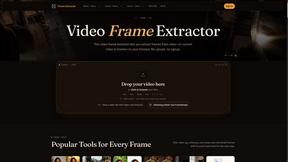
Video Frame Extractor
Free online video frame extractor — extract frames in your browser, no upload.

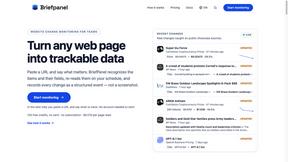
Briefpanel
Monitor web pages and get the exact field that changed, item by item. Pay per page read, no subscription.
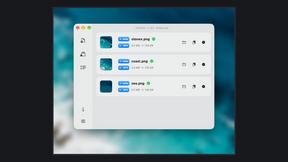
Zipic
Native image compression for Mac and Windows (Windows beta), with a local CLI and AI skill for automated image workflows.

002call
Call 190+ countries from your browser, with no SIM card, no app, and no contract. Cheap international calls start at $0.02 a minute, and your first mi

NexiaTools
NexiaTools is an all-in-one AI platform with 86+ micro-tools for writing, marketing and everyday business tasks. Free to try.
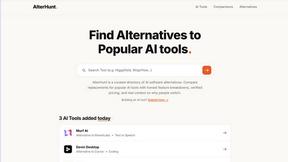
AlterHunt
AlterHunt is a curated directory of AI alternatives where you can find the best alternatives to popular tools like Higgsfield and Cursor.
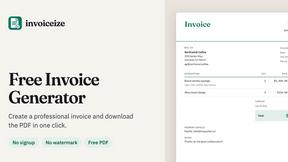
Invoiceize
Free invoice generator with live previews, PDF export and optional AI-assisted Scan & fill.

Promptifi
Reviewed AI prompts and workflows for B2B sales, from account research to renewal. Run them in ChatGPT, Claude, Gemini or Copilot. 100 free.
Statement2QBO
Bank statement PDF to QBO, Excel and Xero. Runs in your browser; three pages a day are free.

Full Page Screenshot
Capture entire web pages in one click — PNG, JPG or PDF. Free Chrome & Edge extension + web app.
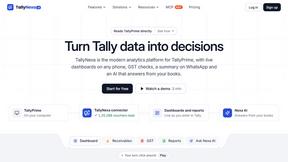
TallyNexa
TallyPrime books live on any phone, a WhatsApp summary every morning and Nexa AI answers from your books.

Splitceipt
Snap a receipt and AI itemizes it. Assign each item to whoever ordered it, and Splitceipt tracks who owes whom until everyone settles up.
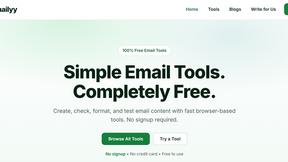
Emailyy
Free email tools for signatures, subject lines, HTML previews, word counts, and email headers. Browser-based, simple to use, and no signup required.
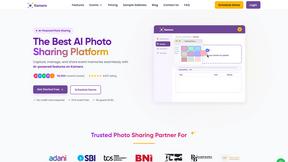
Kamero
AI event photo sharing for photographers. Guests take a selfie and face recognition instantly finds every photo they appear in from weddings & events.

Uniclip
Clip pages, take full-page screenshots and batch-capture list data to Notion, Feishu, Obsidian, Markdown, CSV or JSON.

SquishFile
Compress video free in your browser — shrink MP4, MOV, MKV or AVI to an exact size like 10MB or 25MB. No upload, no watermark, no sign-up.
About RecordFlow Alternatives
RecordFlow is a specialized productivity tool that automates the transfer of Zoom cloud recordings directly into Google Drive. It falls into the category of cloud workflow automation and storage management, designed specifically for users who need to regularly back up important video meetings, webinars, or client sessions without manual effort. While the product itself offers a very streamlined 60-second setup and automatic syncing, users often begin searching for alternatives for a few common reasons. Some may need support for a different cloud storage provider like Dropbox or OneDrive, while others might be looking for a lower price point or a free tier for very light usage. Additionally, users with enterprise-level compliance requirements or those needing more granular control over file naming and folder structures sometimes explore other options. When evaluating alternatives to RecordFlow, it is important to focus on the core functionality that matters most for your workflow. First, verify that the tool supports direct, automatic transfers from Zoom to your preferred cloud destination without requiring manual downloads. Second, look for reliability features such as automatic retries for failed transfers, deduplication to avoid saving the same file twice, and the ability to handle large video files without errors. Third, consider the security and privacy measures in place, especially if you handle sensitive recordings like therapy sessions or client consultations. Finally, assess the ease of setup and ongoing maintenance—the best alternatives will offer a "set it and forget it" experience similar to RecordFlow, freeing you from having to remember to back up your recordings every day.
FAQs about RecordFlow Alternatives
What is RecordFlow?
RecordFlow is a cloud automation tool that automatically backs up your Zoom cloud recordings to Google Drive the moment a meeting ends. It also performs a one-time backfill of recordings from the past two years, ensuring nothing is lost. The entire setup takes about 60 seconds, after which the tool runs silently in the background, syncing new videos, audio files, transcripts, and chat logs without any further action from you.
Who is RecordFlow for?
RecordFlow is built for professionals who rely on Zoom recordings and cannot afford to lose them. This includes coaches, consultants, therapists, professors, and small teams who need a reliable, hands-off backup solution. It is particularly useful for anyone who regularly records client sessions, lectures, or team meetings and wants to automatically organize those files in Google Drive without manual downloads or storage management.
Is RecordFlow free?
RecordFlow is a paid service, though the provided content does not specify exact pricing tiers. It is designed to save users money by eliminating the need to purchase additional Zoom cloud storage. By automatically moving recordings to Google Drive and optionally deleting them from Zoom on a safe delay, the tool helps you avoid paying for Zoom storage you do not actually need.
Is RecordFlow secure?
Yes, RecordFlow is designed with security and privacy as a priority. It uses OAuth 2.0 for authentication, meaning your credentials are never shared with the service. All data is encrypted with AES-256 during transfer, and recordings stream directly from Zoom to your Google Drive without being stored on RecordFlow's servers. This ensures your sensitive meeting content remains under your control at all times.