
Alternatives to RedLinz
Explore the best alternatives and competitors to RedLinz.
Explore 20 alternatives to RedLinz. Compare features, pricing, and find the best fit for your needs.

Agent Pets
Your Claude Code & Codex sessions as pets in Chrome. Approve, deny and reply to your coding agents from any tab.

UX Critic
AI design critic: scored UX reviews with every issue pinned to the exact region of your screenshot.

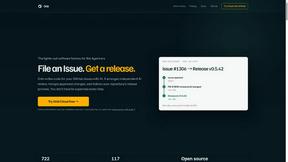

GeminiLaunch
Publish AI-generated HTML or React code from ChatGPT, Claude or Gemini as a live website in seconds. No GitHub needed.

TokenSave
Free AI token counter and cost calculator for ChatGPT, Claude and Gemini, plus a private Claude Code usage analyzer.
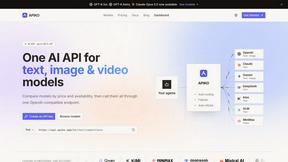
APIKO AI API
One OpenAI-compatible endpoint for text, image and video models from OpenAI, Anthropic, Google, DeepSeek and more.

BlazePhoenix
On-chain DEX aggregator: the swap route is computed inside the transaction that executes it. No API key, no signup.

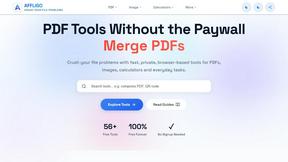
AFFLIGO
AFFLIGO is a free online toolkit for everyday file tasks. Easily edit PDFs, compress images, convert file formats, and get things done.
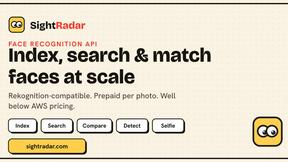
SightRadar
Face recognition API, a drop-in replacement for AWS Rekognition. Index, search, compare and detect faces, billed per photo with no subscription.

JevModel
Bilingual console and guide for the jev decision model: classify, route, and score text or JSON.

LinkIntel
MCP server giving your AI assistant your X post results and X’s ranking weights, with sources.
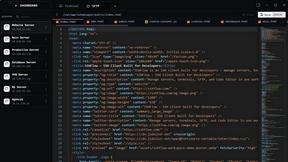
SSHFlow
SSH client for developers with integrated SFTP, code editing, terminal workspaces, server monitoring, and AI assistance.

SafePDF
Free online PDF tools to merge, split, compress, convert, sign, and edit PDFs privately in your browser. No signup required.

ShipNLaunch
Launch your Saas, AI tool on ShipNLaunch and get discovered through product pages, weekly rankings, categories, and maker profiles.
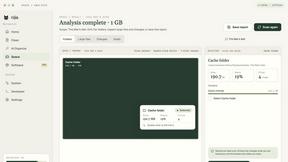
Nijia
A paid Mac app with local AI-assisted file organization, editable proposals and reviewed storage cleanup.


About RedLinz Alternatives
RedLinz is a browser-based visual markup tool that sits in the developer tools category, designed specifically to improve how humans hand off visual instructions to large language models like ChatGPT, Claude, and Cursor. Instead of trying to describe a UI tweak in text or sending a raw screenshot and hoping the AI understands, RedLinz lets you annotate images directly with standardized symbols like circles, arrows, rectangles, and checkmarks. Each markup carries a specific meaning the AI can parse, so the resulting prompt includes exact coordinates and labels rather than a vague image. This makes the handoff between a person and an AI agent much more precise and efficient. Users often look for alternatives to RedLinz for a few common reasons. Some may find the free tier’s limit of five markups per month too restrictive for their workflow, while others might be seeking a tool that integrates more deeply with their specific platform or offers different annotation styles. Pricing is another factor, as the Pro plan at eight dollars per month may not fit every budget, especially for teams or heavy users. When evaluating alternatives, you should consider the number of markups allowed in a free plan, whether exports are watermark-free, how well the tool integrates with the AI platforms you already use, and if annotations happen client-side for security. It also helps to check if the alternative supports the same standardized symbols or offers a different set of visual cues that match your typical handoff needs.
FAQs about RedLinz Alternatives
What is RedLinz?
RedLinz is a browser-based visual markup tool that turns screenshots into structured AI prompts. It allows you to annotate images with standardized symbols like circles, arrows, rectangles, and checkmarks, each carrying meaning that large language models can understand. Instead of sending a raw screenshot and hoping an AI guesses correctly, RedLinz exports a prompt with exact coordinates and labels, making the handoff between humans and AI tools much more precise.
Who is RedLinz for?
RedLinz is built for developers and designers who frequently use AI coding tools like Cursor, Claude Code, ChatGPT, Perplexity, and Grok. It is especially useful for anyone who needs to communicate UI tweaks, design changes, or visual instructions to an AI agent without relying on vague descriptions. If you find yourself taking screenshots and writing long paragraphs to explain what you want an AI to change, RedLinz is designed to streamline that process.
Is RedLinz free?
Yes, RedLinz is free forever for up to five markups per month, and no credit card is required to start. If you need more than five markups or want to remove watermarks from your exports, you can upgrade to a Pro plan for eight dollars per month or eighty-two dollars per year. The Pro plan also unlocks unlimited markups, making it suitable for heavier or professional use.
Is RedLinz secure?
Yes, security is a core feature of RedLinz. All annotation happens entirely client-side within your browser, which means your images never leave your device or get uploaded to a remote server. This makes it a safe choice for handling sensitive screenshots, proprietary UI designs, or any visual content you do not want to share externally. You can annotate with confidence knowing your data stays local.