
Alternatives to RoomCreator
Explore the best alternatives and competitors to RoomCreator.
Explore 20 alternatives to RoomCreator. Compare features, pricing, and find the best fit for your needs.
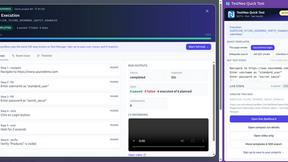
TestNeo
TestNeo.ai is an AI-native engineering and release assurance platform that helps teams automate web and API testing using natural language.

sakuttoAI
A free suite of online tools for everyday tasks like PDF compression, image conversion, text diff and CSV to Excel.

SightRadar
Face recognition API, a drop-in replacement for AWS Rekognition. Index, search, compare and detect faces, billed per photo with no subscription.

JevModel
Bilingual console and guide for the jev decision model: classify, route, and score text or JSON.

JustTools
JustTools offers a growing collection of free online tools that run directly in your browser, with no sign-up and no uploads.
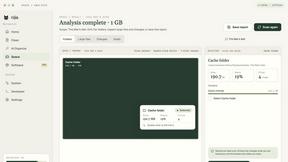
Nijia
A paid Mac app with local AI-assisted file organization, editable proposals and reviewed storage cleanup.

Dravyaa
Dravyaa is an AI-powered ERP platform that helps manufacturers, traders, and distributors manage sales, purchases, inventory, production, accounting,

CyberScore Labs
Enter your website address. In 60 seconds, get a free private report showing what hackers can see from the outside, and exactly how to fix it.


Oeneo AI
Oeneo AI unifies image, video, and voice creation in one platform. Image is live today with leading models like GPT Image, Nano Banana, Seedream, and

Kingprompt
KingPrompt is a free prompt engineering workbench to build, tune, and structure prompts for Claude, GPT, Gemini, DeepSeek, and Llama.

Bankflow
Upload a bank statement, invoice or receipt and get every transaction and line item extracted, checked and exported to Excel, CSV, QuickBooks or Xero.

Screen Issues
Free Online Screen Test Tool - Instantly diagnose dead pixels, lines, color issues, and flickering. Multiple test modes, no download needed.

laya.tools
Free directory of 950+ projects built on Laya, the open-source model that turns text into typed decisions in milliseconds.

Vertex Ai Tools
Vertex AI Tools reviews, ranks, and compares the internet's top AI software so you can make confident decisions in minutes, not hours.

SnitchFeed
SnitchFeed is an agentic social listening tool that surfaces high-intent conversations on LinkedIn, X, Hackernews, and more for GTM and product teams.



About RoomCreator Alternatives
RoomCreator is an AI-powered interior design tool that simplifies the process of visualizing room transformations. It falls into the category of instant, photo-based design software, allowing users to upload a single image of a space and receive multiple AI-generated redesigns in seconds. This approach makes advanced design visualization accessible to anyone, regardless of their prior experience or technical skill. People often explore alternatives to any software for a variety of practical reasons. Some may be looking for different pricing models or subscription tiers that better fit their budget. Others might need more advanced features, specialized tools for commercial projects, or integration with specific platforms. The desire for different aesthetic styles, a focus on 3D modeling over photo editing, or simply the need to compare a few options before committing are all common motivations for this search. When evaluating alternatives, it's wise to consider the core value you need: Is it sheer speed and simplicity, the quality of the AI renderings, the range of design styles offered, or the ability to create detailed plans from scratch?
FAQs about RoomCreator Alternatives
What is RoomCreator?
RoomCreator is an AI-powered room design tool that allows you to visualize stunning transformations of any space instantly. You simply upload a photo of your room, kitchen, bedroom, or exterior, and the AI generates realistic redesigns in about 10 seconds. It provides smart layout changes, new color schemes, furniture arrangements, and full makeovers, all without requiring any design skills. It's the simplest way to test renovation ideas before making any purchases.
Who is RoomCreator for?
RoomCreator is designed for homeowners and DIY enthusiasts who want to visualize changes to their living spaces quickly and easily. It's perfect for anyone planning a quick renovation, dealing with a small space, or simply wanting to experiment with new decor, paint colors, or furniture layouts. Since it requires no technical design skills, it's ideal for individuals who want professional-looking results without the complexity of traditional design software.
Is RoomCreator free?
RoomCreator offers a free trial, allowing users to experience its core functionality and see the power of its AI redesigns. This lets you test the tool with your own photos to see if it meets your needs. For ongoing use and access to all features, RoomCreator likely offers premium plans or subscriptions, which provide more design options and capabilities.
What are the main features of RoomCreator?
The key features of RoomCreator include generating AI room designs from a single photo in just 10 seconds and creating smart layouts that improve a room's flow and function. It instantly applies new wall colors, flooring, and furniture changes. The tool is excellent for kitchen and bedroom redesigns and includes an exterior paint color visualizer. It also produces realistic 3D previews with natural lighting and provides a helpful before-and-after comparison to clearly see the transformation.