
Alternatives to Screenshot to Code
Explore the best alternatives and competitors to Screenshot to Code.
Explore 20 alternatives to Screenshot to Code. Compare features, pricing, and find the best fit for your needs.
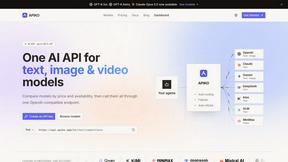
APIKO AI API
One OpenAI-compatible endpoint for text, image and video models from OpenAI, Anthropic, Google, DeepSeek and more.
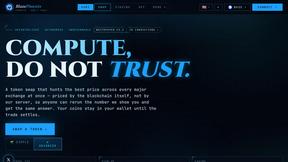
BlazePhoenix
On-chain DEX aggregator: the swap route is computed inside the transaction that executes it. No API key, no signup.

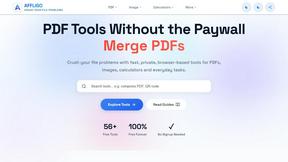
AFFLIGO
AFFLIGO is a free online toolkit for everyday file tasks. Easily edit PDFs, compress images, convert file formats, and get things done.
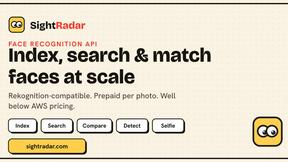
SightRadar
Face recognition API, a drop-in replacement for AWS Rekognition. Index, search, compare and detect faces, billed per photo with no subscription.
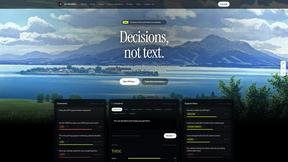
JevModel
Bilingual console and guide for the jev decision model: classify, route, and score text or JSON.

LinkIntel
MCP server giving your AI assistant your X post results and X’s ranking weights, with sources.
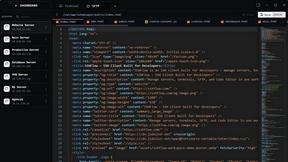
SSHFlow
SSH client for developers with integrated SFTP, code editing, terminal workspaces, server monitoring, and AI assistance.
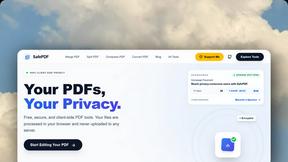
SafePDF
Free online PDF tools to merge, split, compress, convert, sign, and edit PDFs privately in your browser. No signup required.
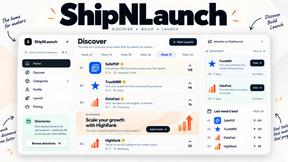
ShipNLaunch
Launch your Saas, AI tool on ShipNLaunch and get discovered through product pages, weekly rankings, categories, and maker profiles.
Nijia
A paid Mac app with local AI-assisted file organization, editable proposals and reviewed storage cleanup.

Luminus Tools
A fast, privacy-first suite of online calculators, financial desks, health trackers, and developer utilities running completely in your browser withou

RankCert
Launch board ranking products on verified domain control, plus 80+ free SEO and utility tools. Rankings cite evidence.
shardstitch
ShardStitch helps recover and hand off AI coding work, with a visual website editor and SEO Guardrails MCP in development.
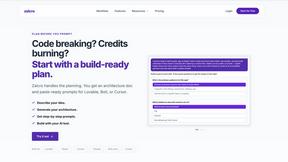
Zalcro
The AI Technical Cofounder for vibe coders. Zalcro generates app blueprints for Cursor, Lovable, Bolt and Claude Code

stackledge
The human-curated directory of verified AI tools, active SaaS, and custom n8n workflows. Discover dependable software free from bot-scraped spam.
About Screenshot to Code Alternatives
Screenshot to Code is an innovative AI-powered tool designed to convert images and screenshots into clean, functional code. Specifically categorized under Dev Tools, it provides users with the capability to generate code snippets in popular frameworks such as HTML, React, Tailwind, Vue, Ionic, and Bootstrap. This utility is particularly beneficial for developers and designers looking to streamline their workflow and reduce the time spent on manual coding. However, users often seek alternatives to Screenshot to Code for various reasons, such as pricing, specific feature sets, or compatibility with different platforms. When exploring alternatives, it’s essential to consider factors such as ease of use, the breadth of coding languages supported, the quality of the generated code, and any additional features that could enhance productivity. Making an informed choice will ensure that you find a tool that aligns with your unique project needs and development style.
FAQs about Screenshot to Code Alternatives
What is Screenshot to Code?
Screenshot to Code is a free AI-powered tool that allows users to convert images and screenshots into various types of code, including HTML, React, Tailwind, Vue, Ionic, and Bootstrap. This tool simplifies the coding process by automatically generating clean and functional code from visual designs, making it easier for developers and designers to bring their ideas to life.
Who is Screenshot to Code for?
Screenshot to Code is designed for developers, designers, and anyone who needs to transform visual elements into functional code quickly. Whether you are a seasoned developer looking to save time or a beginner trying to understand code structure, this tool caters to a diverse range of users by streamlining the coding process.
Is Screenshot to Code free?
Yes, Screenshot to Code is available as a free tool, allowing users to take advantage of its powerful AI capabilities without any cost. This makes it an accessible option for individuals and teams looking to enhance their coding efficiency without the financial commitment typically associated with developer tools.
What are the main features of Screenshot to Code?
Screenshot to Code boasts several key features that enhance its usability, such as the ability to generate code in multiple frameworks like HTML, React, and Bootstrap. The tool is user-friendly, requiring minimal input for maximum output, and it efficiently converts visual designs into high-quality code. Additionally, its AI-driven approach ensures that the generated code is both accurate and clean.