
Alternatives to SimpleDraw
Explore the best alternatives and competitors to SimpleDraw.
Explore 20 alternatives to SimpleDraw. Compare features, pricing, and find the best fit for your needs.


editedimage
Edit clothes, objects or backgrounds in a photo with one sentence. One free edit a day, no signup, your photo is never stored.

AIShortDrama
Turn your story idea into a complete AI short drama — from script and characters to scene images and cinematic video, ready for any platform.
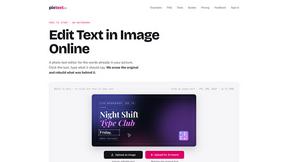
PixText
Free photo text editor: click any text in your image to change or remove it. AI rebuilds the background behind it, with no watermark. Free to start.
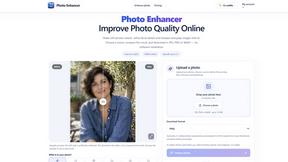
Photo Enhancer
Enhance photo quality online with EnhancerPhoto, an AI photo enhancer designed to sharpen blurry images, improve clarity, refine portraits, enhance p.
White Screen Checker
Check your screen display for dead pixels using White screen or black screen checkers.
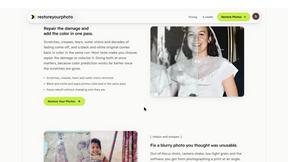
RestoreYourPhoto
Browser AI that repairs scratches, creases and fading in old photos and colorizes black and white prints. 1080p, about 30 seconds.

My Tools Suite Pro
Discover the best free online tools with ToolSuite Pro. Explore AI, productivity, marketing, SEO, writing, business, and software tools in one place.
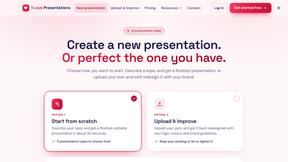
I Love Presentations
AI presentation maker: turn a topic or document into a designed, editable PowerPoint with speaker notes in under a minute. First one free.
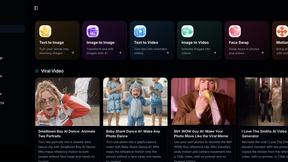
Mitu AI
All-in-One AI Image & Video Generator Online. Make viral videos or turn your ideas into high-quality visuals.
MenuCapture
Upload a photo of your dish, type what you want changed, and get an edited menu photo in about 15 seconds. The dish in the photo stays the same.
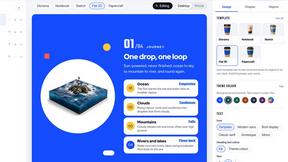
Infograph
Turn articles, notes and meetings into editable visual stories, diagrams, carousels, PDFs and videos. Free plan available.

Beautyface
Beautyface AI is an AI Photoshoot Generator that turns your selfies into studio-quality photos, professional headshots, wedding portraits

ImageToUrlKit
Instant image-to-URL converter, screenshot hosting, and batch CDN sharing workspace.

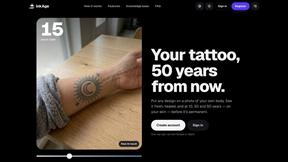
InkAge
See a tattoo on a photo of your own skin, fresh and after 10, 30 and 50 years, before you book it.
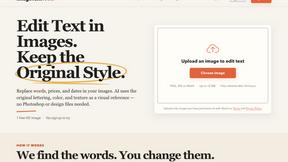
ImageTextTools
Edit the text inside any photo - change a price, date or label and AI redraws that area in the original style.
Uncensored AI
Browser-based AI image creation and editing studio for text prompts, reference images, flexible formats, and watermark-free downloads.
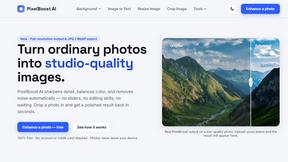
AI Pixel Boost
Resize image online for free with AI Pixel Boost. Easily adjust image dimensions for websites, social media, profile pictures, and more.
About SimpleDraw Alternatives
SimpleDraw is a free, browser-based tool for creating accurate scale drawings and floor plans. It falls into the category of online design and drafting software, making technical drawing accessible without complex software. People often look for alternatives for a variety of reasons. They might need more advanced features for professional work, prefer a downloadable desktop application, or require integration with other software in their workflow. Others might be looking for tools specialized in 3D modeling, detailed landscaping, or collaborative features for team projects. When choosing an alternative, consider your primary goal. Are you planning a simple home layout or a complex architectural project? Think about your budget, desired platform (web, mobile, or desktop), and the learning curve you're comfortable with. The right tool balances the power you need with an interface you can actually use.
FAQs about SimpleDraw Alternatives
What is SimpleDraw?
SimpleDraw is a free, online tool that lets you create simple, accurate scale drawings and floor plans directly in your web browser.
Who is SimpleDraw for?
It's designed for homeowners planning DIY projects, hobbyists, and anyone who needs a clear, precise visual plan without professional software.
Is SimpleDraw free?
Yes, SimpleDraw is completely free to use with no software to download and no account required to get started.
What are the main features of SimpleDraw?
Key features include a dedicated Floor Plan Mode for quick layouts, a smart alignment and snapping system for precision, and non-destructive editing for easy changes.