
Alternatives to Square Face Generator
Explore the best alternatives and competitors to Square Face Generator.
Explore 20 alternatives to Square Face Generator. Compare features, pricing, and find the best fit for your needs.

snapbyface
Find a person across thousands of local photos and videos using AI-powered face recognition. Quickly locate photos and video moments featuring a speci

Selzee
Selzee is an AI ad generator that finds winning ads right now and recreates them for your brand, with your products, logo, fonts and colours.
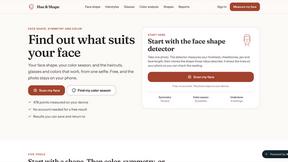
Hue & Shape
Find your face shape, color season and skin undertone from one selfie, measured in your browser.
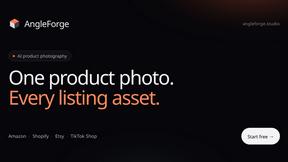
AngleForge
Turn one product photo into marketplace-ready images: studio shots, new angles, lifestyle scenes and backgrounds for Amazon, Shopify and Etsy.
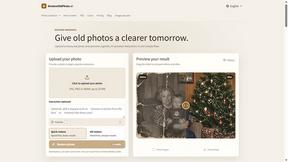
RestoreOldPhoto
Restore faded or damaged family photos with AI - repairs scratches, sharpens faces, colorizes and enhances old pictures in seconds.

Enhance My Photo
Online AI photo enhancer that sharpens portraits, products, scenery, pets and text images and exports JPEG/PNG/WebP without watermarks.

Kamero
AI event photo sharing for photographers. Guests take a selfie and face recognition instantly finds every photo they appear in from weddings & events.

Hotel Lobby AI
Hotel Lobby AI turns two portraits into a duet video in an orange recording booth with motion, lip-sync, and audio.
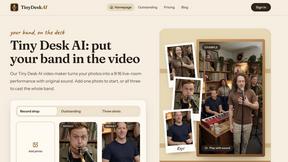
Tiny Desk AI Video Maker
Turn three photos into a vertical Tiny Desk-style concert video with original sound.

ZombieTrend AI
ZombieTrend AI turns two photos into a cinematic zombie love story video with sound, no watermark, and a free preview.
SeamlessCanvas
Create seamless textures and repeat patterns with AI, repair uploaded image edges, and inspect tiled previews.


Rhinobird
AI video ads, UGC-style videos, and product visuals for cross-border sellers and e-commerce brands.

Dola AI
Generate images and videos, edit photos and films, compose 3D scenes, and work with documents, spreadsheets, slides and PDFs.
ArtCraft
Compose images, stage 3D scenes, edit video and organize references in one web studio. AI generation and AI editing use credits.
GenX
All-in-one AI workspace to generate images, videos, and audio with multiple leading AI models.
Magicfab
AI image and video generator with Seedance, Kling, Nano Banana Pro, GPT Image and Seedream in one studio. A Higgsfield alternative.
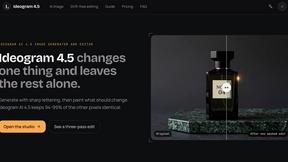
Ideogram 4.5
Ideogram AI 4.5 is an image generator and editor for precise, drift-free refinement, native 2K lettering, and Pixel Lock.
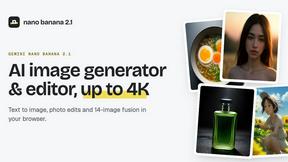
nanobanana 2.1
Nano Banana 2.1 is a fast AI image generation and editing model for realistic visuals, consistent characters, readable text, and precise creative cont
About Square Face Generator Alternatives
Square Face Generator is a free, browser-based avatar maker that draws inspiration from classic Japanese Flash doll makers and modern Picrew-style creators. It lives in the Image Generation and Photo category, offering a playful tool for crafting charming, square-faced characters with over 200 customizable parts across 12 categories, from skin tones and hairstyles to outfits and accessories. Users often look for alternatives when they need different art styles, more advanced editing features like layering or export options, or platforms that work better on specific devices or operating systems. Some may also want a tool with a larger community, more frequent updates, or the ability to save and share creations more easily. When choosing an alternative, focus on what matters most for your project. Consider the variety and style of customization options available, as some tools specialize in realistic faces while others lean into cartoon or anime aesthetics. Look for cross-platform compatibility, especially if you switch between desktop and mobile devices. Privacy is another key factor, so check whether the tool processes images locally in your browser or uploads them to a server. Finally, think about ease of use and whether the interface is intuitive for your skill level, as a steep learning curve can slow down your creative process.
FAQs about Square Face Generator Alternatives
What is Square Face Generator?
Square Face Generator is a free, browser-based avatar maker inspired by classic Japanese Flash doll makers and Picrew-style creators. It focuses on building charming characters with square-shaped faces, offering over 200 customizable parts across 12 categories including skin tones, hairstyles, eyes, outfits, and accessories. Everything renders locally in your browser, so no data ever leaves your device, making it a private and secure tool for creative expression.
Who is Square Face Generator for?
Square Face Generator is designed for anyone who enjoys creating unique, pixel-art-style avatars, from casual users looking for a fun distraction to digital artists and content creators needing quick character assets. It appeals to fans of Japanese doll maker aesthetics and Picrew enthusiasts who want a free, ad-free alternative that works across desktop, tablet, and phone. The tool is also great for educators, game developers, or social media users who need simple, customizable profile pictures without any software installation.
Is Square Face Generator free?
Yes, Square Face Generator is completely free to use with no hidden costs or subscription fees. There are no paywalls for accessing any of the 200+ customizable parts, and all features are available without requiring an account or login. The tool is supported as a free resource for the creative community, and because it runs entirely in your browser, there are no server costs passed on to the user.
What are the main features of Square Face Generator?
Square Face Generator offers 12 categories of customization with over 200 parts, including skin tones, bangs, side hair, eyes, nose, mouth, brows, lashes, blush, glasses, hats, and outfits. It is fully responsive and touch-friendly, working seamlessly on desktop, tablet, and phone without the need for any downloads or plugins. All rendering happens locally in your browser, ensuring your data stays private, and the interface is designed for fast, intuitive assembly of millions of unique character combinations.