
Alternatives to Subclip App
Explore the best alternatives and competitors to Subclip App.
Explore 20 alternatives to Subclip App. Compare features, pricing, and find the best fit for your needs.
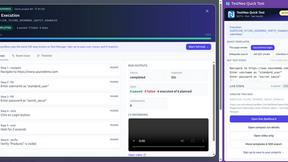
TestNeo
TestNeo.ai is an AI-native engineering and release assurance platform that helps teams automate web and API testing using natural language.
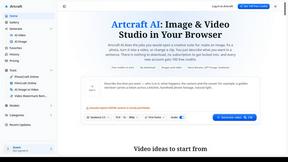
Artcraft AI
AI image and video studio in your browser: generate and edit images, turn photos into videos, edit clips by sentence.

FreeVideoGenerator
Free AI video generator that turns text prompts and photos into video clips using Sora 2, Veo 3.1, Wan and more. Free starter credits.
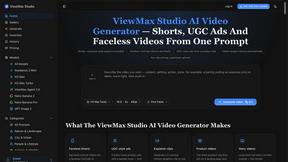
ViewMax Studio
AI video generator that turns one prompt into shorts, UGC-style ads and faceless videos, with script, voiceover and captions.

Dola AI
Dola AI video generator online: make Seedance 2.5 videos from text or a photo in your browser. No app, no watermark, free credits.

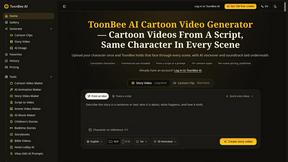
ToonBee AI
ToonBee AI turns a script or a one-line idea into a narrated cartoon video, keeping the same character in every scene. 10+ styles, 16:9 or 9:16.
sakuttoAI
A free suite of online tools for everyday tasks like PDF compression, image conversion, text diff and CSV to Excel.

Ozil AI
Put yourself in the viral Ozil goal video from one photo. Silent 9:16 720p MP4, no watermark, from $6.99.
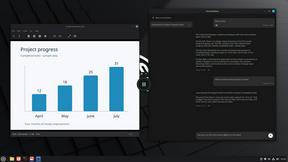
Genjutsu AI Video Editor
Edit existing videos with AI: swap characters, outfits, objects or scenes while using the source clip to guide motion and camera framing.
Bulin 47 Video Generator
AI Video Bulin47 lets you put yourself in the viral Bulin47 video trend with AI. Upload your photo, create a personalized Bulin47 video, and share it
Bulin 47 AI Freestyle Video Generator
Upload any photo and get your own Bulin 47 AI Freestyle video
Toolara Music
Describe a song in plain text and get a complete track — vocals or instrumental, custom lyrics, up to 120 seconds, MP3 download
SightRadar
Face recognition API, a drop-in replacement for AWS Rekognition. Index, search, compare and detect faces, billed per photo with no subscription.
JevModel
Bilingual console and guide for the jev decision model: classify, route, and score text or JSON.
AI Face Swap Video
Swap any face into any video online with AI in minutes. Upload a clip and a photo, get natural lighting and expressions. Free credits on sign-up.

Rumpelstiltskin AI Video Generator
Make the viral Rumpelstiltskin tiptoe dance meme video from two photos
About Subclip App Alternatives
Subclip App is an innovative AI-powered video editing platform designed specifically for content creators, enabling them to edit videos efficiently without compromising on quality. As a browser-based tool, it integrates a range of functionalities, such as transcription, dubbing, and animated captions, into a single, user-friendly application. This makes it a popular choice among various creators, from vloggers to educators, who rely on seamless workflows for producing captivating content. Despite its robust features, users often seek alternatives to Subclip App for various reasons, including pricing considerations, specific feature requirements, or compatibility with different platforms. When choosing an alternative, it’s essential to evaluate factors such as user interface ease, the range of functionalities offered, integration capabilities with other tools, and overall value for money. A thorough understanding of your unique needs and preferences will help you find the right solution that fits your creative process.
FAQs about Subclip App Alternatives
What is Subclip App?
Subclip App is an AI-powered video editing platform designed for content creators. It streamlines the video editing process by combining various tools into a single browser-based application, allowing users to focus on content creation without the hassle of managing multiple software. Key features include automatic video clipping, transcription, dubbing, and animated captions.
Who is Subclip App for?
Subclip App is tailored for a diverse range of users, including content creators, podcasters, coaches, educators, vloggers, agencies, and freelancers. It caters to anyone who needs to produce high-quality video content quickly and effectively, making it ideal for those who create for social media, online courses, or promotional materials.
Is Subclip App free?
Subclip App offers various pricing plans to accommodate different user needs, but it is not entirely free. Users may need to subscribe to access the full range of features, including unlimited transcription and AI dubbing. It's advisable to check their official website for the latest pricing information and any available trial options.
What are the main features of Subclip App?
Subclip App boasts several key features, including AI-powered video clipping that identifies engaging moments, unlimited transcription for generating accurate text from videos, and AI dubbing in over 21 languages. Additionally, it offers animated captions, voice enhancement, and prompt-based motion graphics, all within a single, intuitive platform.