
Alternatives to TuneStems
Explore the best alternatives and competitors to TuneStems.
Explore 20 alternatives to TuneStems. Compare features, pricing, and find the best fit for your needs.

xfiles
Free PDF, image and audio tools that process your files locally in your browser. No account or added watermarks.

Toolara Music
Describe a song in plain text and get a complete track — vocals or instrumental, custom lyrics, up to 120 seconds, MP3 download
Euphona
Turn raw recordings into release-ready sound with AI: mastering, stem separation, restoration, vocal tuning, mixing and spatial audio.

Piano to Sheet Music
Turn a piano recording into sheet music, MIDI and MusicXML, with the first 30 seconds free in your browser.


Producer Tag Generator
Give your beats a name people know. Use our free producer tag generator to write a short line and choose effects. Open Advanced Mode to pick a voice s

Link to Song
Paste a TikTok, YouTube, Instagram, Facebook or X video link and get the song name, artist and official listening links.

CleanNoise
AI noise remover for audio and video. Hear a free 30-second preview with no sign-up, then download the cleaned file from $0.99.


SendSong
Create a personalized song gift from your story — lyrics, vocals, and a shareable page in minutes. Free to try.

SongHQ
SongHQ helps custom-song sellers manage customer briefs, lyrics, song versions, cover art, and branded delivery pages in one production workspace.
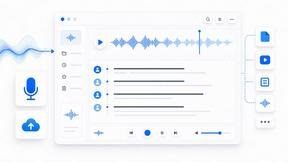
Muse Voice
Muse Voice is an online speech-to-text workspace that transcribes audio and video with speaker labels and timestamps, then exports TXT, DOCX, PDF, SRT

Media2URL
Upload media files and turn them into direct shareable links, embed codes, and QR codes for easy sharing across websites and apps.
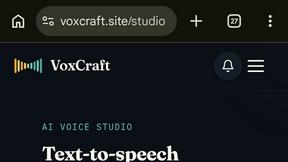
VoxCraft
VoxCraft is an AI audio platform with text-to-speech, voice cloning, transcription, music generation, and essential audio tools.

VoiceWarp.ai
Free browser-based voice changer for audio, video, and text with 22 effects, microphone recording, local processing, and downloads.
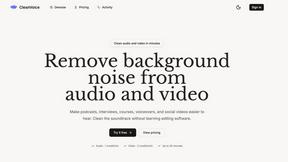
Clean Voice
AI tool to remove background noise from audio and video, making podcasts, voiceovers, interviews, and videos clearer.

AIMusicFlow
AIMusicFlow creates royalty-free songs from text or lyrics in one connected AI music workflow.
About TuneStems Alternatives
TuneStems is an AI-powered stem splitter that runs directly in your web browser, designed for musicians, producers, and music educators who need to separate a finished song into its individual components. It falls under the audio and music category, offering a straightforward way to isolate vocals, drums, bass, guitar, piano, and other instrumental parts from any track. This makes it a valuable tool for practicing along with specific instruments, studying song arrangements, preparing remixes, or simply listening more closely to a single part of a mix. While TuneStems is a solid choice for many, users often look for alternatives for a few common reasons. Some may find the pricing model doesn't fit their budget, especially if they only need occasional access. Others might require specific features not offered, such as batch processing multiple files at once, higher audio quality exports, or desktop software that works without an internet connection. Platform needs also play a role, as some users prefer mobile apps or software that integrates more deeply with their existing digital audio workstation. When choosing an alternative, look for clear separation quality, a fair pricing structure that matches how often you will use it, support for the file formats you work with, and whether the tool offers the specific stem types you need most, like just vocals and drums for quick practice sessions.
FAQs about TuneStems Alternatives
What is TuneStems?
TuneStems is a browser-based AI stem splitter that separates a finished song into individual practice-ready tracks. It can isolate vocals, drums, bass, guitar, piano, and other instrumental parts from any audio file you upload. The tool is designed to be simple to use, requiring only an upload, a selection of the separation mode, and a download of the clean stems.
Who is TuneStems for?
TuneStems is built for a wide range of music enthusiasts including musicians, producers, teachers, and learners. Musicians and producers can use it to prepare remixes or study arrangements, while teachers and learners can isolate specific instruments for focused practice. It is also useful for anyone who wants to listen closely to one part of a song at a time.
Is TuneStems free?
Based on the product description, TuneStems operates as a browser-based service with a specific workflow for uploading and processing tracks. The pricing model is not explicitly detailed in the provided content, but users often evaluate such tools based on features versus cost. It is best to check the official TuneStems website for the most current information on free tiers or subscription plans.
What are the main features of TuneStems?
The main features of TuneStems include its ability to separate a song into vocals, drums, bass, guitar, piano, and other parts using artificial intelligence. It is entirely browser-based, meaning no software installation is required, and the workflow is designed to be simple: upload a track, choose a separation mode, and download the resulting stems. These stems are clean and ready for private study, creative work, or remixing.