
Alternatives to Upsampler
Explore the best alternatives and competitors to Upsampler.
Explore 20 alternatives to Upsampler. Compare features, pricing, and find the best fit for your needs.
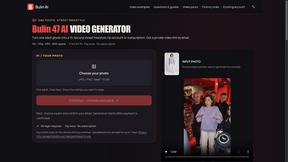
Bulin AI
Create a 15-second Bulin 47 AI freestyle video from one permitted portrait. One-time packs from $9.90, email delivery, no account or subscription.
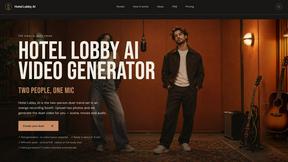
Hotel Lobby AI
Hotel Lobby AI turns two portraits into a duet video in an orange recording booth with motion, lip-sync, and audio.
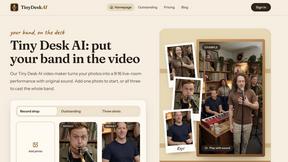
Tiny Desk AI Video Maker
Turn three photos into a vertical Tiny Desk-style concert video with original sound.
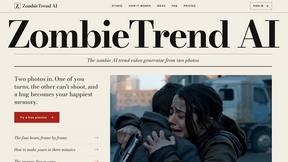
ZombieTrend AI
ZombieTrend AI turns two photos into a cinematic zombie love story video with sound, no watermark, and a free preview.
GenX
All-in-one AI workspace to generate images, videos, and audio with multiple leading AI models.

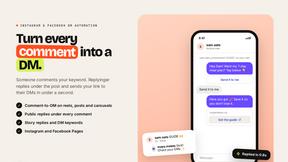
Replyinger
Automate Instagram and Facebook DMs, comment replies, and story interactions to turn followers into leads and customers. No coding required.
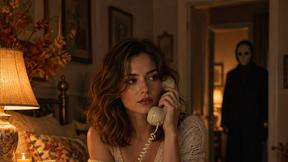
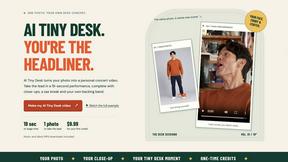
AI Tiny Desk
Create a personal 19-second vertical desk-concert video from one adult photo, with music and silent MP4 downloads.

Hotel Lobby AI Video
Create a Hotel Lobby duo video from two character photos. Choose left and right performers, review the AI result, and download your finished clip.

Design.com AI Image Generator
Turn text prompts into polished, copyright-safe visuals that plug directly into branded templates
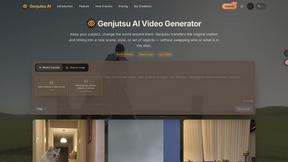
FastH3 Omni
Run FastH3 Omni in your browser. Up to 9 reference images plus 3 audio references become a 5–15s clip with synced audio. No install, no GPU.
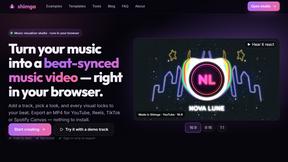
shimga
Shimga is a browser-based music visualizer studio. Add a song, pick a look and export a beat-synced music video, with nothing to install.
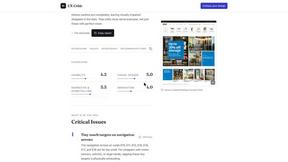
UX Critic
AI design critic: scored UX reviews with every issue pinned to the exact region of your screenshot.

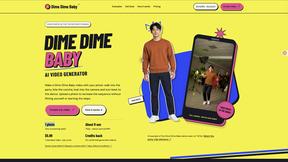
Dime Dime Baby
Turn one adult photo into a personal 9-second Dime Dime Baby dance video in native 9:16, with a silent MP4 download and one-time paid credits.
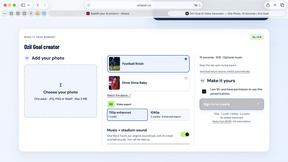
Ozil Goal
A browser-based AI creator for personal 15-second football goal videos from one adult photo.
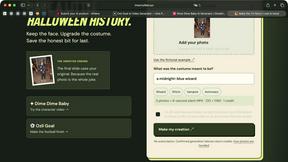
I'm Sorry I Lied
An AI costume reveal maker that pairs an imagined outfit, a confession and the original photo in three captioned images and a silent 9-second video.
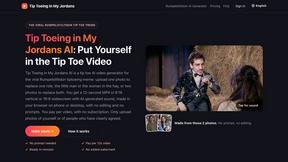
Tip Toeing in My Jordans
Upload a photo and get a 12-second Tip Toeing in My Jordans video: you play the AI Rumpelstiltskin, a friend can play the woman in the hay.
About Upsampler Alternatives
Upsampler is a free, all-in-one browser-based platform that serves as both an AI video generator and an AI image generator. It belongs to the content creation and design tools category, offering users the ability to create, edit, upscale, restore, and animate visual assets directly from text prompts or reference images. While Upsampler provides a robust set of features for free, many users begin looking for alternatives for a variety of reasons. Some may need access to higher resolution outputs or more advanced video editing timelines, while others might be searching for specific integrations with their existing design software or social media scheduling tools. Additionally, users with very high-volume production needs may seek platforms with different pricing models or enterprise-level support structures. When choosing an alternative to Upsampler, it is important to first identify your primary workflow. If your main goal is generating high-quality still images from text prompts, look for platforms with strong community models and fine-grained control over style and composition. For video creation, consider how the tool handles motion, camera angles, and the ability to animate existing images. You should also evaluate the platform’s upscaling and restoration capabilities, as these are critical for turning raw AI outputs into professional, campaign-ready assets. Finally, think about your budget and whether you prefer a pay-per-use model, a monthly subscription, or a completely free tier. The best alternative will match your specific creative needs without forcing you to compromise on speed, quality, or ease of use.
FAQs about Upsampler Alternatives
What is Upsampler?
Upsampler is a free, all-in-one browser-based platform that combines an AI video generator and an AI image generator. It allows users to create, edit, upscale, restore, and animate visual assets from text prompts or reference images. Designed for creators, marketers, and product teams, Upsampler brings image generation, video animation, editing, cleanup, and export tools into a single practical workspace.
Who is Upsampler for?
Upsampler is built for creators, marketers, and product teams who need to produce visual content quickly and efficiently. It is ideal for anyone who wants to turn text prompts into polished images, create short video clips for social media or product teasers, or improve existing assets through upscaling and background removal. The platform is designed to be accessible for both beginners and experienced professionals working in a browser.
Is Upsampler free?
Yes, Upsampler is described as a free AI video generator and free AI image generator. The platform provides core features such as AI image generation, upscaling, restoration, background removal, and AI video generation without upfront costs. Users can access these tools directly in their browser to create campaign-ready visuals and short videos.
What are the main features of Upsampler?
Upsampler’s main features include AI image generation from text prompts, AI video generation from text or reference images, image upscaling and restoration, background removal, and image-to-video animation. It also provides editing and cleanup tools, allowing users to refine their assets before exporting. All of these capabilities are integrated into one browser-based workspace for streamlined content creation.