
Alternatives to Very Good Calendar Sync
Explore the best alternatives and competitors to Very Good Calendar Sync.
Explore 20 alternatives to Very Good Calendar Sync. Compare features, pricing, and find the best fit for your needs.
002call
Call 190+ countries from your browser, with no SIM card, no app, and no contract. Cheap international calls start at $0.02 a minute, and your first mi

NexiaTools
NexiaTools is an all-in-one AI platform with 86+ micro-tools for writing, marketing and everyday business tasks. Free to try.
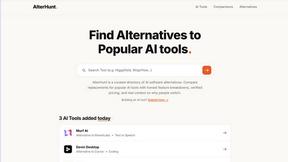
AlterHunt
AlterHunt is a curated directory of AI alternatives where you can find the best alternatives to popular tools like Higgsfield and Cursor.
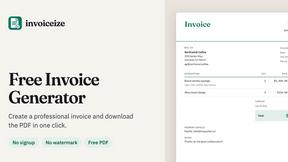
Invoiceize
Free invoice generator with live previews, PDF export and optional AI-assisted Scan & fill.

Promptifi
Reviewed AI prompts and workflows for B2B sales, from account research to renewal. Run them in ChatGPT, Claude, Gemini or Copilot. 100 free.
Statement2QBO
Bank statement PDF to QBO, Excel and Xero. Runs in your browser; three pages a day are free.
Full Page Screenshot
Capture entire web pages in one click — PNG, JPG or PDF. Free Chrome & Edge extension + web app.

TallyNexa
TallyPrime books live on any phone, a WhatsApp summary every morning and Nexa AI answers from your books.

Splitceipt
Snap a receipt and AI itemizes it. Assign each item to whoever ordered it, and Splitceipt tracks who owes whom until everyone settles up.
Emailyy
Free email tools for signatures, subject lines, HTML previews, word counts, and email headers. Browser-based, simple to use, and no signup required.
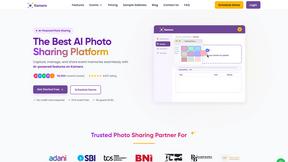
Kamero
AI event photo sharing for photographers. Guests take a selfie and face recognition instantly finds every photo they appear in from weddings & events.

Uniclip
Clip pages, take full-page screenshots and batch-capture list data to Notion, Feishu, Obsidian, Markdown, CSV or JSON.

SquishFile
Compress video free in your browser — shrink MP4, MOV, MKV or AVI to an exact size like 10MB or 25MB. No upload, no watermark, no sign-up.
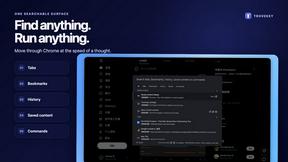
TroveKey
Search tabs, Chrome bookmarks and history, run browser commands, and save webpages and social posts locally—no account.

TravelMapVisited
Use a countries visited map to track your travels, count how many countries you’ve been to, and create a visited countries map.

PLRental
AI-powered platform for car, motorcycle, and ATV rental agencies: scan IDs, generate contracts, and manage fleet and finances.

Replyinger
Automate Instagram and Facebook DMs, comment replies, and story interactions to turn followers into leads and customers. No coding required.
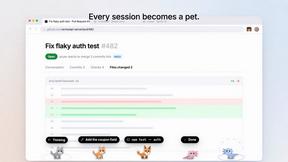
Agent Pets
Your Claude Code & Codex sessions as pets in Chrome. Approve, deny and reply to your coding agents from any tab.

About Very Good Calendar Sync Alternatives
Very Good Calendar Sync is a privacy-focused macOS utility that quietly keeps your calendars in perfect harmony without you having to lift a finger. It falls into the productivity and management category, specifically designed for anyone who juggles multiple calendars across work and personal life. The app does its job in the background, automatically syncing changes from one calendar to another based on rules you set, and it does all of this without ever sending your data off your Mac. Users often look for alternatives for a few common reasons. Maybe they need a solution that works on Windows or an iPhone, since Very Good Calendar Sync is built exclusively for macOS. Others might find the pricing doesn't fit their budget or they need a feature the app doesn't offer, like team-based syncing or integration with a specific project management tool. When choosing an alternative, the key things to look for are strong privacy protections, reliable background syncing, and flexible filtering options that let you control exactly what gets shared and when. You also want to make sure the tool works with the calendar services you actually use, like Google Calendar, Outlook, or iCloud.
FAQs about Very Good Calendar Sync Alternatives
What is Very Good Calendar Sync?
Very Good Calendar Sync is a macOS app that automatically synchronizes your calendars in the background. It quietly monitors your calendars for changes and syncs them according to rules you set, such as specific weekdays or hours. The app is designed to eliminate the need for manually checking multiple calendars, keeping everything perfectly aligned without any ongoing effort from you.
Who is Very Good Calendar Sync for?
This app is perfect for consultants managing client calendars, employees balancing work and personal schedules, freelancers juggling multiple projects, or anyone tired of calendar chaos. It is built for Mac users who need to keep separate work and personal calendars in sync without the hassle of manual updates. Essentially, it is for anyone who wants a set-it-and-forget-it solution to avoid double-booking or missing events.
Is Very Good Calendar Sync free?
The provided product description does not specify a price, so it is best to check the official product page for current pricing details. However, it is common for specialized utilities like this to be a paid app or offer a one-time purchase. The value it provides is in the privacy and automation, as it works entirely on your Mac without any cloud subscriptions.
Is Very Good Calendar Sync secure?
Yes, the app is designed with privacy and security as a core feature. Your calendar data never leaves your Mac, and you do not need to share any credentials or grant third-party access. There is no cloud storage involved, as the app uses your Mac's native calendar access to perform all syncing locally and privately.